
Vandaag of morgen in huis

Kwaliteit gegarandeerd

Welkomstaanbiedingen ontgrendelen: GRATIS bezorging | Tot 80% korting | Gratis 30 dagen JoyPlus-proefperiode
Download de app
Is your drawer overflowing with cables, yet you have no idea which one is right for your new laptop or smartphone? You're not alone. The world of USB-C to USB-C cables can be a maze of confusing terms like 240W, 10Gbps, and fast charging. One cable might power up your MacBook effortlessly, while another can barely keep up with your phone.
This guide is designed to bring clarity. We'll help you understand the specifications that really matter, so you can choose a cable that perfectly matches your devices and needs. Whether you're looking for a powerful laptop charging cable, a high-speed data transfer cable for your external SSD, or just a reliable replacement for your phone.
Before we dive into our recommendations, here are three key factors to help you make the right choice.
Not all USB-C cables deliver the same amount of power. A standard cable designed for a phone often won't provide enough juice for a laptop.
If you only use the cable for charging, speed is less of a concern. But for transferring large files, it's crucial.
A cable is only as strong as its weakest point, which is often the connector or the outer jacket. A braided cable, typically made of nylon, offers extra protection against kinks and fraying. This can significantly extend its lifespan, especially if you travel with your cable often.
Based on specifications and use cases, we've rounded up some of the most popular choices for you.
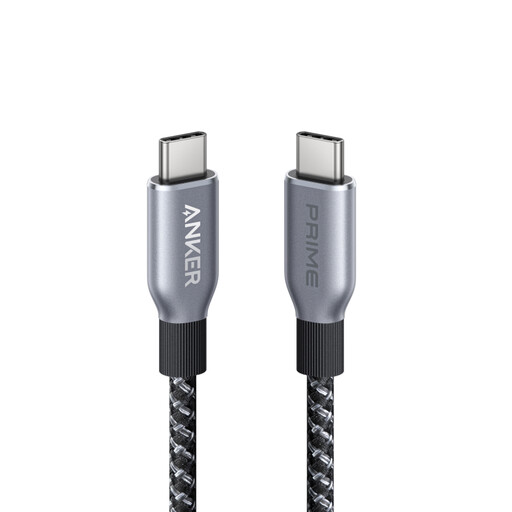
Why it stands out: This cable is built for the future with its massive 240W power output, wrapped in a durable, eco-friendly jacket.
Pros:
Who is this cable for? For the user seeking a robust and future-proof cable. It's ideal if you own a powerful laptop (as a replacement MacBook cable, for instance) or simply want one cable that will last for years and handle any device you throw at it.
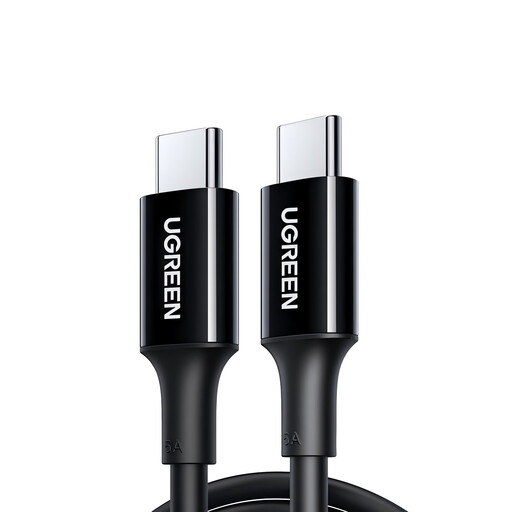
Why it stands out: A reliable and affordable all-rounder for everyday charging.
Pros:
Who is this cable for? For anyone who needs a simple, dependable charging cable for their smartphone, tablet, or other accessories. If you primarily use the cable for charging and not for high-speed data transfer, this is a solid choice.
Why it stands out: This cable combines high power delivery with blazing-fast data transfer, making it ideal for professional use.
Pros:
Who is this cable for? For professionals, content creators, and tech enthusiasts. If you regularly work with external SSDs, docking stations, or a 4K USB-C monitor, this data transfer cable provides the speed and power you need.
These recommendations cover the most common scenarios, but perhaps you're looking for something more specific. Think longer cables, or cables optimized for video.
For a broader overview, including specialized options, feel free to browse our full collection. ? Explore our full range of USB-C monitor cables and other variants
No, that's not recommended. Laptops require higher power delivery than phones. A cable not rated for at least 60W or 100W will likely charge your laptop very slowly, if at all. Always check that the cable's wattage matches the requirements of your laptop and charger.
They use the same physical connector, but that's where the similarities end. Thunderbolt cables (versions 3 and 4) offer much higher speeds (up to 40 Gbps) and more functionality, like driving two 4K monitors. A standard USB-C cable cannot achieve Thunderbolt speeds. However, a Thunderbolt cable can function as a regular USB-C cable.
The easiest way is to check the original charger that came with your device. The power output (in watts, W) is usually printed on it. If you no longer have it, you can look up your device's specifications on the manufacturer's website.
