
Vandaag of morgen in huis

Kwaliteit gegarandeerd

Welkomstaanbiedingen ontgrendelen: GRATIS bezorging | Tot 80% korting | Gratis 30 dagen JoyPlus-proefperiode
Download de app
Mounting a TV on the wall saves space and gives your interior a sleek, modern look. But with so many options available, finding the right TV mount can be challenging. The wrong choice can result in a poorly positioned TV, screen glare, or even unsafe conditions.
This guide will help you make an informed decision. We'll cover the key considerations and highlight a few popular models to help you find a television wall mount that suits your TV and your living room.
Before you make a choice, there are a few technical specifications you need to check. This ensures the mount is compatible with your TV and can be securely attached to the wall.
The VESA size is the standardised distance between the four mounting holes on the back of your television. It is expressed in millimetres (width x height), for example, 200x200 mm. Every TV wall mount is designed for specific VESA sizes. You can find your TV's VESA size in the user manual, on the manufacturer's website, or by measuring the distance between the holes yourself. Ensure your TV's VESA size matches the mount's specifications.
TV mounts come in three main types, each with its own advantages:
Always check the maximum weight capacity of the TV mounting bracket. This weight must be greater than the weight of your television. Additionally, it is crucial to attach the mount to a sturdy, load-bearing wall. Walls made of concrete or solid brick are generally suitable. For hollow walls (like drywall), you will need specialised anchors and extra caution. When in doubt, consult a professional.
Based on functionality and specifications, we have selected a few versatile options for you.
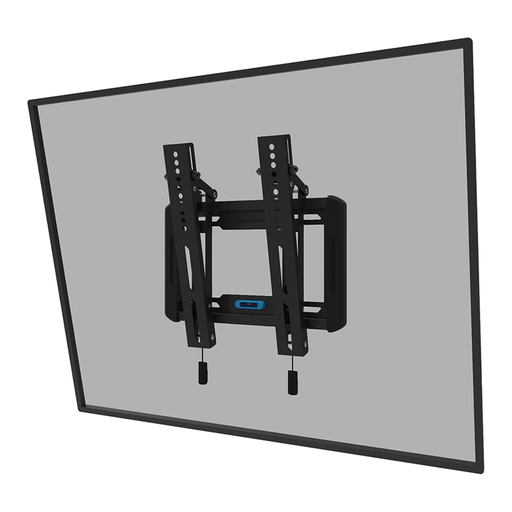
Why It Stands Out: This tilting TV mount combines a slim profile with ease of use. According to the manufacturer, Neomounts, the magnetic quick-release system and built-in spirit level ensure a simple installation. With a distance of only 3.3 cm from the wall, your TV will have a clean look, while the tilting function helps you find the ideal viewing angle.
Key Features:
Who Is It For? For users who want a clean setup that sits close to the wall but still desire the flexibility to tilt the TV slightly. Ideal for living rooms and bedrooms where the viewing position is relatively fixed.
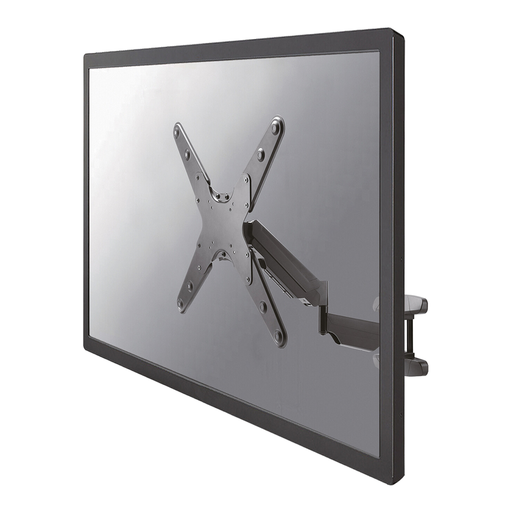
Why It Stands Out: This full-motion TV mount offers complete freedom of movement. The arm is equipped with a gas spring, allowing you to smoothly adjust the height, viewing angle, and distance from the wall. The combination of tilting (20°), swivelling (180°), and height adjustment makes this a highly flexible solution. A TV mount for 55-inch televisions that require maximum adaptability.
Key Features:
Who Is It For? For those who want to watch TV from different spots in the room, such as in an open-plan kitchen or an L-shaped living room. Also a great choice for corner installation.
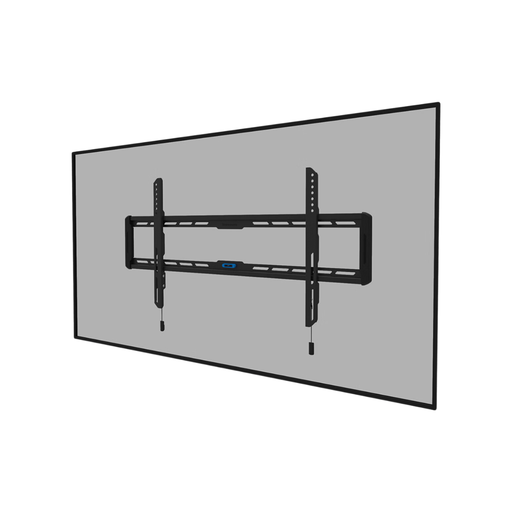
Why It Stands Out: If you're looking for a mount that hangs your TV like a painting on the wall, this is an interesting option. With a depth of only 2.3 cm, it is one of the slimmest mounts on the market. This fixed TV mount is designed for larger screens (up to 86 inches) and has a high weight capacity of 70 kg. According to the manufacturer, the magnetic pull-cord system makes it easy to attach and detach the TV.
Key Features:
Who Is It For? For owners of large televisions who want a minimalist and fixed setup. This mount is perfect for a home cinema or a living room where the TV has a central, permanent place.
The models mentioned above offer solutions for the most common scenarios. However, if you are looking for a mount with an extra-long arm or specific swivel capabilities, many other variants are available that might better suit a unique room layout.
Explore our full range of Extendable TV Wall Mounts for more choices.
The VESA size is usually listed in your TV's manual or on the manufacturer's product page. You can also measure it yourself: measure the horizontal and vertical distance (in millimetres) between the centre of the mounting holes on the back of your TV.
No, safety is paramount. A television wall mount must be installed on a sturdy, load-bearing wall made of materials like concrete, solid brick, or with wooden studs. Mounting on a hollow wall like drywall is not recommended unless you use special, appropriate anchors and reinforcements. Always verify that the wall can support the combined weight of the TV and the mount.
A good rule of thumb is to hang the TV so that the centre of the screen is at eye level when you are seated on your sofa. This is typically around 100 to 110 cm from the floor. However, this can vary depending on the size of your TV and your personal preference.
