
Vandaag of morgen in huis

Kwaliteit gegarandeerd

Welkomstaanbiedingen ontgrendelen: GRATIS bezorging | Tot 80% korting | Gratis 30 dagen JoyPlus-proefperiode
Download de app
Building a PC that's not only powerful but also looks great is a goal for many. A set of colourful RGB fans seems like a logical next step. But the search often leads to frustration: the lighting doesn't work as expected, or the "silent" fan sounds like a jet engine during a gaming session.
Many marketing claims surrounding PC cooling are designed to entice, not to inform. Before you invest in an upgrade, it's crucial to recognise the most common pitfalls.
To avoid buyer's remorse, it's crucial to look beyond the packaging. Pay attention to the following objective specifications to find the right PC fan for your system.
The most common sizes are 120mm case fans and 140mm case fans. Always check which size fits in your PC case. As a general rule:
This is arguably the most important technical aspect of PC cooling.
Choose a high-static pressure fan for radiators and a high-airflow fan for the rest of your case.
A truly silent PC fan isn't just quiet at low RPMs; it also produces acceptable noise levels under load. Pay attention to the full dB range. A fan with PWM (Pulse Width Modulation) support is a major advantage here. PWM fans have a 4-pin connector and allow your motherboard to precisely and automatically adjust the speed based on temperature. This ensures quiet operation when the PC is idle and powerful cooling when it's needed.
The lighting technology determines the visual possibilities.
Always check which headers your motherboard has before making a purchase. Some brands, like Corsair, also offer proprietary ecosystems (like iCUE LINK) with a central controller, which can simplify installation.
Below are some popular choices, matched to different user profiles. This selection is based on objective product specifications.
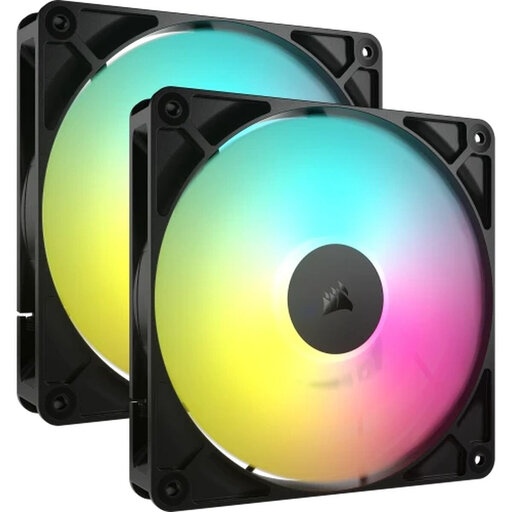
Why This Fits Their Persona: Perfect for those who want to build a visually appealing PC without paying a premium price. This set offers customisable ARGB lighting and solid performance for a complete look.
This fan is an ARGB model, meaning you can control each LED individually for complex effects, provided your motherboard has a 5V ARGB header. This helps you avoid the disappointment of standard RGB.
Comes as a 2-pack for balanced airflow. The 140mm size ensures good air displacement at a relatively lower RPM.
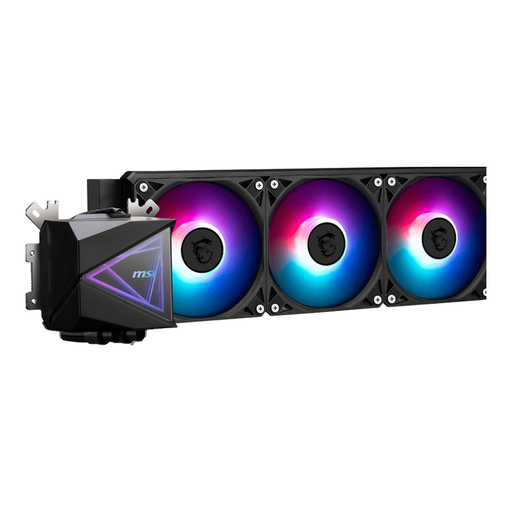
Why This Fits Their Persona: For gamers who need to keep their CPU cool under heavy load. An all-in-one water cooling system provides superior cooling capacity for overclocking and long gaming sessions.
This system is designed for maximum heat dissipation. The fans are optimised for high static pressure, which is necessary to push air efficiently through the radiator—exactly where a standard case fan would fail.
A complete cooling solution for your CPU, featuring three fans and a 360mm radiator. Compatible with the latest AMD and Intel sockets.

Why This Fits Their Persona: Ideal for the builder who wants a clean, tidy system with minimal cables, all controlled from a single software suite. Perfect for a clean and professional look.
The iCUE LINK system from Corsair tackles cable chaos. Fans are daisy-chained together with a single cable, which simplifies installation and reduces the risk of errors when connecting RGB and fan headers.
Simplified cable management and full control over speed and lighting via the iCUE software. The fans offer a good balance between airflow and static pressure.
Good PC cooling is about more than just a set of fans. Sometimes, a completely new PC case with built-in ventilation is the right move. We have a selection of products that meet strict criteria for performance and compatibility.
No, this is a common mistake. Check if your motherboard has a 12V 4-pin RGB header (for standard RGB) or a 5V 3-pin ARGB header (for addressable RGB). The connectors are not interchangeable. Furthermore, some brands use a proprietary controller that connects via an internal USB port. Always check the specifications of both the fan and your motherboard.
A basic setup for good PC cooling consists of at least two fans: one at the front for cool air intake and one at the back for warm air exhaust. For gaming PCs or systems with high-performance components, three to six fans are common to ensure optimal airflow. The configuration (intake vs. exhaust) is just as important as the number of fans.
A standard RGB fan can only display one colour at a time across all its LEDs. You can change the colour, but all the LEDs will change with it. An ARGB (Addressable RGB) fan has LEDs that can be controlled individually. This allows for complex, dynamic lighting effects like rainbows, smooth transitions, and other patterns. ARGB offers significantly more options for personalisation.
