
Vandaag of morgen in huis

Kwaliteit gegarandeerd
Download de app
Categorieën

An extra screen for your laptop can significantly boost your productivity, whether you're working from home, studying, or on the go. But choosing the right portable monitor isn't always straightforward. The market is vast, and the specifications can be confusing. The wrong choice could leave you with an incompatible screen, disappointing image quality, or a device that's too cumbersome for travel.
This guide will help you make an informed decision based on factual specifications. We'll explain what to look for and highlight several models for different types of users.
Before choosing a model, it's crucial to understand your own needs and your laptop's specifications. Pay attention to the following points.
The most important factor is connectivity. Most modern portable monitors use a USB-C connection.
The balance between screen real estate and portability is a personal choice.
Image quality is largely determined by the panel.
Below is a selection of portable monitors, chosen for their specifications and suitability for various use cases.
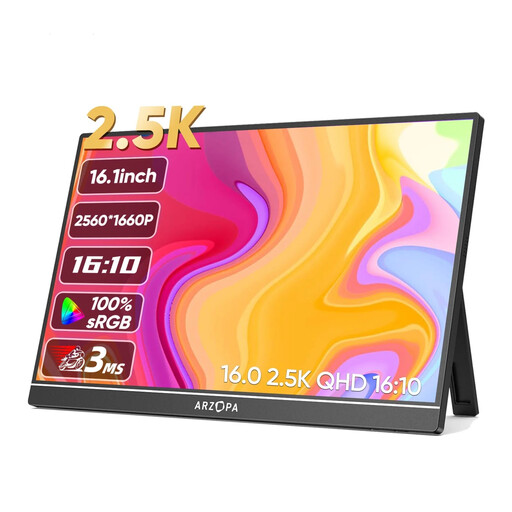
Why We Chose It: This ARZOPA model stands out with its high 2.5K (2560x1600) resolution on a 16-inch screen. The 16:10 aspect ratio provides more vertical workspace than a standard 16:9 screen, which is excellent for reading documents or coding.
Pros:
Who It's For: Ideal for creative professionals, developers, and multitaskers who need maximum screen real estate and colour accuracy. It's also a great choice as an external screen for a MacBook due to its high resolution.
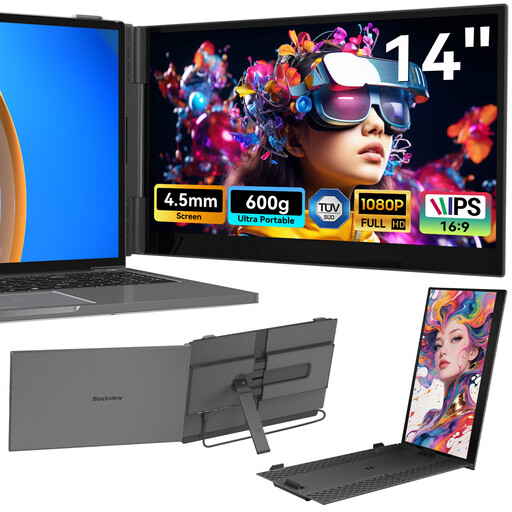
Why We Chose It: The Blackview SCM6 is a true laptop screen extender. Instead of a freestanding screen, this model is designed to attach directly to the side of your laptop's display. Weighing just 600 grams and with a thickness of 4.5 mm, it's an extremely portable solution.
Pros:
Who It's For: The perfect choice for digital nomads, students, and travelling professionals who need a lightweight, integrated second screen for their laptop and frequently work from different locations.
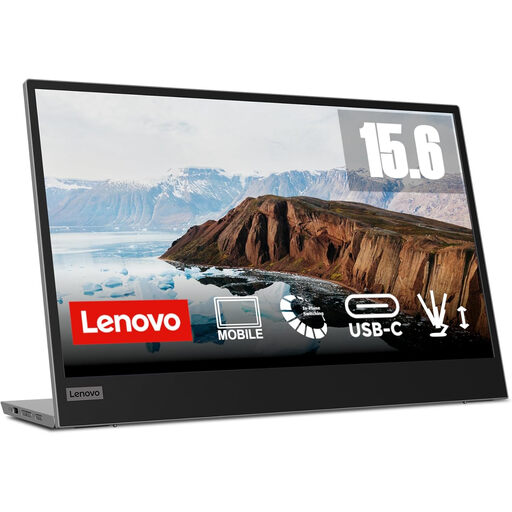
Why We Chose It: The Lenovo L15 is a solid all-rounder from a well-known brand. This mobile screen focuses on ease of use and ergonomics. It offers a sharp Full HD IPS panel and convenient features like a height-adjustable stand and USB-C power pass-through.
Pros:
Who It's For: Professionals and students looking for a reliable and ergonomic external monitor for long work or study sessions. The power pass-through feature is ideal for users who appreciate a clean, clutter-free desk with minimal cables.
The selection above covers various use cases, but the market for portable monitors is much larger. If you're looking for a specific size, a different resolution, or a model with touchscreen functionality, more options are available that might be a better fit for your specific needs.
Check out our full range of portable USB-C monitors for more models and compare specifications to find your perfect match.
1. Do I need a separate power source for a portable monitor? It depends on the connection. If you use a full-function USB-C port that provides enough power (often indicated as 'DisplayPort Alt Mode' or with a lightning bolt symbol for Thunderbolt), a single cable for both power and video is sufficient. If you use HDMI, you will almost always need a separate USB cable connected to your laptop or a wall adapter for power.
2. Does a portable monitor work with a MacBook? Yes, most modern portable monitors work perfectly with MacBooks. MacBooks with Thunderbolt 3 or 4 (USB-C ports) can transmit video, power, and data through a single USB-C cable. This makes combining a MacBook with an external screen for a MacBook extremely practical.
3. Can I use a portable monitor for gaming? Absolutely. Many portable monitors can be connected via HDMI to consoles like the Nintendo Switch, PlayStation 5, or Xbox. For a good gaming experience, pay attention to the refresh rate, which should preferably be 60Hz or higher, and a low response time. Some models also support HDR for more vibrant colours.