
Vandaag of morgen in huis

Kwaliteit gegarandeerd

Welkomstaanbiedingen ontgrendelen: GRATIS bezorging | Tot 80% korting | Gratis 30 dagen JoyPlus-proefperiode
Download de app
Do you switch between your laptop, tablet, and desktop daily? A desk cluttered with different mice and cables is not only inconvenient but also messy. A good multi-device mouse can significantly improve your workflow and keep your workspace organised.
As a Joybuy Product Recommendation Officer, I'm here to help you make an informed choice. In this article, we'll highlight the key specifications and present several popular models, without the unnecessary marketing jargon. This will help you find the multi-device mouse that fits your workflow.
Before we dive into the products, here are a few practical points to consider. These will help you determine which features are important to you.
A multi-device mouse can connect in two ways: via Bluetooth or a 2.4 GHz USB dongle. Many models offer both options. A bluetooth mouse is ideal for devices without a traditional USB port, like a tablet or a modern ultrabook. A dongle often provides a very stable, direct connection to your desktop or laptop. However, the key feature is the ability to switch smoothly between paired devices, usually with a dedicated button on the mouse.
If you work with a mouse for many hours a day, comfort is not a luxury. An ergonomic mouse is designed to keep your hand, wrist, and arm in a more natural position, which can help reduce discomfort. Pay attention to the shape: is it designed for right-handed use, or is it a symmetrical (ambidextrous) model suitable for both hands? A good professional mouse should feel like an extension of your hand.
No one wants their mouse to die in the middle of an important task. You have a choice between a rechargeable mouse and a model with replaceable batteries. A rechargeable version, often charged via a USB-C cable, is practical and more sustainable in the long run. Some models even offer wireless charging. In contrast, mice with AA or AAA batteries can sometimes last one to two years on a single set, meaning you'll barely have to think about them.
Based on functionality and specifications, we've lined up some interesting options for you.
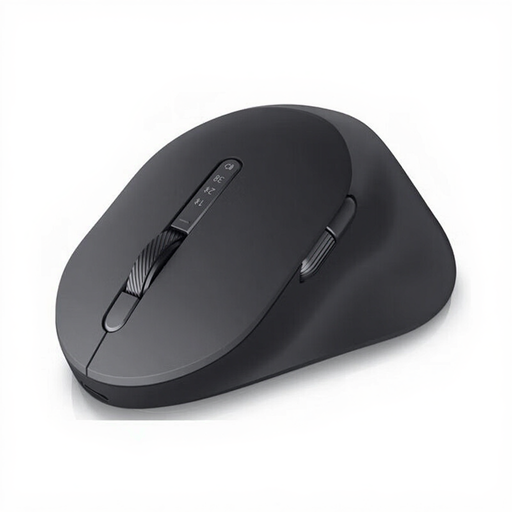
DELL Pro Premium Mouse - MS900
Why It Stands Out: This mouse is designed for precision work and comfort. Its 'track-on-glass' sensor ensures it works flawlessly on almost any surface, even a glass table. The horizontal scroll wheel by the thumb makes navigating wide spreadsheets or timelines intuitive and efficient.
Pros
Who Is It For? For professionals who demand high precision and comfort, and often work in different locations or on various surfaces.
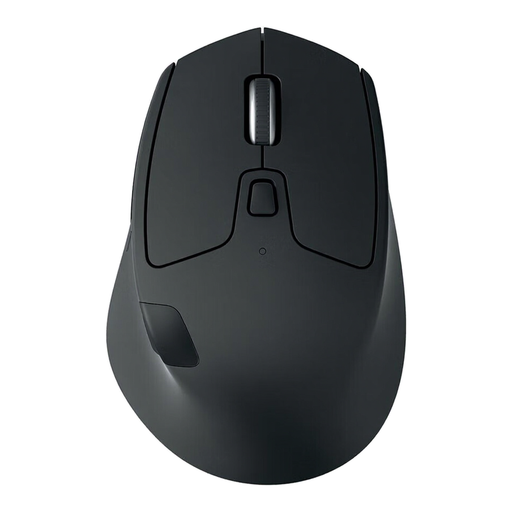
Logitech M720 Triathlon Wireless Right-hand Mouse
Why It Stands Out: The M720 Triathlon is built for durability and effortless device switching. With Easy-Switch technology, you can switch between three computers at the touch of a button. It's a reliable workhorse that focuses on efficiency.
Pros
Who Is It For? For users looking for a reliable and durable wireless mouse for work who don't want the hassle of frequent recharging.
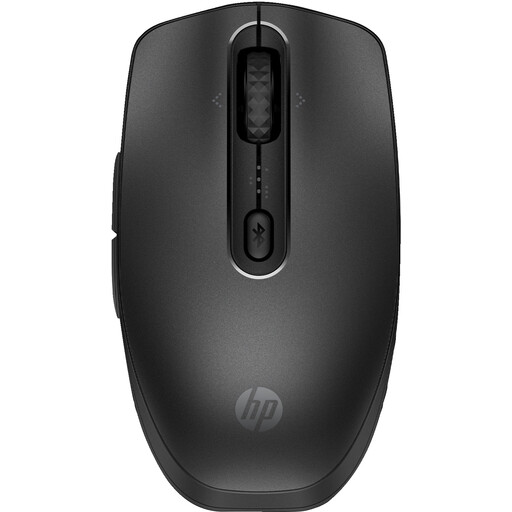
HP 695 Rechargeable Wireless Mouse
Why It Stands Out: This mouse combines modern features like wireless charging with a focus on a quiet work environment, thanks to its silent buttons. Additionally, it's a more environmentally conscious choice, as its housing is made from 65% recycled materials.
Pros
Who Is It For? For the professional who seeks a quiet, versatile and modern rechargeable mouse for a flexible (home) office and values sustainability.
The right mouse is a personal choice. If these recommendations don't fully match your needs, a wider range is available. Explore our full collection for more options that suit your specific requirements.
Discover more in our wireless mouse and keyboard bluetooth category.
The process is usually straightforward. You pair the mouse once with each device, for example, via the Bluetooth settings on your computer or tablet. If you're using a USB dongle, you plug it into the device. Then, you use the dedicated switch button on the mouse to instantly switch between the connected devices.
Not always. Standard optical mice can struggle with highly reflective or transparent surfaces like glass. Models with an advanced sensor, such as the 'track-on-glass' technology in the DELL MS900, are specifically designed to function on almost any surface.
This depends on your personal preference. A rechargeable mouse is convenient because you never have to buy new batteries and is often a more sustainable choice. However, a mouse with AA batteries, like the Logitech M720, can last for months or even years, meaning you'll hardly ever have to think about it.
