
Vandaag of morgen in huis

Kwaliteit gegarandeerd

Welkomstaanbiedingen ontgrendelen: GRATIS bezorging | Tot 80% korting | Gratis 30 dagen JoyPlus-proefperiode
Download de app
Are you often on the move, with receipts, contracts, and notes piling up? Or do you work from home where desk space is limited, making a traditional flatbed scanner impractical? A mobile scanner offers the perfect solution to efficiently digitise your documents, wherever you are.
This article will help you find a portable document scanner that suits your workflow. We'll cover the key specifications to look for and highlight several popular models based on their features and ease of use.
The market for mobile scanners is diverse. To choose a model that aligns with your needs, it's wise to consider the following points.
Need to process a stack of documents quickly? Then opt for a scanner with an Automatic Document Feeder (ADF). This allows you to load multiple sheets at once, and the scanner will automatically process them one by one. This saves a significant amount of time compared to manually feeding each page. Many models also offer the functionality of a duplex scanner, which scans both sides of a document in a single pass. This is an indispensable feature for digitising contracts and reports.
An on-the-go scanner must be easy to connect. Most compact scanners are powered via a USB cable, directly from your laptop. This means you don't need a separate power adapter. Some models also offer Wi-Fi connectivity, allowing you to scan wirelessly to your computer, tablet, or smartphone. This provides added flexibility, especially if you work in various locations.
The purpose of a mobile scanner is portability. Therefore, pay close attention to its dimensions and weight. A lightweight, compact scanner fits easily into a laptop bag. Also, consider what types of documents you plan to scan. Most models are A4 scanners, but some can also handle non-standard sizes, such as business cards, receipts, embossed ID cards, or even passports.
Based on objective product specifications, we have selected models suitable for various users, from the traveling professional to the home office user.
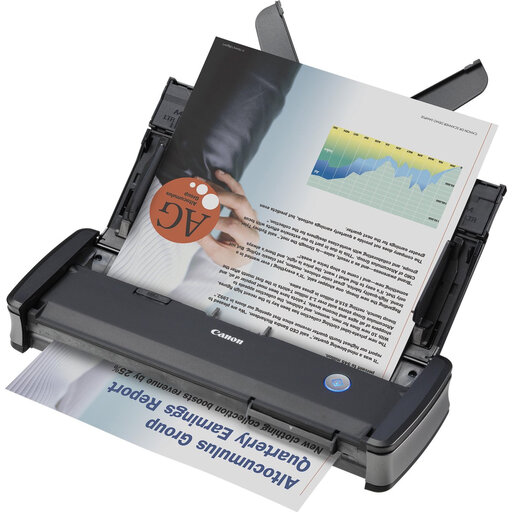
Why This Model Stands Out The Canon imageFORMULA P-215II is designed for productivity. According to the manufacturer, this is one of the fastest portable scanners, with a duplex scanning speed of up to 30 ipm (images per minute). The USB 3.2 power supply ensures stable and fast operation. Its robust design makes it suitable for frequent travel.
Pros
Who Is This For? This model is an excellent choice for consultants, sales representatives, and other professionals who regularly need to digitise stacks of documents on the go and require speed and reliability.
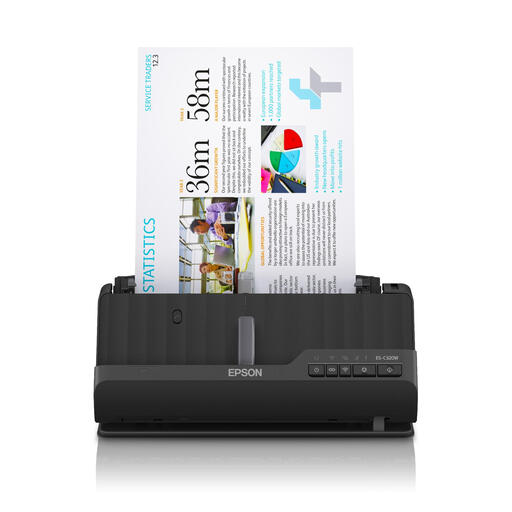
Why This Model Stands Out The Epson ES-C320W distinguishes itself with its smart, space-saving design. Thanks to the U-turn paper path, the scanned document exits from the top of the device, meaning no extra space is needed behind the scanner. The built-in Wi-Fi offers the freedom to place the scanner anywhere in the office or at home.
Pros
Who Is This For? Ideal for freelancers and remote workers with limited space. Also highly suitable for small offices or reception areas where flexibility and a clutter-free desk are important, and where thicker documents like passports need to be scanned.
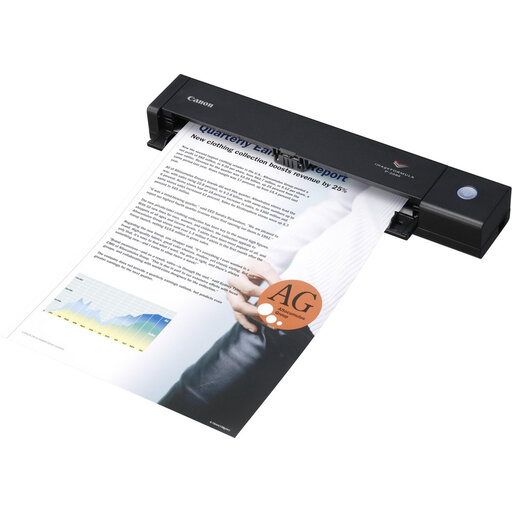
Why This Model Stands Out If portability is the top priority, the Canon imageFORMULA P-208II is a strong contender. Weighing just 600 grams and with a size barely larger than a ruler, this is one of the most compact and lightweight scanners on the market. Despite its small size, it features a 10-sheet ADF and can perform duplex scanning.
Pros
Who Is This For? Perfect for the professional who values mobility above all else. Think of lawyers who need to scan documents at court or consultants who want to digitise a few contracts or invoices at a client's site.
The world of scanners is vast, and many specialised models are available. If the recommendations above don't fully meet your requirements, or if you're looking for a model with different specifications, we invite you to explore our wider range.
Explore All Our Office Printer & Scanner Models Here
1. Can a mobile scanner scan double-sided? Yes, many modern mobile scanners, including the models mentioned above, feature an automatic double-sided scanning function (duplex scanning). This means the scanner can capture both sides of a page in a single pass, which significantly increases efficiency.
2. Does a mobile scanner need a separate power adapter? Most mobile scanners are designed for on-the-go use and are therefore powered via a USB cable. You simply connect the scanner to your laptop's USB port. This eliminates the need for an extra power outlet or a bulky power adapter.
3. What is the main difference compared to a traditional flatbed scanner? The primary difference is portability and document feeding. A mobile scanner is compact, lightweight, and designed for portability. It typically uses an automatic document feeder (ADF) for loose sheets of paper. A flatbed scanner is larger and heavier, and it scans documents by placing them on a glass plate. This makes a flatbed scanner more suitable for bound books or delicate originals, but less practical for on-the-go use or for quickly processing multiple pages.
