
Vandaag of morgen in huis

Kwaliteit gegarandeerd

Welkomstaanbiedingen ontgrendelen: GRATIS bezorging | Tot 80% korting | Gratis 30 dagen JoyPlus-proefperiode
Download de app
The "Storage Full" notification on your phone, a stuttering 4K video from your drone, or slow loading times on your Nintendo Switch. These are common frustrations that can often be solved with a simple upgrade: the right microSD card. But the world of memory cards is filled with codes like A2, V30, and U3. What do they mean, and which one do you really need?
As a Joybuy Product Recommendation Officer, I'm here to guide you through the specifications. In this article, we'll explain what to look for and provide concrete recommendations, so you can make an informed decision that fits your device and your needs.
Before you make a choice, it's helpful to understand three key specifications. This will help you select a card that not only fits but also performs as you expect.
Storage capacity, measured in gigabytes (GB), determines how many photos, videos, apps, or games you can store.
Always check your device's manual to see what the maximum supported capacity is.
A fast micro sd card is crucial for smooth performance, especially when recording video and running apps. The speed is indicated by several different classes:
Modern cards are typically the microSDXC (eXtended Capacity) type, meaning they have capacities ranging from 64 GB to 2 TB. Older devices may only support microSDHC (High Capacity), which go up to 32 GB. Nearly all new smartphones, cameras, and consoles support SDXC, but it's a small but important step to check this before you buy.
Based on specifications and use cases, we've selected some of the most popular and functional microSD cards available.
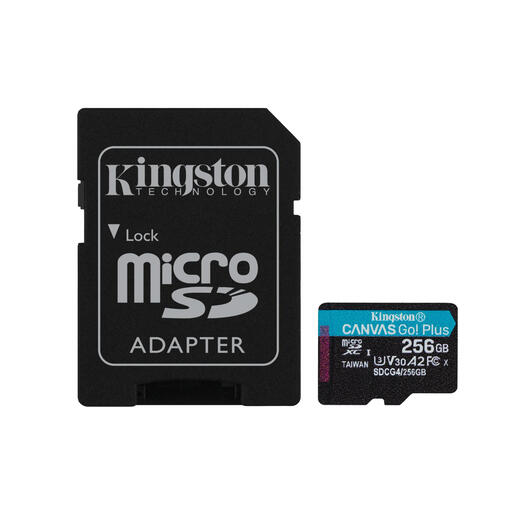
Why It Stands Out This Kingston card combines a large capacity with high speeds, making it extremely versatile. With read speeds of up to 200 MB/s, you can transfer large files in a flash. The combination of V30 and A2 ratings makes it suitable for both 4K video and demanding mobile games.
Pros:
Who Is This a Good Choice For? For the content creator, mobile gamer, or drone pilot looking for a reliable, high-speed card with plenty of storage.
View the Kingston Canvas Go Plus 256GB
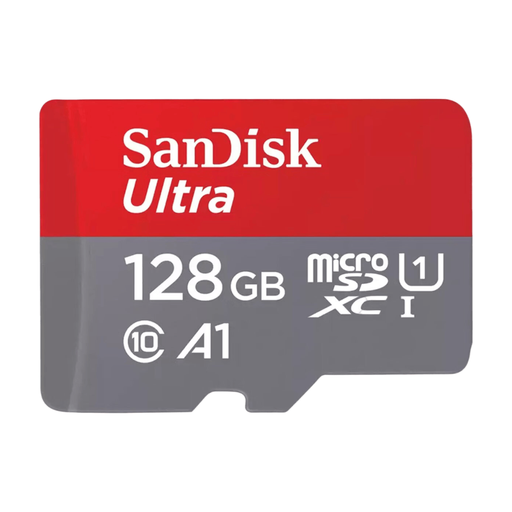
Why It Stands Out The SanDisk Ultra is a household name, offering solid all-around performance for everyday use. Its 128 GB capacity is the perfect middle ground for many people. The A1 rating ensures that apps on your Android phone run more smoothly than with a standard card.
Pros:
Who Is This a Good Choice For? For the smartphone or tablet user who simply needs more space for photos, videos, and apps, without requiring top-tier speeds.
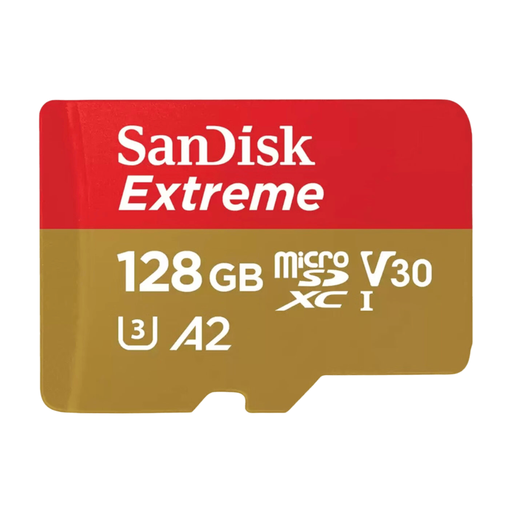
Why It Stands Out The SanDisk Extreme series is a step up in performance. This card combines the popular 128 GB capacity with V30 and A2 speed classes. This makes it an excellent SanDisk micro sd choice for those who want to shoot 4K video with an action cam or drone, or want faster loading times on the Nintendo Switch.
Pros:
Who Is This a Good Choice For? For the enthusiast with an action cam, drone, or Nintendo Switch who demands higher performance than a standard card can offer.
View the SanDisk Extreme 128GB
Didn't find the perfect card for you here? No problem. Every device and user has different needs. For more capacities, speeds, or brands, you can browse our full selection.
Discover All Our SD and XD Memory Cards
1. What is the difference between a microSD card and an SD card? The main difference is the physical size. A microSD card is significantly smaller and is primarily used in smartphones, drones, and action cams. A standard SD card is larger and is often used in digital cameras and laptops. Many microSD cards come with an SD adapter, allowing you to use them in both types of devices.
2. Can I use any microSD card for my Nintendo Switch? The Nintendo Switch supports microSD, microSDHC, and microSDXC cards. For the best experience, especially for faster game loading times, a card with a high read speed and an Application Performance Class (A1 or A2) is recommended. Based on their specifications, both the SanDisk Extreme and the Kingston Canvas Go Plus are excellent choices as a Nintendo Switch memory card.
3. How important is the A2 rating on a memory card? The A2 rating is especially important if you plan to run apps directly from the microSD card on a compatible Android device. It enables faster read and write operations for small data blocks, resulting in a noticeably smoother app experience and shorter loading times. For simply storing photos and videos, it's less critical, but for modern smartphone and gaming use, it's a clear advantage.
