
Vandaag of morgen in huis

Kwaliteit gegarandeerd

Welkomstaanbiedingen ontgrendelen: GRATIS bezorging | Tot 80% korting | Gratis 30 dagen JoyPlus-proefperiode
Download de app
Stuttering video calls in the attic? An endless buffering icon during your favourite series in the bedroom? Or no signal at all in the garden? You're not alone. In many modern homes, with their concrete floors and multiple stories, achieving complete Wi-Fi coverage is a challenge. A traditional Wi-Fi extender kit often doesn't provide the stable solution you're looking for.
A mesh Wi-Fi system is designed to solve this problem. Instead of one central point, you use multiple stations that work together to form a single, seamless, and powerful network. This ensures stable internet everywhere in your home. In this article, we'll help you make the right choice by explaining the technology and highlighting some popular options for 2026.
The specifications can be overwhelming. Let's keep it practical. Here are three key points to consider that will help you choose.
Most new devices support Wi-Fi 6 (802.11ax). This standard is designed to handle many devices at once more efficiently. Think of laptops, smartphones, smart thermostats, and doorbells all competing for bandwidth simultaneously. A Wi-Fi 6 mesh system provides higher speeds and more stability in such a busy household.
Wi-Fi 6E is an extension of this, adding an extra frequency band: the 6 GHz band. This band is newer and therefore much less congested. The result is less interference from your neighbours' networks and potentially even higher speeds. It's an excellent choice if you want to be future-proof and bring the latest technology into your home.
Manufacturers often specify a coverage area in square meters. This is an estimate. The actual coverage depends on your home's layout, the thickness of the walls, and the building materials used. For an average multi-story home, a set with two stations is often sufficient. Do you live in a larger detached house with several floors or a new-build home with a lot of steel and concrete? Then a set with three stations is a wiser choice for complete whole-home Wi-Fi coverage.
A mesh system can be dual-band (two frequency bands) or tri-band (three frequency bands).
Based on specifications and features, we have selected a few popular TP-Link Deco systems for you.
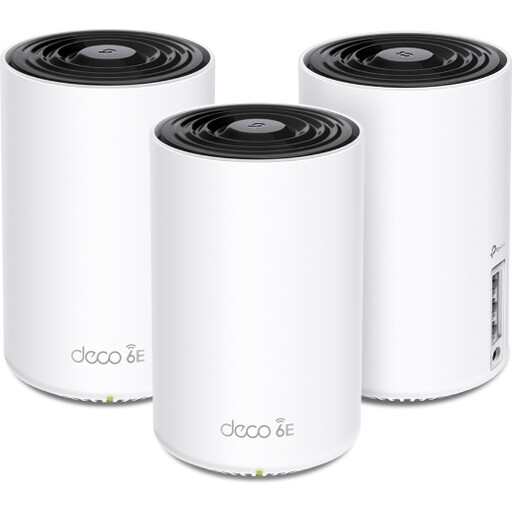
Why it stands out: The Deco XE75 is a powerful system that utilises the latest Wi-Fi 6E technology. The addition of the 6 GHz band provides an exceptionally fast and interference-free connection, ideal for the most demanding tasks.
Benefits:
Who is this for? For the tech enthusiast, the remote worker who depends on a flawless connection, and for households with many smart devices, 4K/8K streaming, and online gaming. This system is built for peak performance and is future-ready.
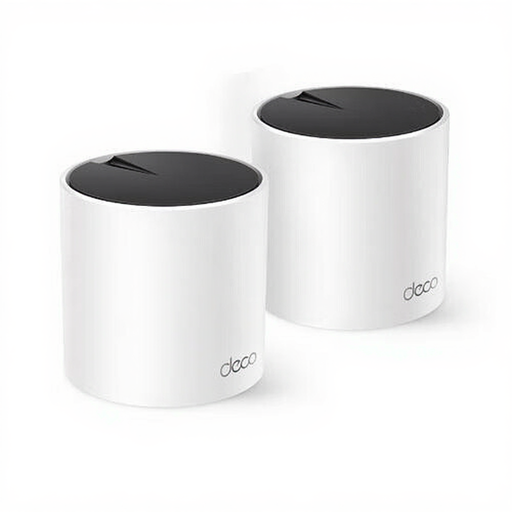
Why it stands out: The Deco X55 offers an excellent balance between performance and price. It delivers the benefits of a Wi-Fi 6 mesh network, such as higher speeds and capacity, in an accessible package.
Benefits:
Who is this for? For most families seeking a significant upgrade from their standard router. It's a reliable all-rounder that effortlessly handles streaming, remote work, and online classes for the whole family.
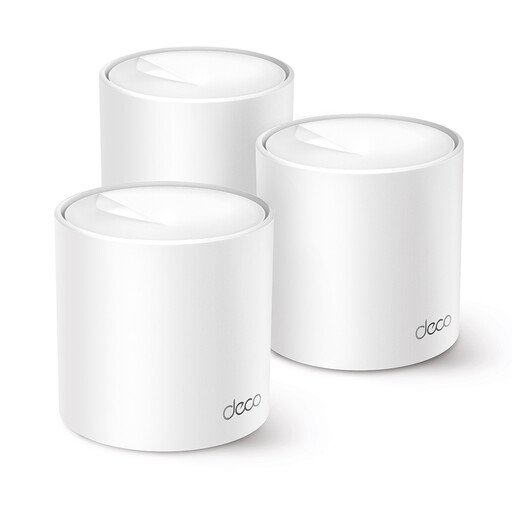
Why it stands out: The Deco X10 is an accessible entry into the world of mesh Wi-Fi. With a set of three stations, it offers great coverage at a competitive price, while still letting you benefit from the efficiency of Wi-Fi 6.
Benefits:
Who is this for? For those who primarily want to eliminate 'Wi-Fi dead zones' at home without breaking the bank. Ideal for standard internet use like browsing, HD streaming, and social media in a larger house or a home with a tricky layout.
Every home and every user is different. Perhaps you're looking for a system with different specifications or a different number of stations. More solutions are available that can meet your needs.
? Explore our full range of Wi-Fi 6 wireless routers and mesh systems
A Wi-Fi extender (or repeater) picks up your router's existing signal and re-broadcasts it. This often creates a separate network (e.g., 'MyWiFi_EXT') and can cut your speed in half. A mesh Wi-Fi system completely replaces your current Wi-Fi. The stations work together intelligently as one large, seamless network. Your device automatically connects to the strongest station without dropping the connection, no matter where you are in the house.
No, the installation is typically very straightforward. Manufacturers like TP-Link provide an app (the Deco app) that guides you through the process step-by-step. You connect the first station to your modem, follow the instructions in the app, and then place the other stations in strategic locations throughout your home. You'll have a working network within minutes.
