
Vandaag of morgen in huis

Kwaliteit gegarandeerd

Welkomstaanbiedingen ontgrendelen: GRATIS bezorging | Tot 80% korting | Gratis 30 dagen JoyPlus-proefperiode
Download de app
Choosing a new Apple MacBook is a major decision. The differences between models like the MacBook Neo, Air, and Pro aren't always immediately clear, and it's an investment you'll want to enjoy for years to come. This guide will help you understand the specifications and find a model that matches your specific needs, cutting through the marketing jargon. We focus on the facts: the processor, the display, and the intended use cases for the new 2026 MacBook lineup.
To make the right choice, it's helpful to weigh your needs against the key specifications. The three pillars of the 2026 models are the chip, the display, and the intended user.
The Chip (Processor): At the core of every MacBook is its Apple Silicon chip. The A18 Pro chip in the MacBook Neo is designed for efficient daily tasks and AI functionalities. The M5 chip in the MacBook Air offers a significant performance boost for more intensive multitasking and creative apps. For the most demanding professional software, the M5 Pro chip in the MacBook Pro is built for maximum, sustained performance. All chips are optimised for Apple Intelligence, Apple's personal intelligence system that assists with writing, organising, and creating, all with a focus on privacy.
The Display: The screen is your window to your work. The MacBook Neo and Air use a Liquid Retina display, which delivers vibrant colours and sharp text for everyday use. The MacBook Pro takes it a step further with a Liquid Retina XDR display. This screen offers an extremely high contrast ratio and greater peak brightness (1600 nits), which is essential for professional photo and video editing where colour accuracy is critical.
Intended Use: Ask yourself what you will primarily use the laptop for. Are you a student who needs a reliable and lightweight laptop for notes and papers? As a mobile professional, are you looking for a balance between power and portability? Or are you a creative professional pushing the limits of performance? The answer will determine whether you need a student laptop, an all-rounder, or a professional laptop.
Based on these specifications and intended use cases, we have highlighted the following models.

Why this product: The MacBook Neo is the entry-level model in the 2026 Apple ecosystem. It's a practical and capable laptop for everyday tasks. The A18 Pro chip is specifically designed to run AI features and Apple Intelligence efficiently on-device, ensuring a smooth and responsive experience.
Advantages:
Who it's for: This model is an excellent choice for students, home users, and anyone looking for a reliable laptop for browsing, email, word processing, and streaming media. It's the ideal first step for anyone considering a new 2026 MacBook.
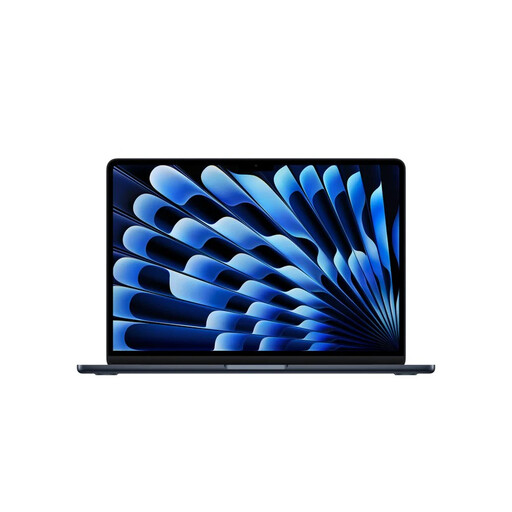
Why this product: The MacBook Air has long been renowned for its balance of performance and portability. The 2026 version with the M5 chip continues this tradition. The chip delivers significantly more power for multitasking and demanding applications, while its fanless design ensures completely silent operation.
Advantages:
Who it's for: The MacBook Air is perfect for mobile professionals, consultants, writers, and advanced students who are often on the go and need a machine that can handle more than just the basics.
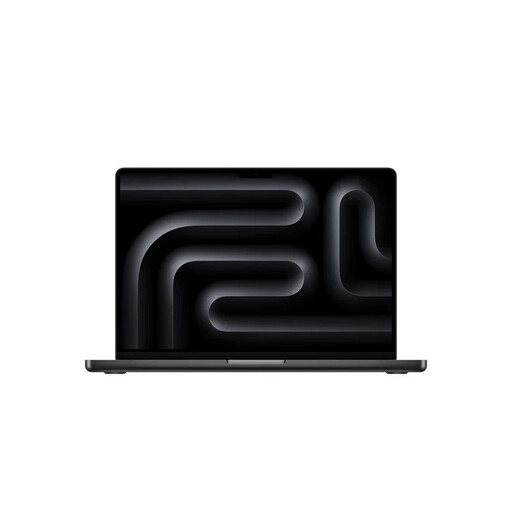
Why this product: The MacBook Pro is the definition of a professional laptop. The M5 Pro chip is built for the most intensive workflows, from compiling code to rendering complex 3D models. Its superior display and extensive port selection make this the machine for professionals who refuse to compromise.
Advantages:
Who it's for: This model is designed for video editors, photographers, 3D artists, software developers, and other creative professionals who depend on maximum, reliable performance for their work.
The 2026 MacBook Neo, Air, and Pro cover a wide range of needs, but perhaps you're looking for a different screen size, a specific configuration, or a model from a previous year. Every user is unique, and sometimes a different solution is a better fit.
For a broader overview of all available models and configurations, you can browse our full selection in the laptops and computers category.
What is Apple Intelligence, and do I need it? Apple Intelligence is a suite of AI features deeply integrated into macOS and its apps. It assists you with tasks like summarising text, generating images, and managing your calendar. Because it runs largely on-device, it is designed with privacy at its core. The new chips (A18 Pro, M5, M5 Pro) are optimised for this. Whether you need it depends on your workflow, but it is a core part of the user experience in the 2026 models.
Is a MacBook Pro worth the extra cost compared to a MacBook Air? This depends entirely on your workload. For most users, including those who occasionally edit photos or videos, the MacBook Air with the M5 chip offers more than enough power. The extra cost of the MacBook Pro is justified if your profession involves sustained, intensive tasks, such as rendering 8K video or working with large datasets. The Pro's active cooling system and additional ports are decisive factors in that case.
Can I use my old accessories with a new 2026 MacBook? The new MacBooks are equipped with Thunderbolt 4 (USB-C) ports. Accessories with a USB-C connector will work out of the box. For older accessories with USB-A, HDMI, or other connectors, you may need an adapter or a hub. The MacBook Pro has the advantage of coming standard with an HDMI port and an SDXC card slot.
