
Vandaag of morgen in huis

Kwaliteit gegarandeerd

Welkomstaanbiedingen ontgrendelen: GRATIS bezorging | Tot 80% korting | Gratis 30 dagen JoyPlus-proefperiode
Download de app
Keeping an eye on things when you're not home provides peace of mind. Whether you want to check if the kids are safe, make sure the dog isn't destroying the sofa or simply secure your home, an indoor Wi-Fi security camera is a practical solution. But the market is flooded with models that promise the world. Many people fall for marketing traps and end up with a camera that causes more frustration than reassurance.
Before you make a choice, it's wise to understand the most common pitfalls:
To avoid these problems, it's smart to focus on a few concrete specifications. These aren't marketing terms, but objective features that determine whether a camera does its job well.
A sharp image is essential. A resolution of 1080p (Full HD) is the absolute minimum. For more detail, for instance, to zoom in on a face or object, a 2K or 4K resolution is a better choice.
Just as important is the camera's night vision. Note the difference:
A wireless indoor security camera must have a stable connection. Most households use the 2.4 GHz band, which can consequently become very crowded.
A camera that supports both bands (dual-band) offers the most flexibility and ensures a more reliable connection.
How and where your footage is stored determines the running costs and your privacy.
Models that offer both options give you the freedom to choose what best suits your needs.
Based on these objective criteria, we have selected a number of cameras that fit different needs and budgets.
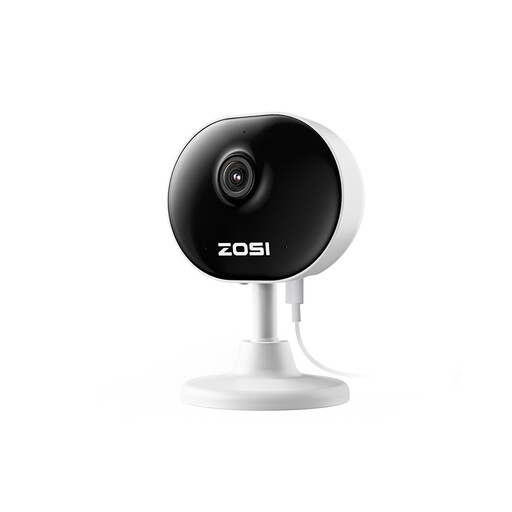
Why This Fits Their Persona: Ideal for those seeking a simple, affordable, and reliable solution without the frills. This compact camera does what it needs to do: provide a sharp image (1080p), detect motion, and enable communication via two-way audio. Perfect for a dorm room or as a first camera in the home.
This camera bypasses the subscription trap by supporting local storage on a microSD card. You are not forced into a cloud subscription for basic functions.
Its very compact and lightweight design (85g) allows it to be placed anywhere without being conspicuous. Installation is simple via the app, making it a true plug-and-play solution.
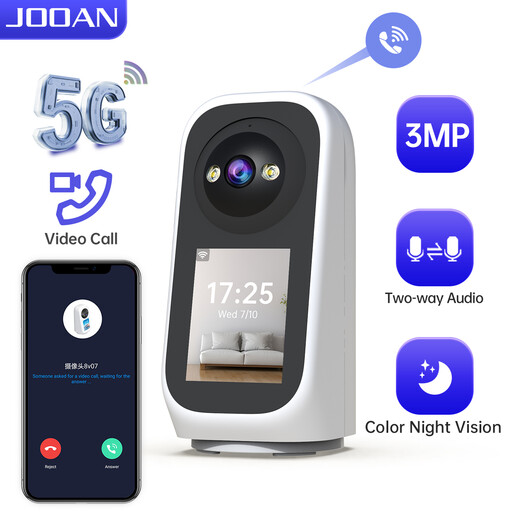
Why This Fits Their Persona: This camera is more than a guard; it's a communication tool. Ideal as a baby monitor with camera and app or a pet camera. The 360-degree camera (pan/tilt) follows movement, while the 'one-click call' button and screen make it easy for children or the elderly to get in touch.
This indoor IP camera tackles two pitfalls: it offers colour night vision for clear images in the dark and supports both 2.4 GHz and 5 GHz Wi-Fi for a stable connection.
The combination of a 2K camera with a 2.8-inch screen and a visual call function is unique. It enables direct interaction, which goes beyond standard monitoring.
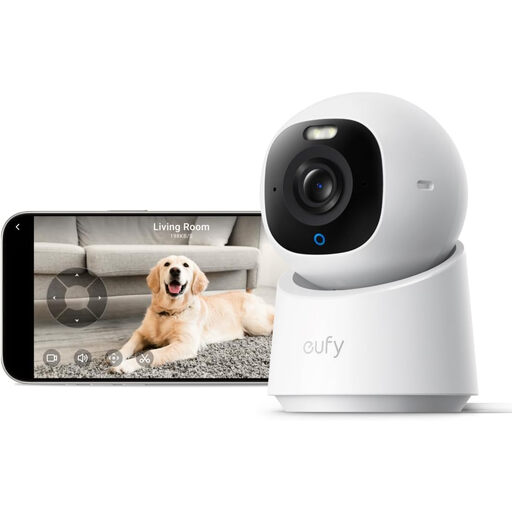
Why This Fits Their Persona: For those looking for top-tier image quality and smart features. The 4K UHD resolution delivers razor-sharp images. The built-in AI for detecting and automatically tracking people and pets makes this an advanced camera with motion detection and app. It works with HomeKit, Alexa, and Google Assistant.
This model is designed to completely avoid the subscription trap. All features, including AI detection and 4K recording, work with local storage on an SD card, with no mandatory monthly fees.
The combination of 4K resolution with on-device AI tracking is a major plus. The camera processes the data itself, which is faster and more privacy-friendly than cloud processing.
We have compiled a complete, up-to-date list of products that fully meet these strict selection criteria and local regulations.
Not always. Many modern cameras, including the models mentioned here, support local storage on a microSD card. This means you can record and review footage without monthly fees. Cloud storage is often an optional extra for those who want access from anywhere or desire a backup in case the camera is stolen.
A valid concern. When choosing, look for models with a 'privacy mode'. This feature can physically cover the lens or disable the camera via the app. Brands like eufy and Uniview offer this. It is also wise to always change the camera's default password and use a strong password for your Wi-Fi network. Never place a camera in highly personal spaces like a bedroom or bathroom.
Generally, no. Most cameras today are designed for 'plug-and-play'. You plug it into an outlet, download the corresponding app on your smartphone, and follow the steps to connect the camera to your Wi-Fi network. In most cases, no drilling or technical knowledge is required.
