
Vandaag of morgen in huis

Kwaliteit gegarandeerd

Welkomstaanbiedingen ontgrendelen: GRATIS bezorging | Tot 80% korting | Gratis 30 dagen JoyPlus-proefperiode
Download de app
Leaving home with peace of mind, knowing your children are safe, or just checking in on what your pet is up to. A good indoor security camera provides reassurance and a clear overview. However, the selection is vast, and the specifications can be overwhelming.
As a Joybuy Product Recommendation Officer, I'm here to help you cut through the marketing jargon. In this article, you'll find practical information and a selection of popular models based on their specifications. This will enable you to make an informed choice that suits your situation, whether you're looking for a camera for security, an advanced baby monitor with a camera and app, or a pet camera.
Before we dive into the products, it's helpful to know which specifications truly matter. Here are a few key points to consider.
The sharpness of the image is crucial. A higher resolution means more detail.
A camera can have a fixed position or be able to move.
A security camera with recording stores footage in two ways:
Also, pay attention to these features that enhance usability:
Based on the specifications above, we have compiled a list of popular models for you. These are all indoor Wi-Fi camera models that are easy to install via an app.
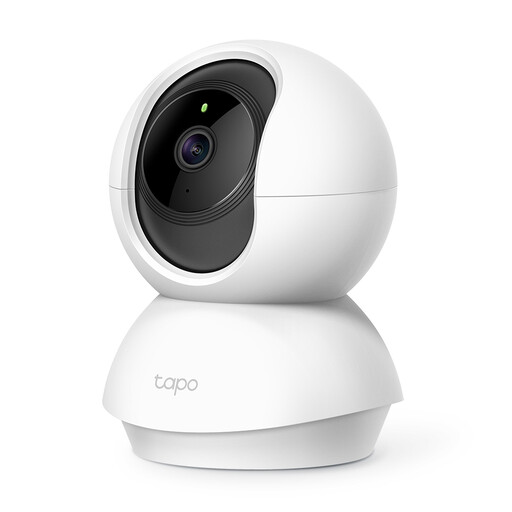
Why it stands out: The Tapo C210 offers an excellent balance of image quality, features, and price. Its 3MP resolution is slightly sharper than standard Full HD, ensuring clear and detailed images.
Pros:
Who is it for? This is a solid choice for almost anyone. Whether you want to keep an eye on the living room, use the camera as a baby monitor, or check if the dog is jumping on the couch. The pan-tilt function makes it highly flexible.

Why it stands out: The Tapo C200 is a very popular indoor IP camera due to its competitive price and comprehensive features. It shares many of the C210's functions but with a Full HD resolution.
Pros:
Who is it for? Ideal for those seeking a reliable and affordable indoor camera without needing the absolute highest image resolution. An excellent first Tapo camera to make your home smarter.
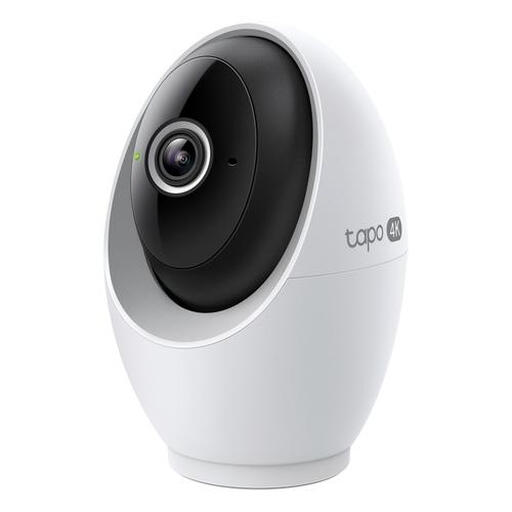
Why it stands out: The Tapo C260 takes image quality to the next level with its 4K resolution. This model is designed for users who don't want to miss a single detail and require advanced detection capabilities.
Pros:
Who is it for? This camera is suitable for users who demand the highest standards in image quality and smart features. Think of monitoring a larger space where details are important, or if you want to receive specific notifications for people or pets.
The cameras mentioned above use Wi-Fi, which is the simplest solution for most households. In situations where the Wi-Fi signal is unstable or where you desire an even more reliable connection, a wired camera can be a great option.
Are you interested in models that connect and are powered via a network cable? Then check out our selection of Power over Ethernet cameras.
An indoor Wi-Fi camera connects to your wireless home network. After setting it up via an app on your smartphone, you can watch live from anywhere in the world, as long as you have an internet connection. The camera sends the video feed to your phone via the internet. When motion is detected, you receive a push notification.
Yes, many modern indoor cameras are very suitable as a baby monitor with a camera and app. Features like crystal-clear video (even at night), two-way audio (to soothe your baby), and motion or sound detection often make them more versatile than traditional baby monitors. You can also easily view the feed on your phone.
Privacy is a major consideration. Choose brands that are transparent about this. Features like a privacy mode, which covers the lens or stops recording, are useful. Local storage on a microSD card gives you more control over your data than cloud storage. Always change your camera's default password and ensure your Wi-Fi network is well-secured.
