
Vandaag of morgen in huis

Kwaliteit gegarandeerd

Welkomstaanbiedingen ontgrendelen: GRATIS bezorging | Tot 80% korting | Gratis 30 dagen JoyPlus-proefperiode
Download de app
A great headset can make all the difference, whether you're leading an online meeting or immersing yourself in a game. But the market is overwhelming, filled with marketing terms that confuse more than they clarify. Before you invest in a new headset, it's crucial to know what to look for to avoid wasting money on a model that doesn't suit your needs.
As a Joybuy Product Recommendation Officer, I'm here to help you cut through the noise. We'll discuss the most common pitfalls and the specifications that truly matter.
Many headsets look good at first glance but fall short in practice. Watch out for these common marketing traps:
To avoid a bad purchase, focus on the specifications that will genuinely impact your daily use.
The choice between a wired and a wireless headset depends on your priorities.
A headset with a microphone is useless if you can't be heard clearly. Look for models with a "cardioid" or "unidirectional" microphone. These microphones are designed to primarily pick up sound from the front (your voice) and ignore sound from the sides and back. A noise-cancelling microphone assists with this by filtering out persistent background noise, like the hum of a fan.
You often wear a headset for hours on end. Therefore, comfort is not a luxury, but a necessity. Pay attention to the following points:
Below are some popular choices, matched to specific user profiles. This selection is based on objective product specifications that align with user needs.
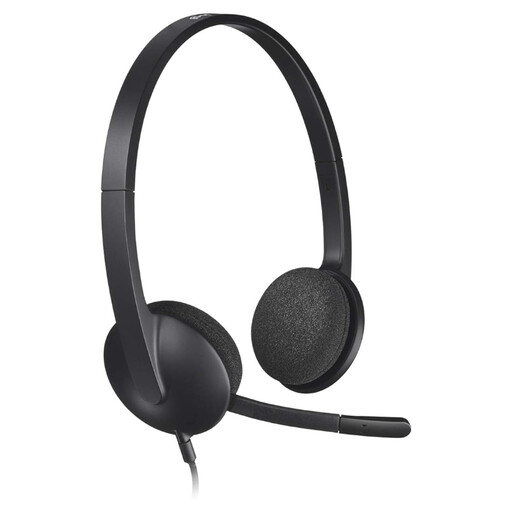
Why This Fits Their Persona: Perfect for those seeking a reliable, no-nonsense headset for daily video calls. No complicated setup—just plug in and get to work.
This model avoids the "gaming" hype. It focuses on one thing: clear communication via a simple USB connection. The noise-cancelling microphone is functional and filters background noise for your call partner.
Plug-and-play USB connection for instant operation on any PC or laptop. Weighing only 120 grams, it is extremely lightweight and comfortable for long meetings.

Why This Fits Their Persona: For gamers who take comfort, durability, and sound quality seriously. Ideal for long gaming sessions where clear communication and positional audio are crucial.
This headset delivers on its promises. The comfort comes from the signature HyperX memory foam, not a marketing slogan. The sound quality is backed by large 53mm drivers and DTS Headphone:X Spatial Audio, which makes a real difference in games.
Exceptional comfort for hours of use and a clear, detachable 10mm microphone with noise reduction. Its multi-platform compatibility (PC, PS5, Xbox) via USB-C, USB-A, and 3.5mm makes it highly versatile.
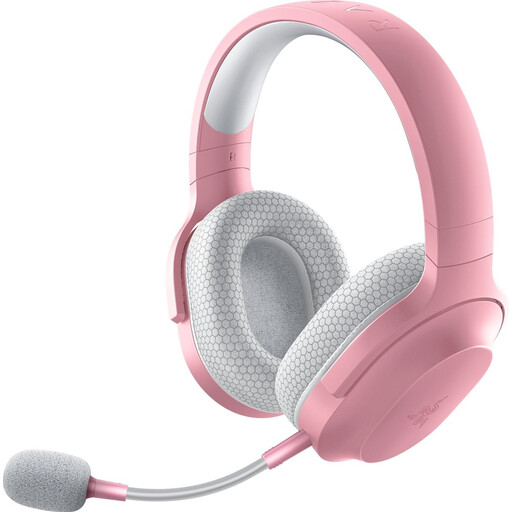
Why This Fits Their Persona: For the user who wants to switch seamlessly between PC, PlayStation, Switch, and smartphone. One headset for home, the train, and the office.
This model solves the compatibility nightmare. With Razer SmartSwitch Dual Wireless, you can be connected to a 2.4GHz dongle (for your PC or PS5) and Bluetooth (for your phone) simultaneously. You'll never miss a call while gaming.
Extreme versatility through dual wireless connectivity. Weighing only 250 grams and with a battery life of up to 50 hours, it's ideal for both home and on-the-go use.
We have compiled a complete, up-to-date list of products that fully meet these strict selection criteria and relevant safety standards.
The lifespan of a headset depends heavily on its build quality and usage. A model with a metal frame and a sturdy, detachable cable will generally last longer than an all-plastic model with a fixed, thin cable. For a wireless headset, the battery's lifespan is also a factor; expect its capacity to diminish after 2-3 years of intensive use. Handling the cable with care and storing the headset in a case can significantly extend its life.
Yes, provided you choose the right technology. A wireless gaming headset that uses a 2.4GHz USB dongle offers a very low-latency connection, comparable to a wired one. This is essential for competitive games where every millisecond counts. A headset that only connects via Bluetooth often has higher latency and is less suitable for serious gaming, but it's perfectly fine for single-player games or media consumption.
This is a major source of confusion.
