
Vandaag of morgen in huis

Kwaliteit gegarandeerd

Welkomstaanbiedingen ontgrendelen: GRATIS bezorging | Tot 80% korting | Gratis 30 dagen JoyPlus-proefperiode
Download de app
Picking out a new gaming mouse can be overwhelming. The market is flooded with models, all promising to boost your performance. But what do you really need? A higher DPI, an ultra-lightweight design, or more buttons?
As a Joybuy Product Recommendation Officer, I'll help you cut through the marketing jargon. In this article, we'll focus on the specs that truly matter. This will help you find a mouse that fits your playstyle and budget, without paying for features you won't use.
Before we get to our recommendations, it's helpful to understand a few key specifications. This will help you make an informed decision.
DPI (Dots Per Inch) indicates the sensitivity of the mouse sensor. A higher DPI means your cursor travels further across the screen with a small movement of your hand. Many gamers think higher is always better, but most competitive players use a setting between 400 and 1,600 DPI. A mouse with a high maximum DPI, like 30,000, primarily offers flexibility.
The Polling Rate, measured in Hertz (Hz), indicates how often the mouse reports its position to the computer. A standard of 1,000 Hz is common for a smooth and responsive gaming experience without any noticeable lag.
The choice between a wired and a wireless gaming mouse is now largely a matter of preference. Modern wireless technologies, like Razer HyperSpeed, offer a connection that is just as fast and stable as a wired one.
An ergonomic gaming mouse is designed to fit comfortably in your hand, which is essential for preventing cramps and fatigue during long gaming sessions. The shape should match your hand size and grip style (palm, claw, or fingertip).
Additionally, weight is an important factor. A lightweight mouse (often under 80 grams) facilitates swift, precise movements, which can be an advantage in fast-paced FPS games.
Based on specs and functionality, we've highlighted some top choices for different types of gamers.
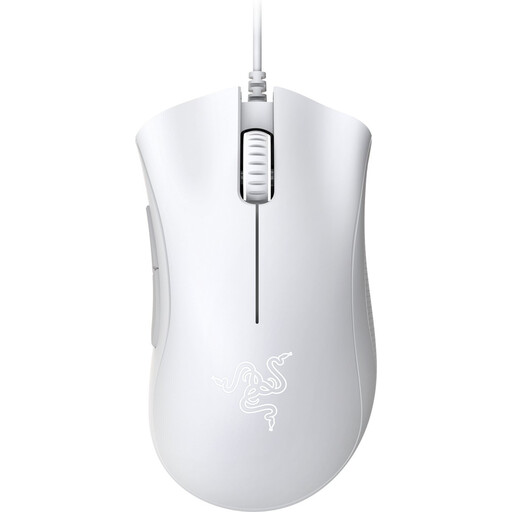
Why It Stands Out The DeathAdder Essential is a classic for a reason. It offers the proven ergonomic shape of the DeathAdder line and reliable performance at an accessible price. This is an excellent mouse for PC gaming if you're looking for a solid upgrade.
Key Features
Who Is It For? For beginner to intermediate gamers seeking a reliable and comfortable Razer gaming mouse without too many bells and whistles. A solid choice for all-around gaming.
Check out the Razer DeathAdder Essential 2021
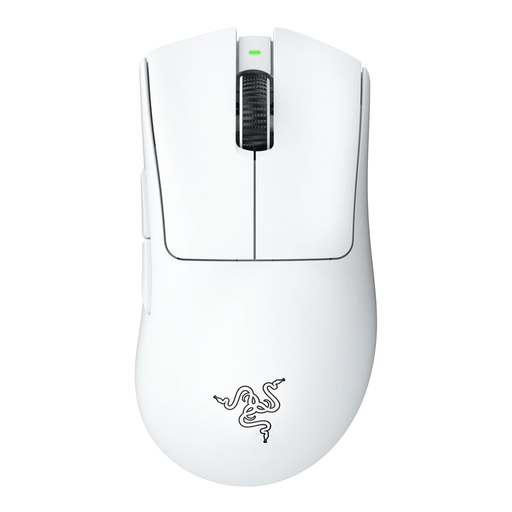
Why It Stands Out This mouse is engineered for competitive performance. With its ultra-lightweight build and advanced Focus Pro sensor, the DeathAdder V3 Pro delivers the speed and precision required at the highest level, all in a wireless design.
Key Features
lightweight mouse at just 63 grams.wireless gaming mouse technology for a fast, stable connection, with up to 90 hours of battery life.Who Is It For? For serious and competitive gamers, especially in FPS titles, who demand top-tier performance, a low weight, and the freedom of a wireless mouse.
Check out the Razer DeathAdder V3 Pro
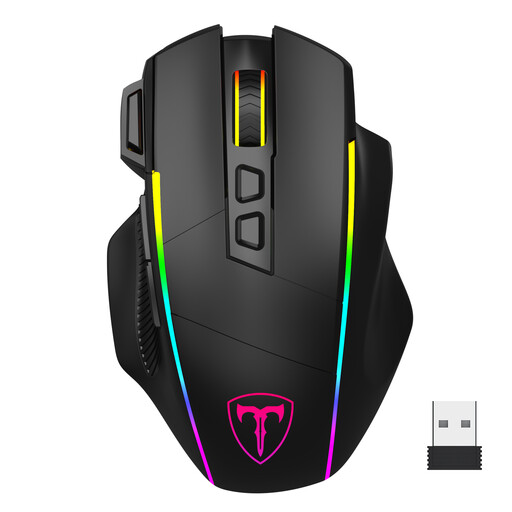
Why It Stands Out This mouse stands out for its versatility. With three connection modes (2.4G wireless, Bluetooth, and wired via USB-C) and eight programmable buttons, it's suited for more than just gaming. The customisable RGB mouse lighting completes your setup.
Key Features
Who Is It For? For gamers who want a multi-functional mouse for various games (like FPS and MOBA) and for productivity across multiple devices. Ideal if you value programmable buttons and personalisation.
Check out the ET Wireless Gaming Mouse
Didn't find the perfect mouse for you here? Sometimes you have specific needs, like an affordable gaming mouse with side buttons for MMO games or a model designed specifically for left-handed users. For a broader selection of our models, you can visit our category page.
There is no single 'best' DPI. Most gamers use a setting between 400 and 1,600 DPI and then fine-tune the sensitivity in their game settings. A mouse with a high maximum DPI gives you the flexibility to experiment, but most players don't use it at its maximum setting.
For fast-paced games like shooters, where you often make quick, sweeping arm movements, a lightweight mouse (under 80 grams) can help reduce fatigue and improve your reaction time. For other genres, like strategy games, the weight is more a matter of personal preference.
This depends on the games you play. For most FPS games, two side buttons (for actions like reloading or a melee attack) are sufficient. If you play a lot of MMO or MOBA games, extra programmable buttons can be useful for quickly activating spells and abilities.
