
Vandaag of morgen in huis

Kwaliteit gegarandeerd
Download de app
Categorieën

A new gaming monitor is a significant purchase. The wrong choice can lead to frustration from stuttering visuals, washed-out colors, or a lack of sharpness. The market is filled with technical terms like Hz, ms, and panel types, which doesn't make the decision any easier. This guide will walk you through the specifications and focus on the facts, so you can find a monitor that fits your gaming style.
Before we look at specific models, it's helpful to understand the key features. Your ideal monitor depends on the games you play and the hardware you use (PC or console).
Resolution (Image Sharpness): This determines how detailed the image is.
Refresh Rate (Hz): This number indicates how many times the screen is refreshed per second. A higher value results in a smoother image.
Response Time (ms): The time it takes for a pixel to change from one color to another. A low response time (ideally 1ms GTG or lower) reduces 'ghosting' and motion blur, resulting in a sharper image during fast action.
Panel Type: The technology behind the screen determines the image quality.
Connectivity: Ensure the monitor has the right ports. For a monitor for PS5 or Xbox Series X, or a high-end PC, HDMI 2.1 is required to display 4K resolution at 120Hz. DisplayPort 1.4 is the standard for PC gaming at high resolutions and refresh rates.
Based on the specifications above, we have made a selection of monitors that excel in various categories.
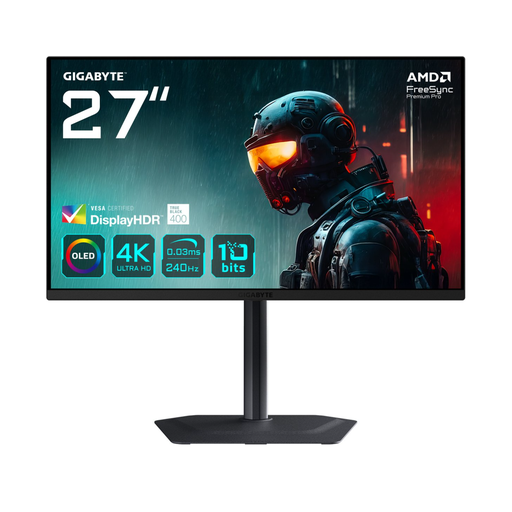
Why this product The GIGABYTE MO27U2 combines today's most sought-after specifications: a 4K resolution on a 27-inch QD-OLED panel with a 240Hz refresh rate. The 0.03ms response time is virtually instantaneous, providing unprecedented motion clarity.
Pros
Who is this for? For the gamer and content creator who wants to make no compromises. This model is ideal if you have a high-end PC or console and are looking for the best possible combination of image quality and speed.
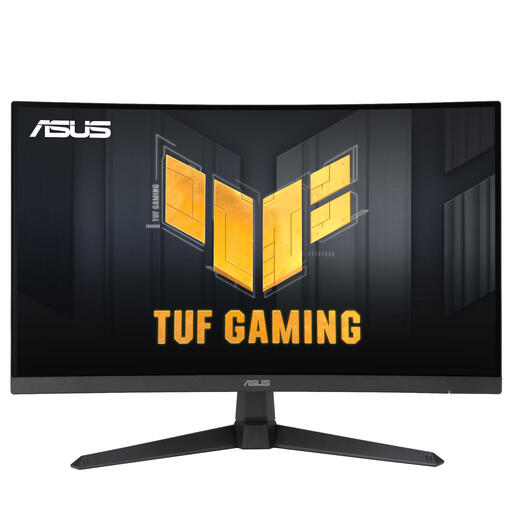
Why this product The ASUS TUF Gaming VG27VQM1B is a curved gaming monitor built entirely for speed. With a Full HD resolution on a 27-inch screen, this monitor can achieve a refresh rate of up to 270Hz, combined with a 1ms response time.
Pros
Who is this for? For the competitive esports player who mainly plays fast-paced shooters, racing games, or other action titles. If maximum framerate and minimal input lag are your priorities over the highest resolution, this is an excellent choice.
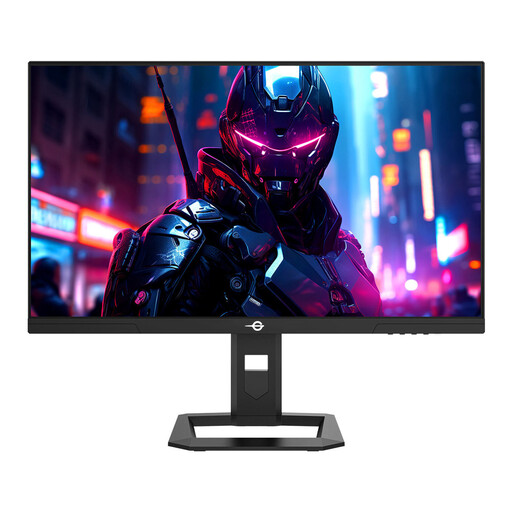
Why this product The TITAN ARMY P2710S offers a balanced package for the all-around gamer. This 27-inch gaming monitor combines a sharp QHD (1440p) resolution with a fast 240Hz refresh rate and a Fast IPS panel.
Pros
Who is this for? For the versatile PC gamer who plays a wide range of genres. This model is a strong middle ground that delivers high performance without the system demands of a 4K screen.
The models above represent specific combinations of features. If this selection doesn't perfectly match your needs, or if you are specifically looking for a monitor with a high refresh rate, more options are available.
Check out our full range of 240Hz computer monitors for more choices that fit your setup and budget.
1. Is a curved gaming monitor better? A curved gaming monitor can enhance immersion by enveloping more of your field of view. This is often preferred in racing games and first-person adventures. For competitive shooters or graphic design work, a flat screen may be preferable because straight lines are displayed perfectly straight. The choice is largely a matter of personal preference.
2. How many Hz do I need for gaming? For a smooth PC gaming experience, 144Hz is an excellent starting point. If you primarily play competitive games and want the highest possible framerate, a 240Hz monitor offers a noticeable advantage. For console gaming (PS5/Xbox Series X), a 120Hz monitor is sufficient, as this is the maximum output of the current-generation consoles.
3. Can I use a 4K gaming monitor for a PS5? Yes, absolutely. The PlayStation 5 supports 4K resolution at up to 120Hz. To take full advantage of this, you must ensure the monitor has an HDMI 2.1 port. Without this port, you will be limited to 4K at 60Hz.