
Vandaag of morgen in huis

Kwaliteit gegarandeerd

Welkomstaanbiedingen ontgrendelen: GRATIS bezorging | Tot 80% korting | Gratis 30 dagen JoyPlus-proefperiode
Download de app
A fan seems like a simple purchase—until your model starts rattling after a few weeks, or its "cooling breeze" feels more like a lukewarm puff of air. Many people fall for marketing promises that offer little in practice. Before you invest in a cooling solution, it's wise to know what to look for.
These are the most common pitfalls:
To avoid a bad purchase, it's better to look at a few objective specifications rather than marketing terms. These three points are a great starting point.
The noise level is arguably the most important factor for comfort, especially in a bedroom or office. Don't just look at the lowest value; ask for the full range.
A model that stays below 50 dB at its highest setting is often a good choice.
This figure indicates how many cubic metres of air the fan can move per hour. It's the most reliable indicator of cooling power, far more so than the number of speed settings.
The type of fan determines where you can use it. A portable fan with a rechargeable battery offers freedom, while a plug-in model is often more powerful.
Below are a few models that suit different user profiles, based on their specifications.
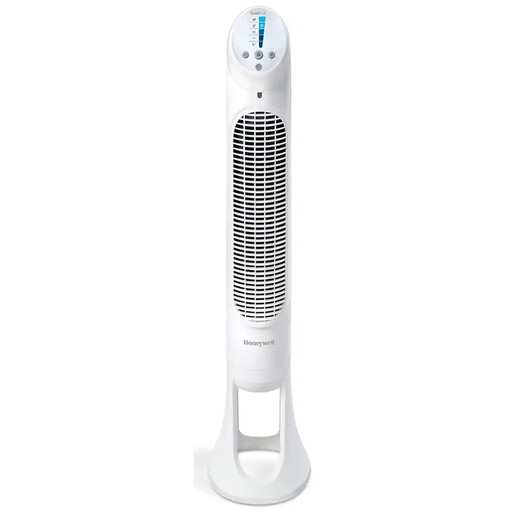
Why This Fits Their Persona: Ideal for the bedroom. This tower fan is designed with a good night's sleep in mind, featuring functions specifically aimed at minimising disruption.
Tackles the "whisper-quiet" myth with 5 specific settings, including a sleep mode. The maximum noise level of 48 dB is clearly specified, which is transparent.
The auto-dimming display prevents distracting light, and the timer function (1-8 hours) ensures worry-free use throughout the night.

Why This Fits Their Persona: A compact and powerful desk fan that doesn't take up too much space. Perfect for targeted cooling while working without having to cool the entire room.
Avoids the "turbo power" pitfall by specifying a concrete airflow of 740 m?/h. This is a solid value for a fan of this size, intended for personal cooling.
The 90° tilting head makes it easy to direct the airflow precisely. It can also be mounted on the wall to save desk space.
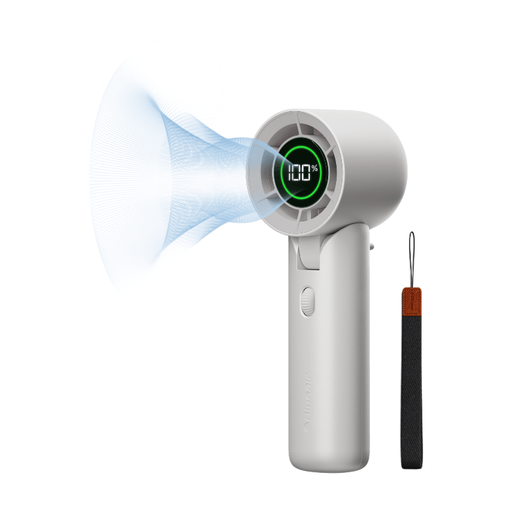
Why This Fits Their Persona: For those who need cooling on the train, on a terrace, or during a walk. This portable fan combines a long battery life with a compact and lightweight design.
Many portable fans have a weak battery. This model addresses that with a specified battery life of up to 32 hours on the lowest setting and a fast USB-C charging port.
Offers stepless speed control (0-100) for precise control over the airflow. The minimum noise level of 23 dB makes it unobtrusive in use.
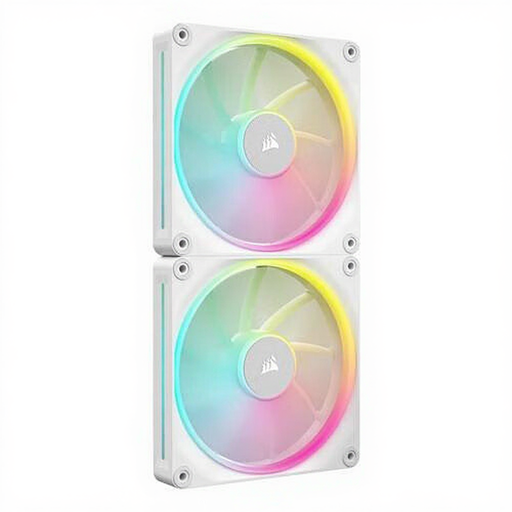
Why This Fits Their Persona: This is not a room cooler, but a specialised PC fan for those who want to keep their computer cool under heavy load. Performance and control are key here.
In this category, it's all about hard data. This model avoids vague claims with clear specifications: a speed range of 350-2000 RPM and a maximum airflow of 84.7 CFM.
PWM support gives the user precise control over the fan speed via the motherboard, allowing for a balance between cooling and noise production.
We have compiled a complete, up-to-date list of products that meet these selection criteria and comply with current safety regulations.
A fan's power consumption is generally low, especially compared to an air conditioner. An average household fan uses between 30 and 60 watts on its highest setting. A small USB fan often uses no more than 5 watts. This makes it an energy-efficient way to provide cooling.
A regular (pedestal or table) fan has visible blades and blows air in a concentrated, circular stream. A tower fan is a slim, vertical column that distributes air over a greater height. Tower fans take up less floor space, often have a wider oscillation range, and are considered safer in households with children or pets due to their design.
Dust on the blades can reduce performance and worsen air quality. Always turn off the fan and unplug it before you begin. On many models, the grille can be removed. Use a soft, damp cloth to wipe the blades and grille. For hard-to-reach areas, a can of compressed air or a vacuum cleaner with a brush attachment can be useful. Never submerge the motor or electrical components in water.
