
Vandaag of morgen in huis

Kwaliteit gegarandeerd

Welkomstaanbiedingen ontgrendelen: GRATIS bezorging | Tot 80% korting | Gratis 30 dagen JoyPlus-proefperiode
Download de app
Long days behind a computer can take their toll. A nagging ache in your wrist, a stiff arm, or tired fingers are signals you shouldn't ignore. A good mouse isn't a luxury; it's an essential part of a comfortable workspace. This article will help you find an ergonomic wired mouse that fits your needs, without the marketing fluff. We'll look at the specifications and explain what they mean for you.
Before you buy a computer mouse, it's helpful to know which features are important. Here are a few practical points to consider.
Ergonomics is all about shape. A standard mouse forces your wrist into a twisted position. An ergonomic model is designed to support a more natural posture. A popular option is the vertical mouse, which allows your hand to rest in a "handshake" position. This can significantly reduce tension in your wrist and forearm and is often recommended as a mouse to combat RSI (Repetitive Strain Injury). Pay attention to the dimensions and whether the model is suitable for left- or right-handed use.
A wired mouse offers several clear advantages. You never have to worry about dead batteries or a lagging wireless connection. A mouse with a cord connects easily via a USB mouse port and works instantly (plug-and-play). The connection is stable and reliable, which is essential for uninterrupted work. The cable length is a point of consideration here; make sure it's long enough for your desk setup.
Most modern mice are an optical mouse. This means they use an LED sensor to register movement, which works well on almost any surface. An important specification is DPI (Dots Per Inch), which indicates the mouse's sensitivity. A higher DPI means the cursor moves faster across the screen. For standard office work, a DPI between 1000 and 1600 is usually sufficient. Some mice offer the ability to adjust the DPI value with a button, which can be useful if you switch between different tasks.
Based on functionality and design, we've rounded up a few interesting models for you.
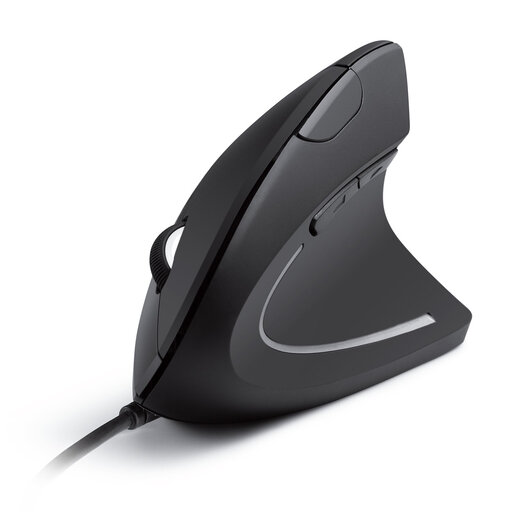
Why It Stands Out The Anker CE100 is a prime example of a vertical mouse. Its design is specifically aimed at reducing muscle strain. According to Anker, the "handshake" position supports a natural posture for the wrist and arm.
Pros
Who Is It For? This mouse is a logical choice for anyone who spends long days at the computer and is actively looking for a solution to prevent or alleviate wrist and arm complaints.
View the Anker CE100 USB Wired Vertical Mouse
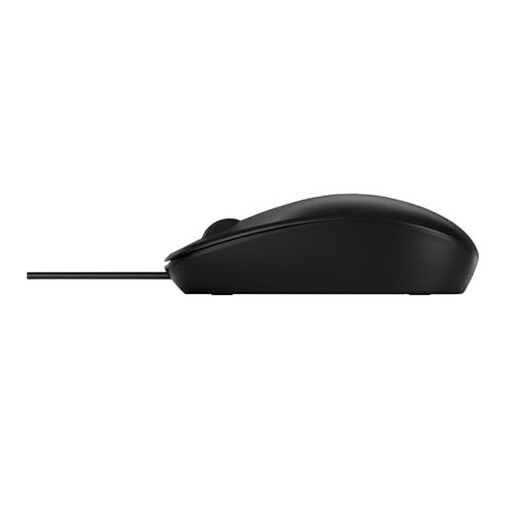
Why It Stands Out The HP 125 is a no-nonsense wired mouse that focuses on reliability and a comfortable, symmetrical shape. It's not a vertical mouse, but its design is contoured to support the hand naturally.
Pros
Who Is It For? Ideal for users seeking a reliable and comfortable mouse for general use, without wanting to switch to a vertical model. A solid choice for both the office and home.
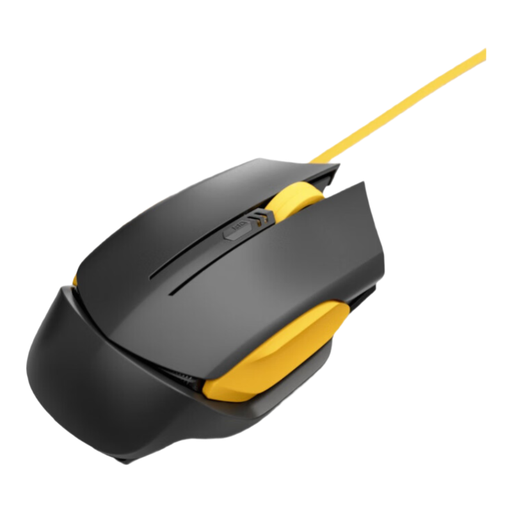
Why It Stands Out This mouse from ochama combines an ergonomic shape with specs that are also appealing to gamers, such as a high polling rate and adjustable DPI. The sweat-resistant material ensures a good grip, even during prolonged use.
Pros
Who Is It For? This mouse is an interesting option for users who demand more than just basic functionality. It's suitable for those who, in addition to office work, also game occasionally or need more control over precision.
The right mouse is a personal choice. If the models above don't quite match what you're looking for, there are many more possibilities. Check out our full range for more options.
Discover more in the Wired Keyboard and Mouse category
An ergonomic mouse is designed to place your hand, wrist, and arm in a more natural, relaxed posture. This helps to reduce tension on muscles and tendons, which can decrease the risk of complaints from repetitive movements (RSI).
Not necessarily better, but different. A mouse with a cord offers a stable, uninterrupted connection, and you don't need batteries. Wireless mice provide more freedom of movement and a cleaner desk. The choice depends on your personal preference and work environment.
