
Vandaag of morgen in huis

Kwaliteit gegarandeerd

Welkomstaanbiedingen ontgrendelen: GRATIS bezorging | Tot 80% korting | Gratis 30 dagen JoyPlus-proefperiode
Download de app
Piles of paper on your desk? Invoices, contracts, and receipts that you have to file manually? For many freelancers and SMBs, paper-based administration is a time-consuming task. A good document scanner can significantly speed up this process and digitise your workflow. But with the many models and specifications on the market, making the right choice isn't always easy.
This article is intended as a practical guide. We'll explain what to look for when making a purchase and highlight several popular choices based on their specifications and intended use. This will help you make an informed decision that suits your office or home workspace.
Before you make a choice, it's helpful to understand the key specifications. These determine how efficient the scanner will be in your daily workflow.
The efficiency of a professional document scanner is largely determined by its scanning speed and the capacity of its automatic document feeder.
Modern scanners offer features that significantly enhance ease of use.
The quality of your digital archive depends on the scan resolution.
Based on the criteria above, we have selected models suitable for various business users.
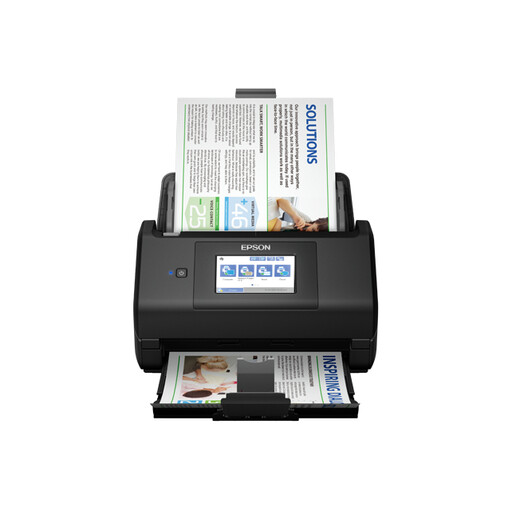
Why This Model Stands Out The Epson WorkForce ES-580W is designed for the modern office where flexibility and ease of use are key. Thanks to its built-in Wi-Fi and large 10.9 cm colour touchscreen, you can scan documents directly to network folders, cloud services, email, or a USB drive without a PC. Its generous ADF capacity makes it a solid choice for processing medium-sized batches.
Key Specifications
Who Is It For? Ideal for remote workers, freelancers, and small offices looking for a versatile and user-friendly A4 scanner that can be easily integrated into a wireless network.
View the Epson WorkForce ES-580W
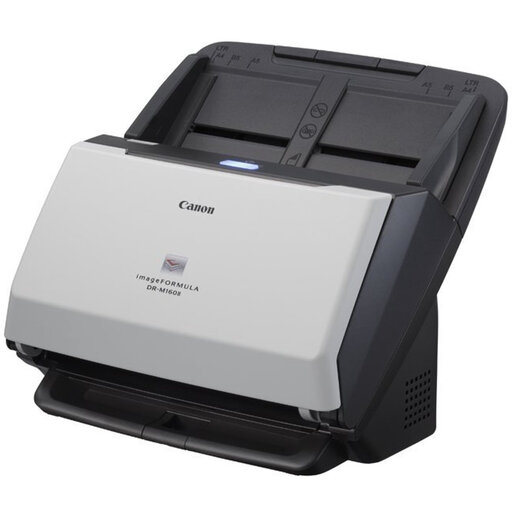
Why This Model Stands Out The Canon imageFORMULA DR-M160II is a workhorse, built for speed and reliability. With an impressive scanning speed, this model is aimed at environments where large volumes of documents are processed daily. Its robust design is meant to perform consistently under heavy workloads, making it a popular choice for administrative departments and archiving projects.
Key Specifications
Who Is It For? Perfect for SMBs, legal practices, or finance departments that need a very fast and robust professional document scanner for digitising large quantities of paper.
View the Canon imageFORMULA DR-M160II
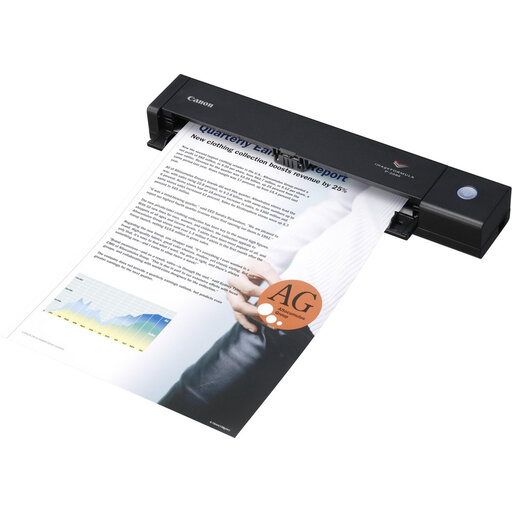
Why This Model Stands Out The Canon imageFORMULA P-208II is the definition of a mobile scanner. Weighing just 600 grams and powered via a USB cable, this device is designed for professionals on the go. Despite its compact size, it features a scanner with an automatic document feeder and can perform duplex scanning, allowing you to efficiently digitise contracts, receipts, or invoices even when you're out of the office.
Key Specifications
Who Is It For? The ideal solution for consultants, account managers, and other professionals who travel frequently and need a compact, reliable scanner to process documents directly on-site.
View the Canon imageFORMULA P-208II
The right scanner depends heavily on your specific needs. If the models above don't quite match what you're looking for, there are plenty of other options with different specifications and price points.
Check out our full range of scanner printers for more models.
Ppm stands for 'pages per minute' and measures how quickly a scanner processes single-sided documents. Ipm stands for 'images per minute' and is used for a duplex scanner. Because a duplex scan captures both the front and back sides, the ipm value is typically double the ppm value. For example, a scanner with 30 ppm can achieve 60 ipm.
For most text documents, a resolution of 300 DPI is more than sufficient. This produces sharp, legible text that is suitable for archiving and text recognition (OCR). A higher resolution of 600 DPI is mainly useful if you want to scan documents with fine details, small fonts, or embedded photos.
Yes, many modern document scanners are designed to handle more than just standard A4 paper. They can often accommodate various paper thicknesses and sizes, including receipts, business cards, and even plastic ID cards. However, it is advisable to check the model's specifications for supported paper weights (expressed in g/m?) and sizes.
