
Vandaag of morgen in huis

Kwaliteit gegarandeerd
Download de app
Categorieën

Purchasing a new computer monitor can be overwhelming. You're bombarded with specifications: resolution, refresh rate, panel type. The wrong choice can lead to frustration, whether it's stuttering visuals during gaming or inaccurate colors in photo editing. This guide will help you find the PC screen that fits your needs based on key specifications.
To make an informed decision, it's helpful to understand a monitor's most important parameters.
Resolution determines the sharpness of the image. The most common resolutions are:
The size, expressed in inches, is a matter of personal preference but is also linked to resolution. A 4K resolution is best appreciated on a larger screen (27 inches or more).
The panel technology has a major impact on image quality:
For a gaming monitor, two specifications are crucial:
A good office monitor is ergonomic. Look for adjustability for height, tilt, and the ability to pivot the screen. Also, check the available ports, such as HDMI, DisplayPort, and USB-C, to ensure you can connect all your devices.
Based on specifications and use cases, we have curated a selection of monitors for different user profiles.
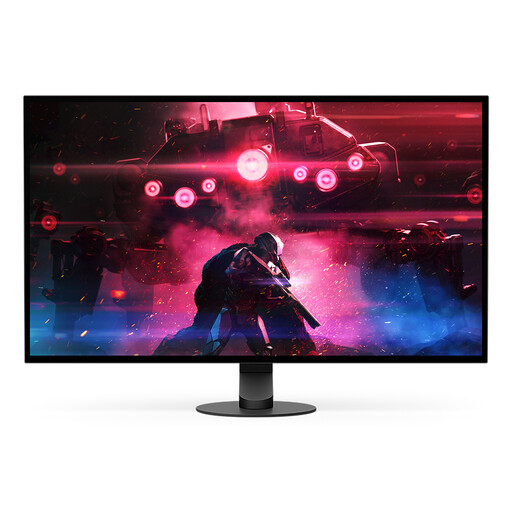
Why This Product This model is designed with one goal: to deliver top-tier performance. The combination of a QHD OLED panel with an extremely high refresh rate and a near-instantaneous response time gives competitive players a measurable advantage.
Advantages
Who It's For This is a monitor for the serious esports athlete and the competitive gamer seeking the fastest possible image rendering to gain an edge in fast-paced games.
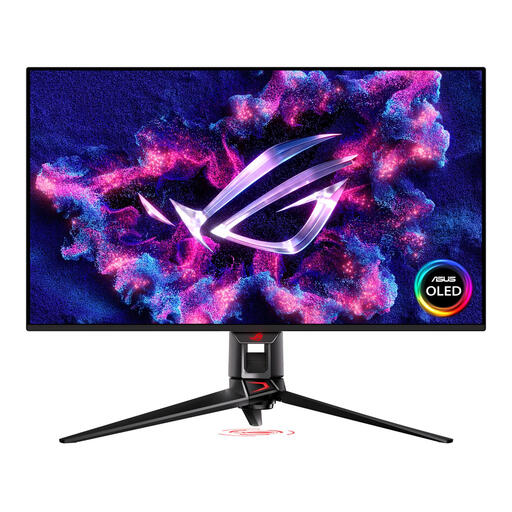
Why This Product The ASUS PG32UCDMZ combines a high resolution with a fast refresh rate. Its QD-OLED panel delivers not only the speed that gamers need but also the color accuracy and contrast that professionals and content creators demand.
Advantages
Who It's For This 4K monitor is aimed at users who want the best of both worlds: a premium gaming experience and a visually accurate canvas for professional tasks like video editing and graphic design.
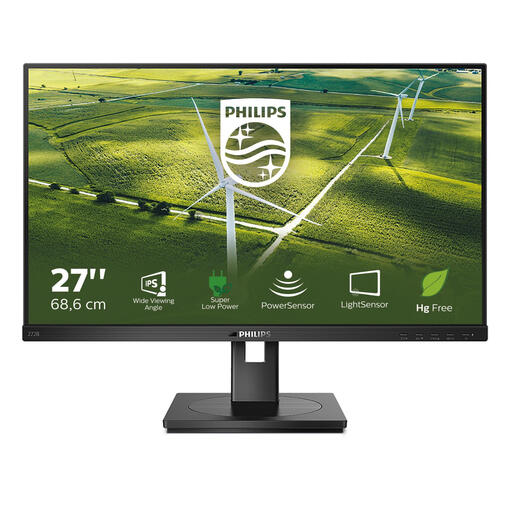
Why This Product This Philips monitor focuses on productivity, comfort, and sustainability. Features like the PowerSensor and LightSensor are designed to actively reduce energy consumption, which is beneficial for both the environment and your energy bill.
Advantages
Who It's For Ideal for business and home office users seeking a reliable, energy-efficient, and ergonomic display for daily office tasks, administrative work, and web browsing.
The market for computer monitors is vast and diverse. If the models above don't perfectly match your specific needs or budget, countless other options are available, from ultrawide screens for multitasking to specialized graphics monitors.
Explore our full range of displays for more options.
What is the difference between a gaming monitor and a regular monitor? A gaming monitor typically distinguishes itself with a high refresh rate (120Hz or higher) and a low response time (less than 5ms). This results in smoother and sharper visuals in fast-paced games. Regular monitors, such as an office monitor, often place more emphasis on color accuracy, viewing angles, and ergonomics, with a standard refresh rate of 60 or 75Hz.
Is a 4K monitor worthwhile for office work? For standard office tasks like email and word processing, a 4K monitor is not strictly necessary; a QHD or even a Full HD screen will suffice. However, for professionals working with large spreadsheets, multiple windows simultaneously, or detailed charts, the additional screen real estate and sharpness of 4K can significantly boost productivity.
What is OLED 'burn-in,' and should I be concerned? 'Burn-in' is a phenomenon where static images (like logos or taskbars) displayed for extended periods can leave a permanent 'ghost' image on an OLED monitor. Modern OLED screens include various built-in technologies, such as pixel shifting and refresh cycles, to minimize this risk. With normal, varied use, the risk of burn-in is low for most users.
Written by: Joybuy Product Recommendation Officer