
Vandaag of morgen in huis

Kwaliteit gegarandeerd

Welkomstaanbiedingen ontgrendelen: GRATIS bezorging | Tot 80% korting | Gratis 30 dagen JoyPlus-proefperiode
Download de app
By a Joybuy Product Recommendation Officer | Published on 07-28-2026
Driving a car that's mechanically sound but technologically outdated? You're not alone. Modernising an older car with a built-in system can easily cost hundreds, if not thousands, of dollars. A portable CarPlay screen seems like the ideal solution: affordable, modern, and no complex installation. But the market is flooded with models that overpromise and underdeliver. Before you invest in an upgrade, it's crucial to know the common pitfalls.
Many screens look identical at first glance, but the performance differences are huge. Pay attention to these three points to prevent your purchase from ending in frustration.
To avoid these problems, focus on a few concrete specifications. These will determine whether a car screen with navigation and a dash cam is a good investment.
For a smooth wireless experience, two things are crucial:
A CarPlay screen with a dash cam is a 2-in-1 device. Both functions must perform well.
A true plug-and-play solution makes your life easy.
Based on these criteria, we have selected a number of products that fit different user profiles.
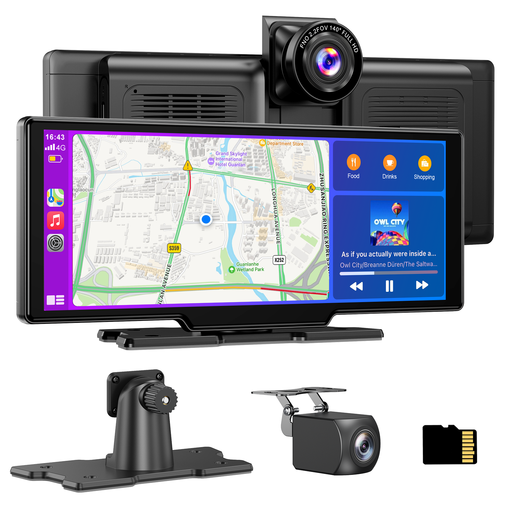
Why This Fits Their Persona: Ideal for those who want to combine convenience and safety. This system offers a large screen for navigation and media, plus a complete front and rear recording function, eliminating the need for multiple devices on the dashboard.
It addresses all the pitfalls: the dual-band Wi-Fi ensures a stable wireless connection. The 4K front camera and 1080P rear camera deliver usable footage. It's a complete package including a 64GB card, so there are no hidden costs.
A complete 2-in-1 solution with front and rear dash cams. Ready to use out of the box thanks to the included 64GB TF card and 12V-24V compatibility.
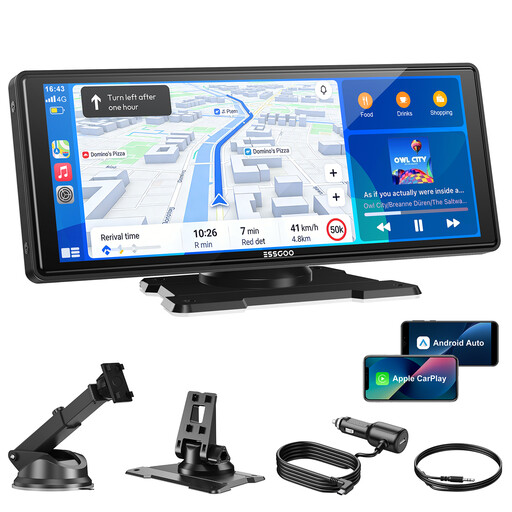
Why This Fits Their Persona: Perfect for those who primarily want to *modernise an old car* with a large navigation and media screen. If you already have a separate dash cam or don't need this feature, this model offers the core functionality at a lower price.
This model focuses on one thing and does it well. It features the same stable dual-band Wi-Fi and Bluetooth 5.3 as the more expensive variant, ensuring a reliable wireless connection. Installation is just as simple via the cigarette lighter.
Large 10.26-inch HD screen (1600x600) for an immersive CarPlay/Android Auto experience. It provides the key upgrade feature without the added cost of a dash cam.
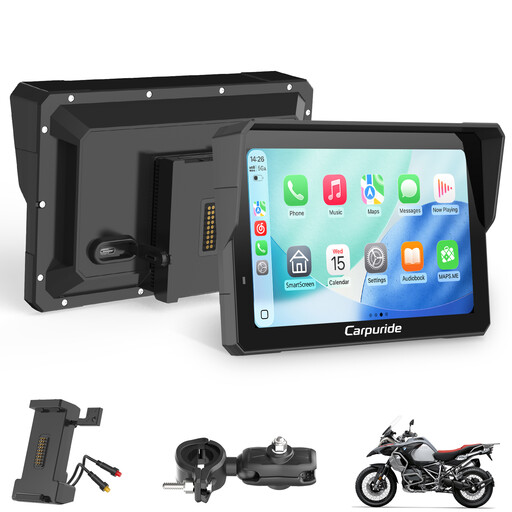
Why This Fits Their Persona: Suitable for drivers of commercial vehicles, vans, or RVs who need a durable and compact solution. Its waterproof and rugged construction is built to last, making it ideal for intensive daily use.
While many standard screens are made of cheap plastic, this model is built for tougher conditions. The focus is on durability and a reliable connection, making it less prone to failure from vibrations or moisture.
Waterproof and shock-resistant design. The compact 7-inch size has a smaller footprint and doesn't obstruct the view, which is an advantage in a crowded cabin. Also works on 12V-24V.
We have compiled a complete, up-to-date list of products that meet these strict selection criteria and local regulations.
Yes, in most cases. The main unit is attached to the dashboard or windshield with a suction cup or adhesive mount. Power is supplied via the 12V cigarette lighter. For a front and rear dash cam, you will need to run a cable to the back of the car, but this can often be neatly tucked away along the trim without any permanent modifications.
With the right technology, yes. A stable wireless experience depends on the Wi-Fi chip in the device. Therefore, look specifically for models that mention dual-band Wi-Fi (with 5 GHz support). This minimises the chance of stuttering and lag, making the experience comparable to a wired connection.
This depends on the recording resolution. With a combination of a 4K front camera and a 1080p rear camera, you can expect several hours of recording time. All modern dashcams use loop recording, which means the oldest, unlocked files are automatically overwritten once the card is full. This means you don't have to manually clear the card.
