
Vandaag of morgen in huis

Kwaliteit gegarandeerd

Welkomstaanbiedingen ontgrendelen: GRATIS bezorging | Tot 80% korting | Gratis 30 dagen JoyPlus-proefperiode
Download de app
A clear desk fosters a clear mind. However, a traditional desktop PC—with its separate tower, monitor, and tangled mess of cables—can be a real eyesore. An All-in-One PC offers an elegant solution: all components are neatly integrated into the display's chassis. The result is a minimalist and functional workspace.
But which All-in-One computer is right for you? The options are vast, ranging from models for basic tasks to powerful workstations. In this guide, we'll provide practical buying advice and highlight some of the top contenders for 2026 based on their specifications.
Before making a decision, it's important to consider a few key features. This will ensure you choose a PC with an integrated display that perfectly matches your needs.
The display is the most prominent feature of an All-in-One PC. Its size, typically between 24 and 27 inches, defines your digital workspace. For everyday use and standard office tasks, a 24-inch screen with Full HD resolution (1920 x 1080 pixels) is often sufficient. If you frequently work with photos, videos, or multiple windows at once, a 27-inch screen with a higher resolution (such as 4K) will provide greater comfort and detail. Some models offer additional functionality, like a touchscreen PC, which can be useful for creative applications or faster navigation.
The "engine" of your computer determines how smoothly everything runs.
The choice between a Windows all-in-one and an iMac is often a personal one. Windows offers broad compatibility with software and hardware. macOS, the system on the iMac, is renowned for its user-friendly interface and seamless integration with other Apple devices. Consider which ecosystem you're already invested in and which one feels most intuitive to you.
Based on specifications and functionality, we've rounded up a few compelling models for you.
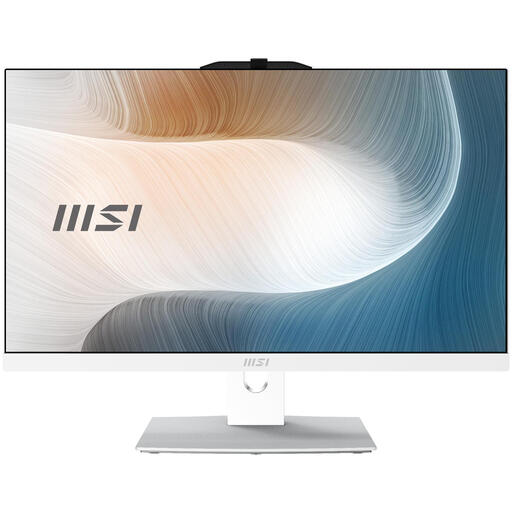
Why it stands out: The MSI Modern combines a sleek, white design with functional performance. Its Full HD touchscreen makes interaction intuitive, while the specifications are more than sufficient for most home and office tasks.
Key Features:
Who is it for? This is an excellent choice for students, remote workers, and small business owners looking for a reliable and stylish all-in-one computer for daily use, from administrative tasks to video calls.
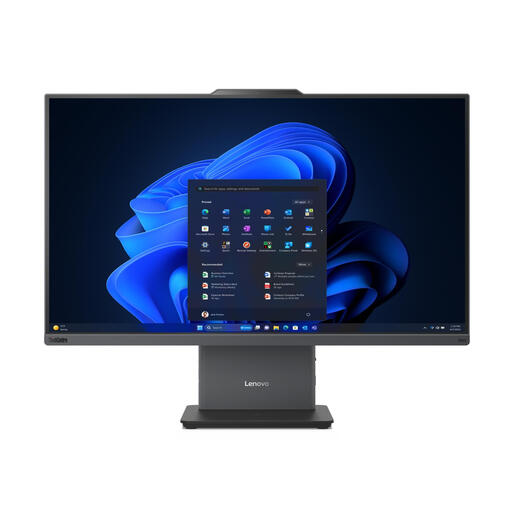
Why it stands out: This Lenovo is designed for the modern professional workspace. With a large 27-inch screen and a powerful Intel Core i5 processor, this model is built for productivity. According to Lenovo, the device is optimized for quiet operation, contributing to a peaceful work environment.
Key Features:
Who is it for? Professionals who need a powerful office computer for their corporate or home office setup. Ideal for those who multitask heavily, participate in online meetings, and appreciate a large screen real estate.
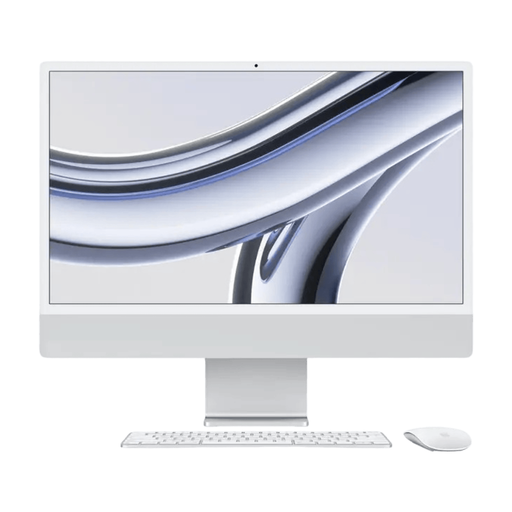
Why it stands out: The iMac is an icon in design and performance. The 24-inch model with the M3 chip delivers impressive speed in an incredibly thin chassis. Its 4.5K Retina display is one of the sharpest and most vibrant displays in its class.
Key Features:
Who is it for? Creative professionals, such as graphic designers and video editors, and anyone who prefers the macOS ecosystem. It's also a popular choice for users who prioritize design and superior image quality in their desktop PC.
These recommendations represent just a fraction of the available options. Every user has unique needs when it comes to specifications, screen size, or budget. Curious to see other models?
Explore our full collection of all-in-one computer desktops and find the perfect match for your workspace.
The primary benefit is the space-saving design and convenience. Because the computer and monitor are integrated into a single unit, you don't need a separate computer tower. This results in a clutter-free workspace with significantly fewer cables and an incredibly simple setup.
Most All-in-One PCs are designed for productivity, creativity, and general home use. While some higher-end models can handle light gaming, they often lack the dedicated graphics cards and advanced cooling systems required for serious gaming. Gamers are generally better off with a traditional gaming desktop.
The upgrade options for an all-in-one computer are more limited than those for a traditional desktop PC. In many models, the processor and graphics chip are soldered to the motherboard and cannot be replaced. However, it is sometimes possible to expand the memory (RAM) or storage (SSD). It is therefore wise to choose specifications at the time of purchase that are sufficiently future-proof for your anticipated needs.
