
Vandaag of morgen in huis

Kwaliteit gegarandeerd

Welkomstaanbiedingen ontgrendelen: GRATIS bezorging | Tot 80% korting | Gratis 30 dagen JoyPlus-proefperiode
Download de app
As a Product Recommendation Officer at Joybuy, I see people struggle with purchasing a 3D printer every day. The market is flooded with promises of high speeds and professional results, but the reality is often more challenging. Many users end up with a device that causes more frustration than it sparks creativity. This guide will help you see through the marketing hype and find a model that truly fits your needs.
Before we look at specifications, it's important to recognise the most common missteps. This will help you avoid a purchase you'll later regret.
You don't need to be a technician to make an informed choice. Pay attention to the following three points, and you'll be well on your way.
Most consumer printers fall into two categories:
Two features make the difference between a smooth printing experience and constant frustration:
Based on the criteria above, we have selected a few models that cater to different user profiles.
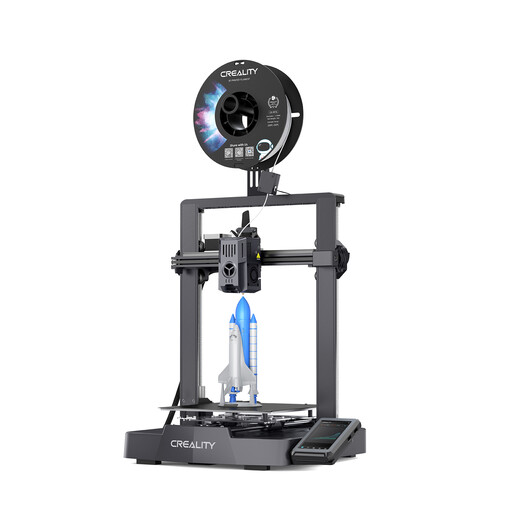
Why This Fits Their Persona: This model is a popular choice for beginners who want to get started right away. It combines an accessible price point with features typically found on more expensive models, significantly shortening the learning curve.
Tackles the "false beginner printer" pitfall. Thanks to fully automatic calibration (auto-levelling) with a CR Touch sensor, you don't need to manually level the bed. Just turn it on and print.
The Sprite Direct Extruder and a nozzle that reaches up to 300°C allow for experimentation with materials like PETG and ABS, in addition to PLA. Its print speed of up to 500 mm/s is remarkable for this price range.
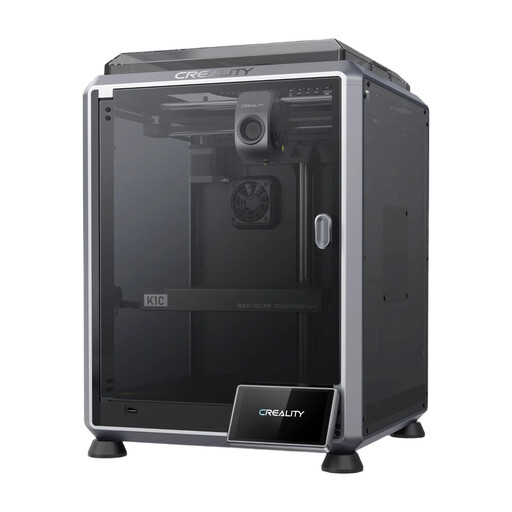
Why This Fits Their Persona: For engineers, designers, and small businesses who need functional prototypes quickly. Speed, reliability, and the ability to work with engineering-grade materials are key.
Bypasses the "empty speed promises" pitfall. The high speed of 600 mm/s is supported by a stable CoreXY structure and active vibration compensation, ensuring quality is maintained even at high speeds.
The enclosed build chamber and a tri-metal nozzle reaching 300°C make this printer suitable for abrasive materials like carbon fiber-reinforced filament (PLA-CF, PA-CF). The built-in AI camera detects printing errors.
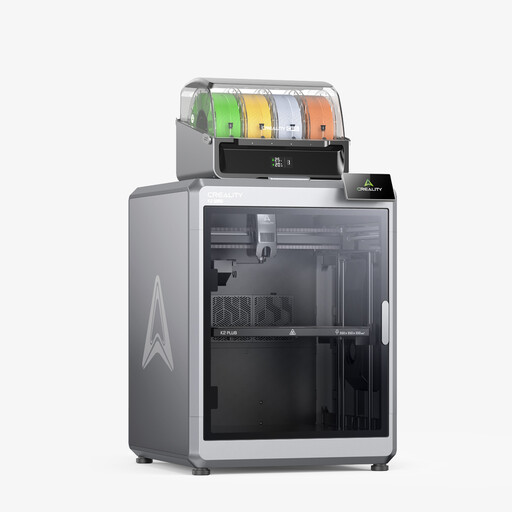
Why This Fits Their Persona: For the user who refuses to compromise. Ideal for complex, multi-colour projects or printing large objects in a single run, without sacrificing speed or quality.
This model goes beyond standard features. It's not just a professional 3D printer but also a multi-colour 3D printer, thanks to the CFS system. The combination of size, speed, and colour is a rare find.
A very large-format 3D printer with a build volume of 350x350x350 mm. The Combo version can print with up to 16 colours using the Creality Filament System (CFS). The heated chamber (≤60℃) ensures stability when printing with demanding materials.
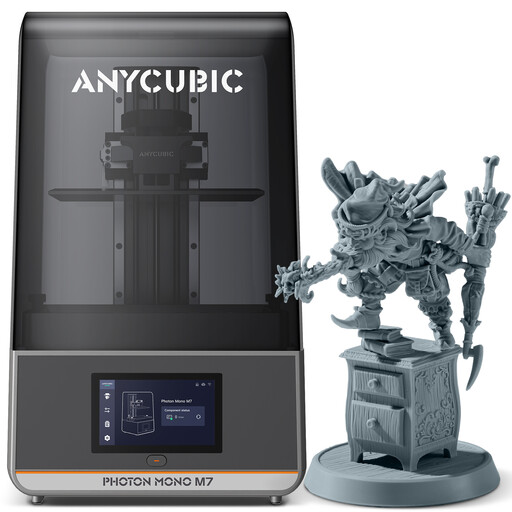
Why This Fits Their Persona: For creators of miniatures, jewellery, or detailed scale models where every detail counts. This user prioritises resolution and a smooth finish over the mechanical strength of FDM prints.
This is a specialised resin printer. It avoids the pitfall of a "jack-of-all-trades" that excels at nothing. Its focus is purely on detail, which is made clear by the screen's specifications.
The 10.1-inch 14K monochrome LCD screen offers an extremely high resolution (16.8 × 24.8 μm), making layers virtually invisible. The printer is levelling-free, which greatly simplifies setup.
We have curated a complete, up-to-date list of products that fully meet these strict selection criteria and EU safety regulations.
The costs primarily depend on filament consumption and electricity. A 1 kg spool of PLA filament typically costs between $15 and $25 and is sufficient for a large number of prints. An average FDM printer consumes about as much power as a desktop computer while printing. Therefore, the cost per print is often low, usually ranging from a few cents for a small object to a few dollars for a large model.
This depends on three factors: the size of the object, the desired level of detail (layer height), and the printer's speed. A small keychain can be ready in 20-30 minutes on a fast 3D printer. A detailed, fist-sized model can easily take 4 to 8 hours. A large vase or a complex part might take over 24 hours.
Choose an FDM printer if you want to create functional parts, prototypes, toys, or practical household objects. They are versatile, easier to use, and the materials are less expensive. Choose a resin printer if you are focused on visual perfection and extremely fine details, such as for board game miniatures, jewellery, or artistic models. Keep in mind that working with resin requires a well-ventilated space and the use of gloves and safety glasses.
