
Vandaag of morgen in huis

Kwaliteit gegarandeerd

Welkomstaanbiedingen ontgrendelen: GRATIS bezorging | Tot 80% korting | Gratis 30 dagen JoyPlus-proefperiode
Download de app
Building a new PC or upgrading your current system? Choosing the right RAM is crucial. With the arrival of new processors and demanding games, a 32GB RAM kit with DDR5 technology has become the new standard for many users. But the market is flooded with options: different speeds, timings, and features like RGB lighting.
This article will help you make the right choice. We'll discuss what to look for and highlight several popular options, so you can find a DDR5 32GB kit that fits your system and budget.
Before we look at the products, here are a few practical considerations. Understanding these specifications will help you better interpret a product's spec sheet.
Two numbers are crucial for your RAM's performance: the clock speed (in MHz) and the CAS Latency (CL).
The combination of a high clock speed and a low CL value typically delivers the best performance.
To achieve the advertised speeds, you need to activate a profile in your motherboard's BIOS. Manufacturers have developed their own technologies for this:
Always check which profile a memory kit supports and whether it matches your processor (Intel or AMD) for a stable and straightforward setup. Some kits support both profiles.
Besides performance, the physical design and appearance also play a role.
Below is a selection of 32GB DDR5 memory kits that stand out for their specifications and design.
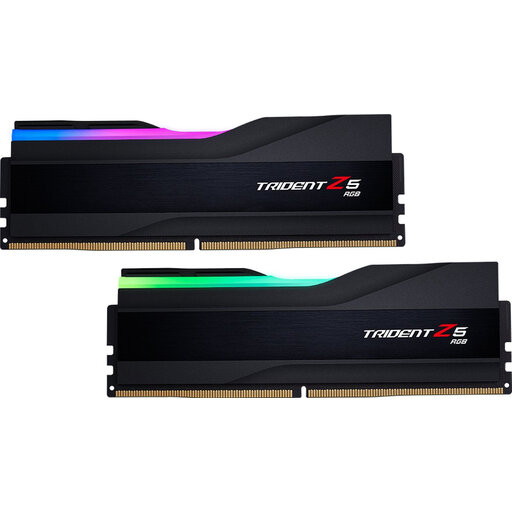
Why It Stands Out: The G.Skill Trident Z5 combines a high speed of 6000 MHz with a sharp CL30 timing, a combination favoured by gamers and content creators. According to G.Skill, this kit is specifically optimised for Intel platforms with support for Intel XMP 3.0. The streamlined heat spreader with a customisable RGB light bar makes it a visually appealing choice for builds with a glass side panel.
Pros:
Who Is It For? PC builders and gamers with a recent Intel system looking for a powerful and visually stunning 32GB RAM kit for their gaming memory.
Check out the G.SKILL Trident Z5 on Joybuy.nl
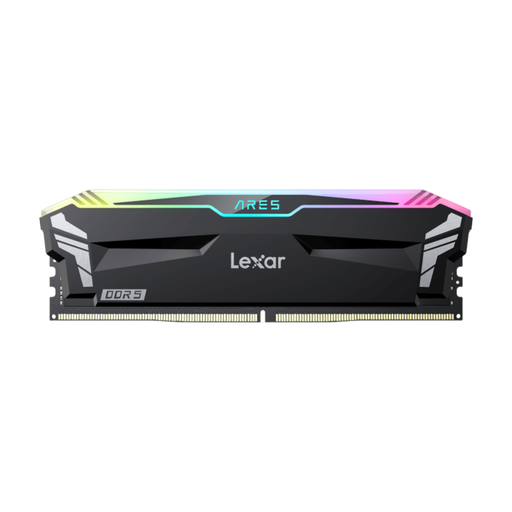
Why It Stands Out: This kit from Lexar is aimed at users seeking maximum speed. At 6800 MHz, it's one of the faster kits available. A key advantage is its broad compatibility; the manufacturer states that the kit supports both Intel XMP 3.0 and AMD EXPO. This makes it a flexible choice for various high-end systems. The aluminium heat spreader and RGB lighting complete the package.
Pros:
Who Is It For? Hardware enthusiasts and overclockers who want to push the limits of their system, regardless of whether they use an Intel or AMD platform.
Check out the Lexar Ares on Joybuy.nl
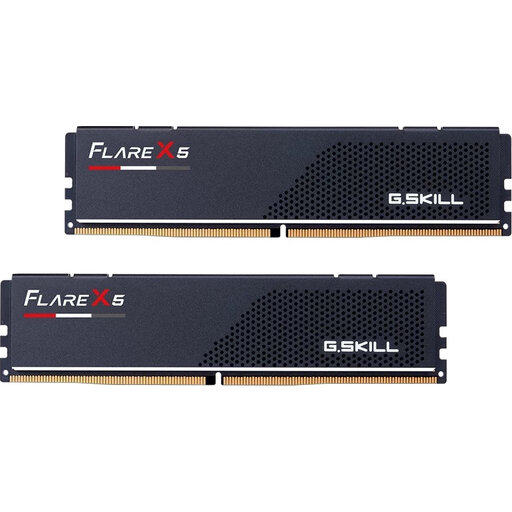
Why It Stands Out: The G.Skill Flare X5 is designed with a focus on functionality and compatibility, particularly for AMD systems. The kit supports AMD EXPO memory, which makes overclocking on AM5 motherboards straightforward. Its most distinctive feature is the low-profile RAM design. At just 33mm high, this kit fits easily under large CPU air coolers, where taller modules often cause clearance issues.
Pros:
Who Is It For? Users building a PC with an AMD processor who prioritise function over aesthetics. It's an especially good choice for Small Form Factor (SFF) builds or systems where every millimetre counts.
Check out the G.Skill Flare X5 on Joybuy.nl
The right memory kit is highly dependent on the other components in your PC. If the options above don't quite match your needs, or if you're looking for different speeds or capacities, take a look at our full range.
Discover more DDR5 RAM on Joybuy.nl
For most gamers, 32GB of RAM is a comfortable amount that is more than sufficient for the latest games and multitasking, such as streaming or running applications in the background. While 16GB can still suffice for lighter games, 32GB offers better future-proofing and improved performance in demanding titles.
Both are technologies for easily overclocking your RAM. XMP was developed by Intel, and EXPO by AMD. They store optimised settings (speed, timings, voltage) in a profile on the memory module. By selecting this profile in your motherboard's BIOS, the memory runs at its advertised specifications without any manual tweaking. It's best to choose a kit that supports the profile for your processor.
Yes, especially in CPU-intensive scenarios like gaming at high frame rates and for certain productivity tasks (video editing, compiling code). Faster RAM can supply the processor with data more efficiently, leading to better performance. The difference isn't equally significant in every application, but for a high-end system, choosing a fast kit like DDR5 6000 MHz or higher can deliver a noticeable improvement.
