Joybuy Insights

Buying the Right 27-Inch Monitor: A No-Nonsense Buying Guide

Choosing a new 27-inch monitor can feel like navigating a maze of technical terms and marketing promises. One monitor promises "unprecedented sharpness," another "ultra-fast response times." But what do these specifications really mean for your daily use, whether you're working from home, editing photos, or gaming?

As a Joybuy Product Recommendation Officer, I'm here to help you cut through the noise. We'll focus on what truly matters and debunk the most common pitfalls, so you can choose a monitor that fits your needs and budget, without paying for specs you don't need.

The 3 Pitfalls of Choosing a Monitor

Before we dive into specifications, it's crucial to recognize the marketing traps many buyers fall into.

  1. The "4K is always better" myth: A 4K monitor sounds impressive, but on a 27-inch screen, the difference compared to a sharp QHD monitor (2560x1440) isn't immediately obvious to everyone. For gaming, 4K can even be a disadvantage: it demands much more from your graphics card, which can come at the expense of the refresh rate. For office work and text, QHD is often more than sharp enough.
  2. The vague "USB-C" promise: A USB-C monitor is ideal for a clutter-free desk, especially for laptop users. It offers a single cable for video, data, and power. The pitfall? Not every USB-C port is created equal. Many cheaper models offer low charging power (Power Delivery) of 15W or 45W. This is insufficient for a powerful work laptop or MacBook, which will still require a separate charger.
  3. The "1ms response time" obsession: Manufacturers often advertise a response time of 1ms. This sounds incredibly fast, but it's often measured under ideal, unrealistic conditions (MPRT instead of the more reliable GtG value). For office work, photo editing, or watching movies, an extremely low response time is irrelevant. The quality of the panel type (like IPS) is far more important for these tasks.

What Really Matters in a 27-Inch Monitor

To avoid buyer's remorse, focus on the specifications that actually impact the user experience. These are the three most important factors.

Resolution: Is 4K Always Better Than QHD?

The resolution determines the sharpness of the image. For a 27-inch monitor, these are the two most logical choices:

  • Quad HD (QHD / 1440p): With 2560 x 1440 pixels, QHD offers an excellent balance of sharpness, performance, and price. Text is razor-sharp, images are detailed, and for gamers, a high refresh rate (like 144Hz) is more achievable than with 4K.
  • 4K Ultra HD (UHD / 2160p): With 3840 x 2160 pixels, a 4K screen delivers the highest possible pixel density. This is especially useful for professionals working with extremely detailed visuals, such as in photo editing or video editing. For general use, software interfaces can sometimes appear very small, although this can be adjusted via scaling in your operating system.

Panel Type: IPS, OLED, and Their Impact on Colour and Contrast

The type of panel in the monitor is decisive for image quality.

  • IPS (In-Plane Switching): This is the standard for most all-round and professional monitors. An IPS monitor is known for its excellent colour reproduction and wide viewing angles. It's ideal for graphic design and for situations where multiple people are viewing the screen.
  • OLED / QD-OLED: These panels offer perfect black levels and infinite contrast because each pixel can be individually lit or turned off. This results in a vibrant and dynamic image. OLED monitors also have extremely fast response times, making them popular for a high-end gaming monitor.

Essential Connections and Speed: USB-C and Refresh Rate

The right connections and speed make all the difference in user-friendliness.

  • Refresh Rate (Hz): This indicates how many times the image is updated per second. For office work, 60-75Hz is sufficient. For a smooth experience when scrolling and in general use, 100-120Hz is a noticeable upgrade. Gamers, especially in competitive titles, look for 144Hz or higher for the most fluid gameplay.
  • Connectivity: Besides HDMI and DisplayPort, pay close attention to USB-C. Check the Power Delivery (PD) wattage. For a standard ultrabook, 65W is often enough, but for a more powerful laptop (like a 15/16-inch MacBook Pro), you'll need at least 90W to make the separate charger redundant.

Recommended Monitors for Every Use

Based on these criteria, we have selected a few models that suit different user profiles.
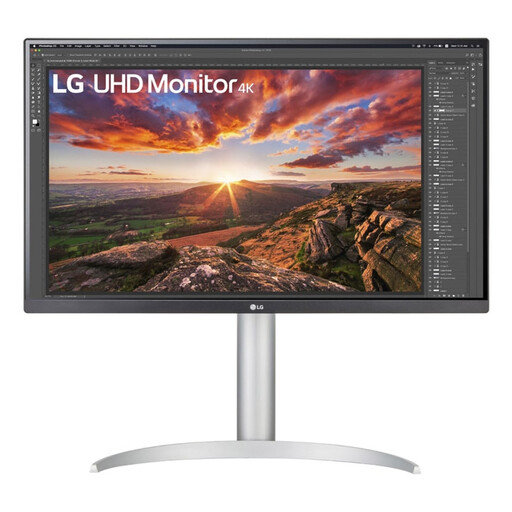
MATCH FOR: The Creative Professional & MacBook User
LG 27UP850K-W.AEU Monitor 68.6cm (27) 3840 x 2160 Pixels 4K Ultra HD LED Black

LG 27UP850K-W.AEU 4K Monitor

Why This Fits Their Persona: This monitor is an excellent choice for graphic designers, photographers, and MacBook users. The 4K resolution on its IPS panel provides the sharpness and colour accuracy needed for professional creative work. The USB-C port with 90W Power Delivery is powerful enough to charge even a MacBook Pro, ensuring a minimalist, single-cable workspace.

How It Avoids the Trap

This LG monitor bypasses the USB-C pitfall by delivering a high power output of 90W, which is essential for professional laptops. The 4K resolution here is not a gimmick but a functional requirement for detail-oriented work.

Key Advantage & Pros

Colour calibration and a 99% sRGB colour gamut for accurate colours. The ergonomic, adjustable stand ensures a comfortable working posture.
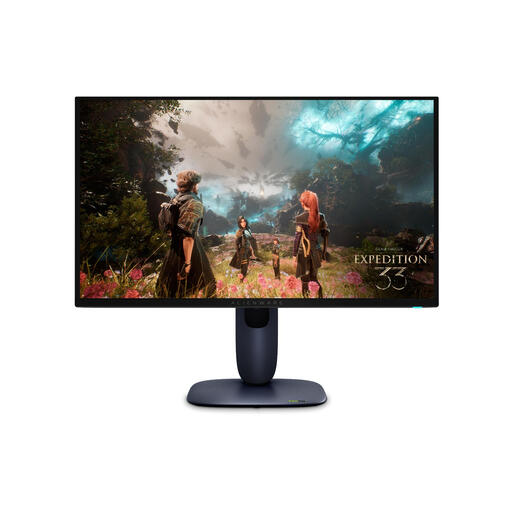
MATCH FOR: The Demanding Gamer
Alienware AW2725Q Computer Monitor 67.8cm (26.7) 3840 x 2160 Pixels 4K Ultra HD QD-OLED Black

Alienware AW2725Q 4K QD-OLED Monitor

Why This Fits Their Persona: For gamers who refuse to compromise. This monitor combines a 4K resolution with an extremely high 240Hz refresh rate and the superior image quality of a QD-OLED panel. This delivers both a visually stunning experience and a competitive edge in fast-paced games.

How It Avoids the Trap

This monitor doesn't just focus on a single spec. It combines an extremely fast response time (0.03ms) with the benefits of QD-OLED: perfect blacks, vibrant colours, and high contrast. The 4K resolution at 240Hz is worth the investment for those who have the hardware to drive it.

Key Advantage & Pros

QD-OLED technology for unparalleled contrast and colour. The combination of 4K and 240Hz offers the best of both worlds: detail and speed.
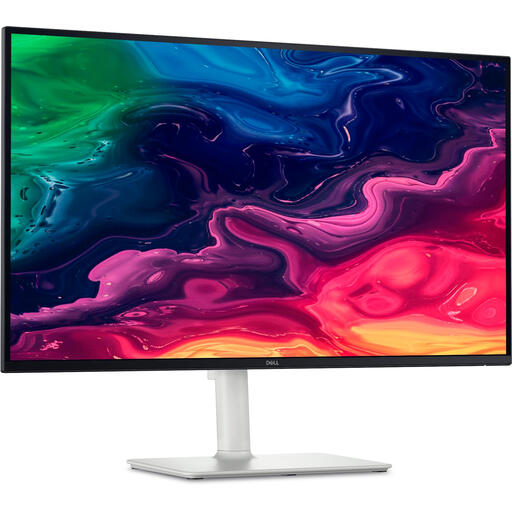
MATCH FOR: The Modern All-Rounder
DELL Plus S2725QC Computer Monitor 68.6cm (27) 3840x2160pixels 4K Ultra HD LCD Silver

DELL Plus S2725QC 4K Monitor

Why This Fits Their Persona: This is a strong all-round monitor for the remote worker who also enjoys entertainment. The 4K resolution is great for productivity and media, while the 120Hz refresh rate makes everything feel noticeably smoother than a standard 60Hz screen. The 65W USB-C port is practical for most business laptops.

How It Avoids the Trap

This Dell monitor offers a balanced package. It doesn't chase any single extreme specification but combines useful features: 4K for sharpness, 120Hz for fluidity, and a functional 65W USB-C port. A smart upgrade without paying for gaming features you won't use.

Key Advantage & Pros

The 120Hz refresh rate on a 4K IPS panel is a rare and welcome combination in this segment. Built-in speakers and a sleek design make it a complete solution.

Looking for more options?

We have compiled a complete, up-to-date list of products that fully meet these strict selection criteria and safety regulations.

Frequently Asked Questions

Is a 4K monitor worth the extra cost at 27 inches?

It depends on your use case. For professional photo and video editing, where every pixel counts, 4K offers a clear advantage. For general office work, browsing, and most games, a QHD (1440p) monitor at 27 inches provides the ideal balance of sharpness and price, while being less demanding on your computer.

How many watts of Power Delivery (PD) do I need for my laptop via USB-C?

Check the wattage of the charger that came with your laptop. A 13-inch ultrabook is often fine with 45-65W. A more powerful 15- or 16-inch laptop (like a MacBook Pro or Dell XPS 15) typically requires 90W or more to charge at full speed. A monitor with insufficient PD wattage will charge your laptop slowly or not at all during use.

What is the difference between IPS, VA, and OLED panels?

In short:

  • IPS panels offer the most accurate colours and the best viewing angles. This makes them the standard for graphic design and all-round use.
  • VA panels have better contrast than IPS (deeper blacks) but often have slightly poorer viewing angles and can suffer from 'ghosting' in fast-moving images.
  • OLED panels are superior in contrast and response time because each pixel produces its own light. This results in the most vibrant image, ideal for movies and high-end gaming.
