
Vandaag of morgen in huis

Kwaliteit gegarandeerd

Welkomstaanbiedingen ontgrendelen: GRATIS bezorging | Tot 80% korting | Gratis 30 dagen JoyPlus-proefperiode
Download de app
As a serious gamer, you know that every millisecond counts. A quick reaction can be the difference between victory and defeat. However, the gaming monitor market is a maze of marketing terms and specifications. Many gamers fall into the trap of expensive, superfluous features while overlooking the specs that truly matter. This guide will help you cut through the noise and choose a 27-inch curved gaming monitor that will actually give you a competitive edge.
We'll focus on the most common pitfalls:
Before you make a choice, there are a few technical specifications you must check. These determine the performance and visual quality of your gaming experience.
For a 27-inch monitor, a QHD gaming monitor (2560x1440 pixels, also known as 1440p) is a popular choice. It offers a significantly sharper image than Full HD (1080p) without requiring the extreme graphical horsepower needed for 4K gaming at high framerates. Combined with a high refresh rate, such as a 1440p 180Hz monitor, you get a smooth and razor-sharp experience. A higher refresh rate means the screen can display more frames per second, which is essential for a fast gaming monitor in genres like FPS and racing.
The choice of LCD panel has a major impact on image quality.
An Adaptive Sync monitor synchronises the monitor's refresh rate with your graphics card's framerate. This prevents screen tearing and stuttering without the performance impact of traditional V-Sync. Most monitors support AMD FreeSync, and many are also "G-Sync Compatible," meaning they work well with NVIDIA graphics cards.
Below are several models that suit different types of gamers, based on their specifications and how they avoid the pitfalls mentioned earlier.
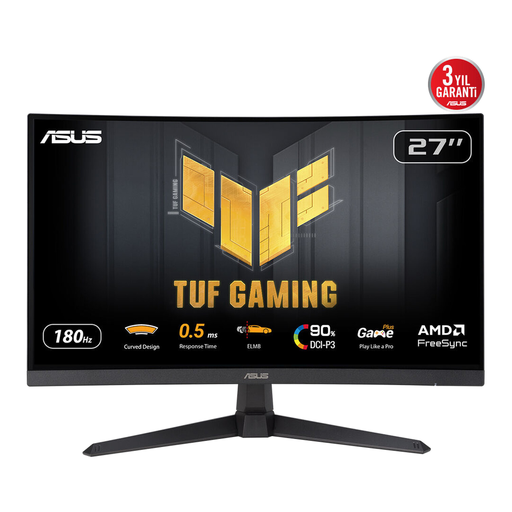
Why This Fits Their Persona: This monitor is built for speed and immersion. The combination of QHD resolution, a 180Hz refresh rate, and a 1ms response time is ideal for fast-paced shooters and racing games where every frame counts.
The 1500R curve is noticeable and effective on a 27-inch screen, unlike subtler curves. The monitor combines the high contrast ratio of a VA panel with ASUS's ELMB technology to minimise ghosting, so you don't have to fixate on the 1ms claim.
QHD at 180Hz: The perfect balance of sharpness and fluidity for most modern gaming PCs. Adaptive Sync: Ensures a smooth, tear-free experience.
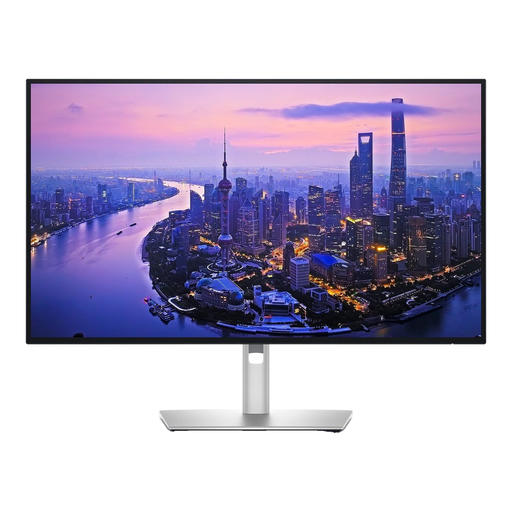
Why This Fits Their Persona: For the user who needs their screen for both professional work (graphic design, video editing) and high-end gaming. This is a flat screen, but its image quality is on another level.
This screen sidesteps the "fake HDR" trap with a DisplayHDR 600 certification and IPS Black technology, which delivers deep black levels that rival VA panels. The focus is on image quality and colour accuracy, not misleading marketing claims.
4K Ultra HD at 120Hz: Delivers extremely sharp visuals with a fluid 120Hz refresh rate. IPS Black Technology: Provides a 2000:1 contrast ratio, which is exceptional for an IPS panel.
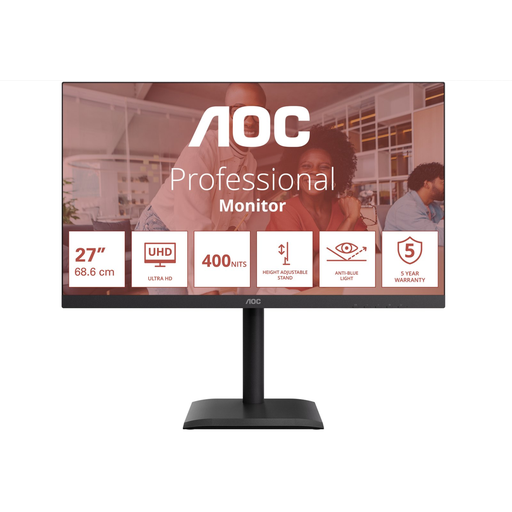
Why This Fits Their Persona: For the user who prioritises 4K resolution for visually rich single-player games, movies, and productivity, and places less importance on extremely high refresh rates. This is a flat screen focused on sharpness.
This model avoids the pitfall of overpaying for gaming features you don't use. It focuses on what's important for a 4K work and media screen: a sharp panel and good connectivity, without the premium price tag of a high-refresh-rate gaming monitor.
4K Ultra HD Resolution: Offers maximum sharpness for detailed content and media. USB-C Docking Station: With 90W Power Delivery, it's ideal for connecting and charging a laptop with a single cable.
A great monitor is the core of your setup, but the atmosphere is just as important. Many gamers personalise their space with ambient lighting to heighten the immersion. Consider LED strips behind your desk or a themed lamp like the Paladone PlayStation LED Bulb. A subtle blue glow can significantly enhance your game room's atmosphere.
We have compiled a complete, up-to-date list of products that meet our strict selection criteria and quality standards.
Is a 27-inch curved monitor too big for competitive gaming? No, 27 inches is considered an ideal size by many. It's large enough for an immersive experience but not so large that you constantly have to move your head to see the entire map. The curve actually helps keep the edges of the screen within your peripheral vision.
What is the difference between FreeSync and G-Sync? Both are Adaptive Sync technologies. FreeSync is an open standard from AMD, while G-Sync is NVIDIA's proprietary technology. Many FreeSync monitors are now "G-Sync Compatible," which means they also work with NVIDIA cards. Always check the monitor's specifications to ensure compatibility.
What is the lifespan of a VA gaming monitor? A monitor's lifespan is primarily determined by its backlight, not the panel type (VA, IPS, etc.). Most modern LED backlights have a lifespan of 30,000 to 60,000 hours. With normal use, this means the monitor can last for many years, often outlasting the relevance of its technology.
With the right knowledge, you can make an informed decision that elevates your gaming experience to the next level, without wasting money on marketing hype.
Joybuy Product Recommendation Officer
