
Vandaag of morgen in huis

Kwaliteit gegarandeerd
Download de app
Categorieën

Choosing a new monitor can be a daunting task. Especially when you're looking for a 27-inch 4K monitor for professional or creative work, you want to avoid buyer's remorse. A display with inaccurate colours, the wrong ports, or poor ergonomics can lead to daily frustration. This guide will help you make an informed decision based on concrete specifications that align with your needs.
Before we dive into specific models, it's helpful to understand the key specifications. These features determine whether a monitor is suitable for your workflow, whether that involves photo editing, graphic design, or productivity tasks.
For colour-critical work, a 4K IPS monitor is virtually the standard. IPS (In-Plane Switching) panels are renowned for their superior colour reproduction and wide viewing angles. This means colours remain accurate and consistent, even when you're not sitting directly in front of the screen. For a display for graphic design or a monitor for photo editing, this is a crucial feature.
Colour gamut coverage indicates the percentage of a specific colour space a monitor can display.
A 4K monitor with USB-C offers significant convenience, especially for laptop users. With a single cable, you can:
Pay close attention to the power output (in Watts) that the monitor can deliver via PD. A MacBook Air requires around 30W, while a 14- or 16-inch MacBook Pro needs 65W to 96W to charge at full speed. Therefore, a 27-inch monitor for a MacBook benefits greatly from a USB-C port with sufficient Power Delivery.
An HDR monitor can display a greater contrast range between the light and dark parts of an image. This results in a more vibrant and lifelike picture. Certifications like VESA DisplayHDR 400 provide an indication of the monitor's HDR performance. This is a particular advantage for content consumption and video editing.
Below are three models that address the diverse needs of creative professionals and prosumers. The selection is based on objective product parameters.
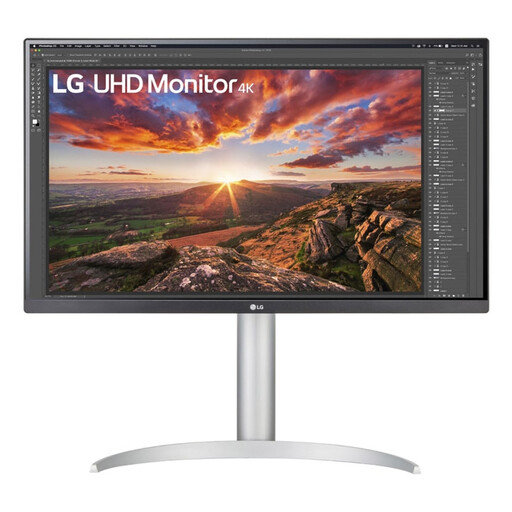
Why this product? The LG 27UP850K is a very complete professional monitor. Its combination of a high-quality 4K IPS panel, wide colour gamut, and powerful USB-C connectivity makes it a popular choice. The 90W Power Delivery is more than sufficient for most laptops, including the more powerful MacBook Pro models.
Pros:
Who is this for? This model is ideal for creative professionals and remote workers looking for a single-cable solution for their (MacBook) laptop. The combination of image quality and ease of use makes it an excellent all-round choice for photo editing, graphic design, and productivity.
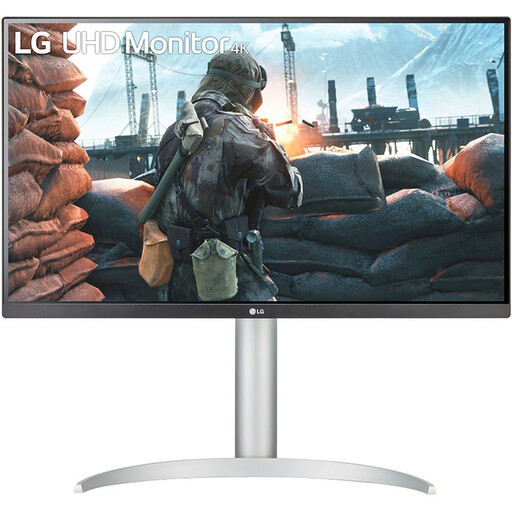
Why this product? The LG 27UP650K shares much of the excellent image quality of its more expensive sibling but omits the USB-C port. If you already have a docking station or primarily work with a desktop PC, this model offers a comparable visual experience at a potentially lower price.
Pros:
Who is this for? This monitor is a strong option for users whose top priority is image quality and who don't need USB-C connectivity. Think of photographers or designers with a dedicated workstation, or users looking for a second screen.
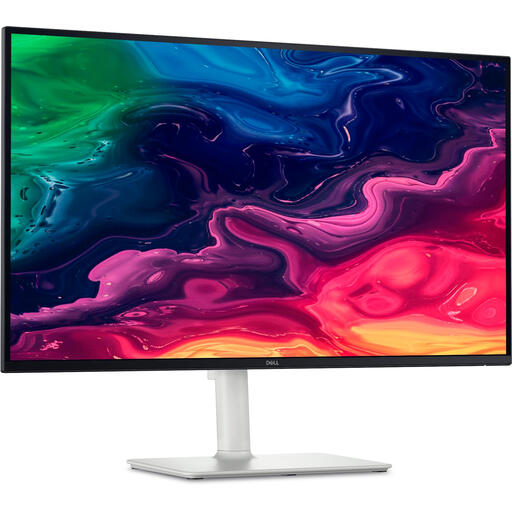
Why this product? The Dell S2725QC stands out with a unique feature for a professional monitor: a maximum refresh rate of 120 Hz. This provides noticeably smoother motion, not just in games, but also when scrolling through web pages or documents. Combined with a 4K resolution and USB-C, this is a hybrid monitor for both work and play.
Pros:
Who is this for? This model is perfect for the prosumer who also uses their workspace for entertainment. The 120 Hz is a noticeable upgrade for the overall user experience, while the 65W PD is sufficient for many laptops like the MacBook Air and 13-inch MacBook Pro.
The models above cover common scenarios, but the market is diverse. If you're looking for a different screen size, higher brightness, or specific gaming features, it's worth exploring a wider range of products.
Check out our full range of desktop monitors for more choices that fit your budget and requirements.
1. Is 60 Hz sufficient for a 4K monitor for professional use? Yes, for most professional applications like photo and video editing (at 24/30/60 fps) and graphic design, a 60 Hz refresh rate is the standard and perfectly adequate. A higher refresh rate like 120 Hz primarily offers more comfort and fluidity in general use, such as scrolling and moving windows, as well as in gaming.
2. How many Watts of Power Delivery (PD) do I need for my laptop? This depends on your laptop model. As a guideline:
3. What is the practical difference between sRGB and DCI-P3? sRGB is the older, smaller colour space that is standard for the web. DCI-P3 is about 25% larger and can display more saturated greens and reds. This is most noticeable in more vibrant images, which is desirable for viewing and editing modern videos and photos, especially those taken with recent smartphones and cameras.