
Vandaag of morgen in huis

Kwaliteit gegarandeerd

Welkomstaanbiedingen ontgrendelen: GRATIS bezorging | Tot 80% korting | Gratis 30 dagen JoyPlus-proefperiode
Download de app
At first glance, choosing a Belgian AZERTY keyboard seems straightforward. However, small differences in layout, connectivity and size can cause everyday frustration. This is especially important if you’re ordering from the Netherlands: don’t rely on the word “AZERTY” alone.
Common pitfalls include:
Look beyond the product title and check the specifications and photos too. A Belgian keyboard uses an AZERTY layout designed for the Belgian language setting. This isn’t always the same as a French AZERTY model.
For everyday office work, it’s worth checking for an ISO layout, clear key labels and a separate Enter key. If you often work with numbers, a keyboard with a numeric keypad is more convenient than a compact model without a numpad.
A USB keyboard usually works as soon as you plug in the cable. This is handy for a desktop PC, a till or reception desk, and situations where you don’t want to use batteries. A cable also means you won’t suddenly lose your connection during a meeting.
A wireless AZERTY keyboard usually connects via a 2.4 GHz USB receiver or Bluetooth. A receiver is convenient for desktop computers with a spare USB port. Bluetooth is a better choice if you switch between a laptop, tablet and other compatible devices. For RF models, check whether the receiver is included.
A full-size keyboard generally includes a numeric keypad, function keys and navigation keys. A 95% or TKL model leaves out the numeric keypad, taking up less space as a result. This can be useful for students, small desks and gamers who want more room for their mouse.
The key mechanism also makes a difference:
For wireless models, battery life is an important point to check. The stated battery life depends on battery type, settings and usage conditions. Also check whether the keyboard uses AA or AAA batteries and whether they’re rechargeable.
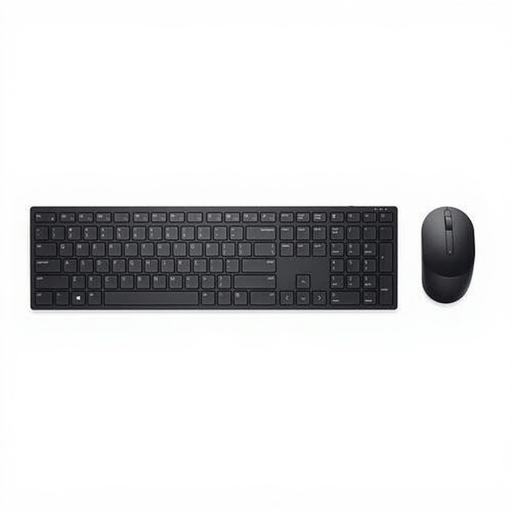
Why it suits this profile: This complete set pairs a full-size Belgian AZERTY keyboard with a wireless mouse, making it suitable for working from home and everyday office use.
The product details explicitly state that it has a Belgian AZERTY layout, a numeric keypad and a range of up to 10 metres. So you don’t have to look for the keyboard and mouse separately.
Full-size design, 12 programmable shortcut keys, 2.4GHz receiver and mouse with 1,600 dpi.
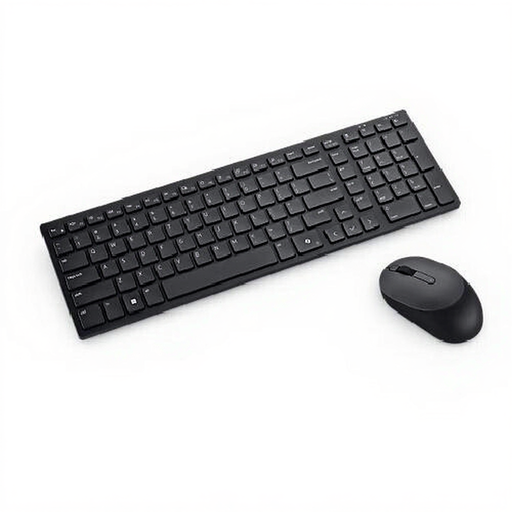
Why it suits this profile: Designed for quieter office environments, this set gives you the choice of RF wireless or Bluetooth 5.1.
The specifications list the Belgian layout. You can also use Bluetooth without a permanently connected USB receiver, depending on your device.
Plunger keys, anti-spill system, numeric keypad and mouse with 4,020 dpi.
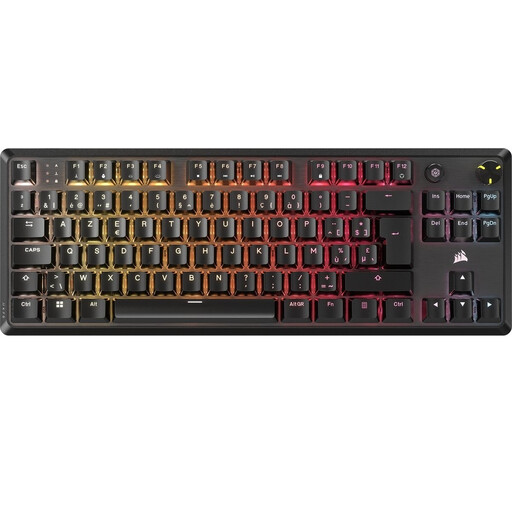
Why it suits this profile: This mechanical AZERTY gaming keyboard is aimed at users looking for a TKL design, linear switches and programmable lighting.
The specifications clearly state that it has a BE ISO AZERTY layout and TKL format. This makes it clear from the outset that it doesn’t have a numeric keypad.
Linear mechanical MLX Red v2 switches, USB-C cable, N-key rollover and per-key RGB lighting.
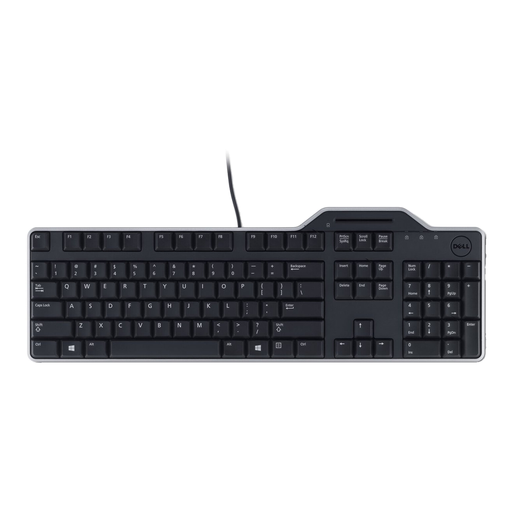
Why it suits this profile: The integrated Smartcard reader and wired USB connection are ideal for workspaces that need card verification and a stable connection.
You’re choosing a wired solution, so there’s no need to manage batteries. The product description also specifies a Belgian AZERTY layout and membrane keys.
Integrated Smartcard reader, spill-resistant keys, quiet low-profile keys and USB connection.
We’ve put together a complete, up-to-date list of products that meet these strict selection criteria and current European safety regulations.
The key positions and symbols aren’t exactly the same. Check whether the manufacturer specifies “Belgian”, “Belgisch” or “BE ISO”. Also make sure you select the correct keyboard language in Windows, macOS or Linux so that your input matches the key labels.
That depends on the connection. A model with a USB receiver needs a spare USB port and a compatible operating system. Bluetooth requires Bluetooth support on your computer or device. Also check whether the included mouse uses the same receiver.
Battery life varies depending on the model, battery type and usage. Some Dell models state a battery life of up to 36 months under specified conditions. Treat this as a product specification, not a fixed guarantee. Also watch out for battery leakage, use the recommended batteries and remove them if the device won’t be used for an extended period.
