
Quiz fan looking for the right app
Wants to find out where to watch the quiz live or on demand, and whether their bedroom TV or a streamer supports that service.


First, check whether you can already watch the quiz on your bedroom TV through an app or channel package; if so, you may not need an extra device. If not, choose one that supports the right viewing service and offers the controls, HDMI connection and network connection you need. Only then consider 4K or extra features. NPO says its livestreams and catch-up programmes are free to watch through NPO Start, but this doesn’t mean every quiz or device app will be available.
Wants to find out where to watch the quiz live or on demand, and whether their bedroom TV or a streamer supports that service.
Wants to choose a programme from bed using a remote control, rather than casting from a phone every time.
Wants to make an existing TV usable via HDMI, and needs to consider power, Wi-Fi signal and any extra accessories.
Start with the quiz and viewing service, then check whether your existing TV can play it. Only after that should you consider any extra hardware. NPO says its livestreams and catch-up programmes are free to watch without an account, usually for at least a week; check that the specific quiz is available.
| What to consider | What should you check before buying? | Who should pay particular attention? |
|---|---|---|
| Opening the quiz and viewing service | Check whether the app for the specific channel or service is available on the exact device version, and whether you want to watch live or catch up. | I want to be sure this particular quiz works on the device first; around 36% of consumers are primarily concerned about being able to access the programme they want. |
| Using it from bed | Check whether the device has a remote control and an app menu, or whether you’ll need to use a phone. | If I want to choose something from bed without using my phone every time, independent controls matter to me; around 29% of consumers put remote control at the top of their list. |
| Avoiding extra costs | Check whether the programme is free or paid, whether the TV and content use 4K, and whether you need to buy an HDMI cable separately. | I don’t want to pay for features or accessories I won’t use just to watch the occasional quiz; around 21% of consumers are primarily concerned about avoiding unnecessary costs. |
| Connections and network | Check that you have a spare HDMI input and a power supply, and whether the model you’ve chosen supports Wi-Fi or Ethernet. | What matters most to me is that I can connect the device in the bedroom and get it online; around 14% of consumers prioritise connections and connectivity. |
A 4K streamer won’t turn an HD TV or HD programme into 4K. Apple says you need a compatible TV to watch in 4K and HDR; NPO describes the picture quality on NPO Start as HD.
Check the resolution of your bedroom TV and viewing service before paying extra for picture features.
A device with features your TV or programme can’t use could be an unnecessary expense.
An app menu or streaming platform doesn’t guarantee that the specific channel or viewing service is available on that model.
Look for the app you need on the exact device, and check whether the quiz is available live or on demand.
A spare HDMI input isn’t enough if you don’t have the cable you need. Google and Apple say that the HDMI cable is sold separately for the models described.
Check what’s in the box, the connections on your TV and the power supply available in your bedroom.
You may also need to buy an HDMI cable for the Google TV Streamer and Apple TV 4K mentioned here.
The Google TV Streamer (4K) is a standalone streamer with a remote control and casting capabilities, suited to anyone who wants an app menu.
The LEAP-S3+V2 is a Google TV box for anyone who values a remote control with number buttons and an Ethernet port, as well as apps.
Apple TV 4K could suit you if you want to use Apple TV controls or AirPlay.
The options below are a projector with a built-in streaming platform and a smart TV; neither is a standalone streaming stick for an existing TV. Check that your chosen device supports the viewing service you want.
 Image unavailable
A projector rather than a streamer for an existing TV; check whether the built-in platform supports the viewing service you want.
The product name lists Native 1080P and 4K Supported; this doesn’t mean native 4K. Also listed: 1000 ANSI Lumens, Netflix, Whale TV OS and 90° Rotation.
Don’t place the projector on a bed or carpet. Keep the ventilation clear and don’t look directly into the lens.
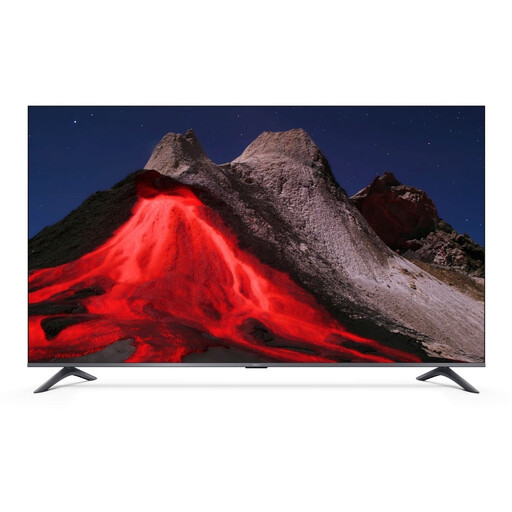 Image unavailable
This is a complete smart TV, not a standalone streamer for an existing bedroom TV. Check whether the model supports the viewing service you want.
The product name lists Google TV and compatibility with Apple AirPlay and Google Cast.
No. NPO says its livestreams and catch-up programmes are free to watch without an account, usually for at least a week. Check that the specific quiz is available, though; extended catch-up and ad-free viewing are paid extras.
Check that you have a spare HDMI input, a power supply and an internet connection, and find out what’s included in the box. Google says the Google TV Streamer requires a separately sold HDMI cable and a compatible mobile device for set-up.
NPO explains how to use subtitles in its online player and app, and provides separate instructions for controlling them in the Apple TV app. Subtitles may not be available for every live programme.
For online purchases, the Dutch government says you’ll often have 14 days to change your mind; this is separate from your rights if a product is faulty. If there’s a fault, contact the seller. The Dutch government says there is no fixed statutory two-year guarantee period in the Netherlands.
The Dutch government recommends installing software and app updates on smart devices as soon as they’re available. Check the update settings on the device you choose.