
Evening space-programme viewer
You usually watch in a darkened bedroom and want to make out the stars against a dark sky. Compare contrast, and look for possible halos before letting extra features sway your decision.


For watching space programmes in a darkened bedroom, OLED is worth considering if deep blacks matter to you and the screen size suits your viewing distance. If you often watch during the day, compare LCD options such as mini-LED and standard LCD too, paying attention to reflections and the specific model’s black levels. Also check that it has the apps you need and look at its energy label. A 4K TV won’t turn a programme that isn’t available in 4K into a 4K source.
You usually watch in a darkened bedroom and want to make out the stars against a dark sky. Compare contrast, and look for possible halos before letting extra features sway your decision.
You have limited space or watch from a short distance. Measure from your usual viewing position and check that the screen, stand or any wall mount will fit where you plan to put it.
You also use the TV during the day and want to watch programmes through an app or external source. Compare brightness and reflections, and check that the exact model supports the app you want.
Best for mainly evening viewing and deep blacks, provided the screen size suits the distance from your bed.
Bear in mind if your room gets a lot of daylight, a bright LCD alternative may suit your viewing conditions better; vary what you watch to avoid prolonged static images.
Best for regular daytime viewing, when brightness is a key consideration.
Bear in mind mini-LED is LCD with a backlight. Blooming can be visible around bright stars against a dark background. A review of a 55-inch model won’t necessarily tell you how a smaller TV performs.
Best for when you’re looking for a suitable compact size and deep blacks matter less than other features.
Bear in mind QLED isn’t the same as OLED. A backlight can make blacks look less deep, so check dark scenes on the model you’re considering.
First measure the viewing distance and available space, then compare black levels, daytime performance and access to your programmes.
| What to consider | What should you check? | Who should prioritise this? |
|---|---|---|
| Dark scenes and contrast | Compare OLED and LCD in dark scenes. With LCD, also check whether local dimming and any blooming are important to you. | If I want to see stars against a black sky in the evening, I prioritise black levels. Around 31% of consumers put contrast first. |
| Screen size and placement | Measure from your usual eye position to the screen, and check the TV’s external dimensions, including the stand, against the space where it will go. | With a bed at a short distance, I want a screen that’s comfortable to watch and physically fits. Around 25% of consumers put the right screen size and placement first. |
| Daylight and reflections | Assess brightness and reflections near the window and from your viewing position; don’t assume test results for a different screen size will apply. | If I also use the TV during the day, I want the picture to remain easy to see in my room. Around 19% of consumers put daytime visibility first. |
| Programmes and sources | Check that the exact model supports the app you want and find out what resolution the app or external source offers. | If you want to watch a particular streaming service or space programme series, you’ll want to be able to access it directly. Around 13% of consumers put access to programmes first. |
| Energy use and equipment | Compare the energy label’s figures per 1,000 hours, including for HDR, and check whether you need a set-top box, wall mount or installation service. | If I watch for long periods and want to factor in the equipment I need, I consider energy use and extras. Around 12% of consumers give running costs the highest priority. |
The Consumentenbond cites around 2.4 times the screen diagonal as its preferred viewing distance, based on its own research. Use this as a starting point, then compare the measurements with your room and viewing position. According to the Consumentenbond, OLED TVs can display deep blacks, while LCD and QLED TVs often find it harder to show true black because of their backlights. Higher brightness can be an advantage in daylight, but reflections and the position of your bed still matter.
QLED is still LCD with a backlight. The difference can be noticeable with stars and other bright details against a dark background.
Compare the screen technology and check dark scenes on the specific model.
A 4K screen won’t automatically make a programme that isn’t available in 4K a genuine 4K source.
Check the resolution of the broadcast, streaming version or external source you plan to use.
Energy use depends in part on screen size and settings. You may also need a set-top box, wall mount or installation for your setup.
Compare energy labels on the same usage basis and work out in advance which equipment or installation your setup requires.
The range of apps varies between smart TVs, and apps can change over time.
Before you buy, check that the exact model supports the service you want, and consider an external source as an alternative.
LG offers OLED TVs in a 42-inch size, including the OLED42C55LA.
According to Philips, the Philips 42OLED810/12 combines a 42-inch OLED screen with Ambilight.
Samsung lists the QE43Q7F2AUXXN as a 43-inch QLED 4K TV.
Tweakers reviews the TCL C8L/C89L as a mini-LED option, based on a version with a 55-inch screen.
This selection includes OLED, LCD and mini-LED TVs for watching space programmes in the bedroom, from 42- and 43-inch models to 55-inch versions.
 No image available
This 42-inch OLED version is worth comparing if deep blacks matter to you in a dark room; check that the size suits your viewing distance.
4K Ultra HD; Dolby Vision; HDR10; webOS.
 No image available
This 43-inch LCD TV is an alternative to consider alongside OLED if size and how you’ll use it matter; bear in mind its black levels in dark scenes.
4K UHD; webOS; HDR10/HLG. The product name includes Nano UHD.
 No image available
At 55 inches, this is a larger mini-LED LCD option. Measure your viewing distance and available space before choosing this size. LCD backlighting may not deliver blacks as deep as OLED in dark scenes.
4K; 144 Hz; HDR10+; Dolby Vision.
 No image available
The 43-inch size may suit you if space around the bed is limited. In dark scenes, this LCD model may not show blacks as deeply as OLED.
4K; 50 Hz; HDR10/HLG; Google TV; Google Cast.
 No image available
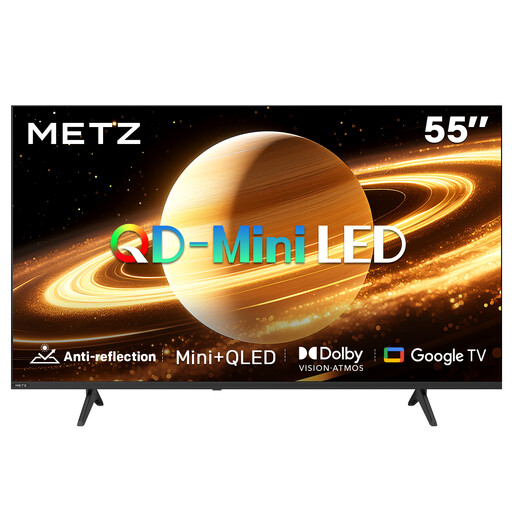
This 55-inch mini-LED LCD version is a larger option if you also watch during the day; check that it will fit in your bedroom. In dark scenes, LCD may not show blacks as deeply as OLED.
Matte screen; 60 Hz; Dolby Vision; Dolby Atmos; Google TV.
Measure from where your eyes are when watching to the planned screen position. The Consumentenbond cites around 2.4 times the screen diagonal as its preferred viewing distance, based on its own research. Use this as a starting point, compare the available sizes and check the external dimensions, including the stand.
No. The source itself also needs to be available in 4K for you to benefit from the extra detail. The Consumentenbond points out that regular TV programmes aren’t automatically available in 4K, so check the resolution of the broadcast or streaming version.
No, the range of apps varies between smart TVs. Before you buy, check whether the exact model supports the service you want; app support may change later.
The label shows energy use per 1,000 hours, including for standard viewing and HDR. Energielabel.nl displays these figures; your own energy use also depends on how many hours you watch and whether you use a set-top box.
Check which wall mount is compatible with the exact model and whether your wall is suitable for secure installation. LG recommends using a professional technician for wall mounting and warns that not every type of wall is suitable. This is the manufacturer’s advice, not a general legal requirement for installation.