
Viewer with a small bedroom
Wants a usable picture without assuming there’s enough room for every set-up. Measure the distance and available image width in advance.


First, measure the distance to the wall or ceiling and the available image width. Then choose a projector with a throw ratio suited to that position. For animated films, compare the native resolution and stated light output, taking into account ambient light, noise and how you want to stream. Before choosing a specific version, also check its CE marking and conformity information.
Wants a usable picture without assuming there’s enough room for every set-up. Measure the distance and available image width in advance.
Prioritises sharpness and colour reproduction, comparing specifications for each model rather than using claims about an entire brand as a benchmark.
Wants a practical set-up, enjoyable sound and access to the films they want to watch. A battery or built-in smart platform is most relevant if it suits the way you watch.
Best for: projecting onto a wall or ceiling from a bedside table.
Bear in mind: the available distance partly determines the image width; digital correction can crop the picture.
Best for: moving the projector regularly or using its built-in battery for a while.
Bear in mind: check the battery life for your chosen mode, and whether a longer stated run time requires a separate accessory.
Best for: keeping the projector in a fixed position and connecting an external source via HDMI.
Bear in mind: a higher stated light output is no substitute for measuring the projection distance.
| What to consider | What should you check? | Who is this important for? |
|---|---|---|
| Distance and positioning | Measure the distance from the lens to the projection surface and the available image width. Compare the distance divided by the image width with the exact model’s throw ratio. | If I watch from bed, I want to know whether the picture will fit in the space my room allows. Around 33% of consumers give positioning and image size top priority. |
| Sharpness, colour and light | Compare the native resolution and the stated unit of measurement for light output. Consider how much daylight or lamp light will remain in the room while you watch. | For animated films, I want sharp lines and colours that work with the lighting in my room. Around 27% of consumers put picture quality first. |
| Sound from bed | Compare stated noise levels for each operating mode and check which audio connections the exact version has. Manufacturer figures can’t predict exactly how audible a projector will be in your position. | If the projector is close to my bed, I want to take fan noise and clear audio into account. Around 20% of consumers choose mainly for quiet viewing and listening. |
| Streaming and portability | Check whether your preferred streaming service is available on the exact version and whether the stated battery life suits your chosen mode. Also check whether accessories are sold separately. | If I want to stream films directly or move the projector around, built-in controls and power are important. Around 20% of consumers give this convenience top priority. |
A projector can support a 4K signal without displaying the picture in native 4K. BenQ states that the GV32 has native 1080p and supports an incoming signal of up to 4K UHD; these are two different features.
For picture sharpness, compare the native resolution of the exact version, not just the supported input resolution.
An advertised image size doesn’t, by itself, tell you whether the projector can produce it from the available position. Digital keystone correction can also crop the picture and is no substitute for a suitable basic set-up.
Before comparing models, measure the distance to the wall or ceiling and the available image width. BenQ describes the throw ratio as the distance divided by the image width.
The XGIMI MoGo 4 requires a separate PowerBase for the longer stated run time. The version called Match Night EU Edition also includes a game code in the bundle.
Check the full version name, the stated battery mode and which accessories are included with the version on offer.
The GV32 is worth considering if you want to project onto a wall or ceiling from a bedside table.
The MoGo 4 is a portable model to consider if you’re looking for a built-in battery and smart features.
The CO-FH01 is worth considering for a more permanent Full HD set-up with HDMI.
These models are worth comparing for Full HD films, streaming or flexible positioning; features vary by version.
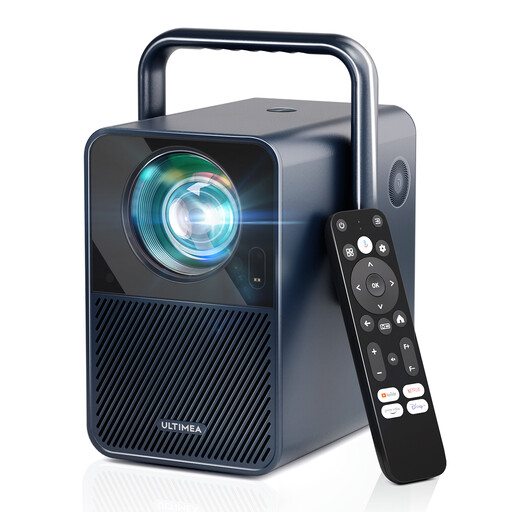 No image available
Worth comparing if you’re looking for native 1080p and built-in streaming; check in advance that your preferred projection size will fit your room.
The product name lists 1,000 ANSI lumens, Android TV 11.0 and Netflix, and distinguishes native 1080p from 4K support. Don’t place the projector on a soft surface that could block the ventilation.
 No image available
Worth comparing if you’re considering a flexible stand and ceiling projection; check that the intended position and installation will work in your room.
The product name lists 520 ISO lumens, built-in Google TV and native 1080p. For ceiling mounting, the product information recommends professional installation.
 No image available
Worth comparing if you want to combine native Full HD with built-in streaming; measure the distance and image width before deciding where to position it.
The product name lists 1,000 ANSI lumens and 4K support alongside native 1080p. The supported input resolution is therefore not the same as the native resolution.
 No image available
Worth comparing if you’re looking for a portable projector with a built-in battery and streaming; check that the battery life suits the films you want to watch.
The product name lists Full HD 1080p, Google TV, 450 ISO lumens and a battery life of 2.5 hours. This version also includes an EA SPORTS FC 26 game code; a separate PowerBase is required for the longer battery life.
 No image available
Worth comparing if you’re looking for a projector that, according to its product name, can be aimed at a table, wall or ceiling; check which position would be practical in your room.
The product name lists Full HD 1080P, 360° rotation and 500 lumens. The stated lumen figure isn’t specified as ANSI or ISO lumens.
Measure the distance from the intended lens position to the wall and the available image width. The throw ratio is the distance divided by the image width; compare your result with the specification for the exact model. For example, with a ratio of 1.2, a 2-metre-wide picture requires a projection distance of around 2.4 metres.
That depends on the exact version and the service you want to use. XGIMI lists Google TV with licensed Netflix for the MoGo 4, while Epson lists HDMI for an external source on the CO-FH01. Check that your preferred service and any subscription requirements are supported by the version you’re considering.
For the exact version, check that the required CE marking and conformity information are present. The Netherlands Food and Consumer Product Safety Authority explains that the applicable requirements depend on the type of electrical product and the regulations in force. A CE marking is not an independent quality mark for picture performance.
In the Netherlands, according to ACM ConsuWijzer, the seller must resolve the issue free of charge if a product doesn’t do what you could reasonably expect under normal use. This might mean a repair, replacement or refund. This statutory right is separate from any manufacturer’s warranty; there is no fixed statutory warranty period that applies to all projectors.
For a standard online consumer purchase, ACM ConsuWijzer says you generally have a statutory cooling-off period of up to 14 days after delivery, with some exceptions. Check the applicable returns policy and handle the device carefully while you decide.