
Sofa players with a console at a distance
If you play from a seat further away, check the wireless connection from that spot. Screen readability is a separate consideration.


First, choose a controller that works with your console or PC and the basketball game you play. A longer stated range won’t make an incompatible model usable. If you sit a long way from the console or receiver, assess the connection from your seat and bear any obstacles in mind. Also check how many controllers your system supports at once, and how many players the game or game mode allows.
If you play from a seat further away, check the wireless connection from that spot. Screen readability is a separate consideration.
For matches on one system, check both the maximum number of controllers and the game’s local player limit.
Choose a controller to suit the platform you already use, and check that the specific version is compatible with it.
First check the platform and game, then assess the connection from your seat, and finally consider player numbers and power.
| What to consider | What should you check? | Who should give this more weight? |
|---|---|---|
| Compatibility | Check your console or PC model, game version, and the supported controller and connection method. | I want to be sure my controller works with both the console and the basketball game we play. Around 33% of consumers put platform and game compatibility first. |
| Connection from your seat | Check the distance to the console or receiver and look out for obstacles; assess the connection where you play. | When I play from the sofa, I want to know how the connection performs at that distance. How far you sit from the screen doesn’t automatically tell you how far away the receiver is. Around 27% of consumers prioritise connection over distance. |
| Local players | Check the player limit for the exact game edition and game mode, as well as the system’s controller limit. | For a local match, I want to connect enough controllers and know how many players the chosen game mode allows. Around 20% of consumers prioritise the option to play with multiple local players. |
| Power and controls | Check how the controller is powered and whether any extra buttons suit the way you play. | If I’m playing several matches in a row, I want to factor in charging or batteries and choose controls that work for me. Around 20% of consumers focus most on power and controls. |
A wireless connection option doesn’t mean a controller will work with every console. For example, Nintendo says the Nintendo Switch 2 Pro Controller isn’t compatible with the original Switch.
Before buying, check the exact console, model version and supported connection method.
If a controller isn’t compatible with your system, you may still need to buy a suitable model.
8BitDo states that the Ultimate 2 Wireless has a range of 10 metres under ideal laboratory conditions. Xbox Support recommends a maximum of 6 metres and a clear line of sight for the separate Xbox Wireless Adapter for Windows; that advice doesn’t automatically apply to other connections.
Plan where to place the console or receiver, and assess the connection from your own playing spot.
The system limit for connected controllers and the number of players allowed by a game or game mode are separate considerations.
Check the player limit for the exact game edition and game mode before buying extra controllers.
Buying extra controllers won’t help if the selected game mode supports fewer local players.
An additional package is not the same as your statutory rights. The Dutch Government states that there is no fixed statutory warranty period in the Netherlands.
Check what extra cover the package offers and compare its terms with your existing rights against the seller.
DualSense models are worth considering for PS5 players looking for an extra controller for local matches.
The Xbox Wireless Controller is designed for supported Xbox consoles and may also suit supported Windows PCs.
The Pro Controller for the original Switch and the one for Switch 2 are separate options for different consoles.
The Ultimate 2 Wireless is an option for a supported Windows setup using a 2.4 GHz receiver.
The F710 is a PC-focused wireless option with a USB nano receiver.
Here you’ll find Joybuy controllers for PS5, Xbox Series and PC, PC and Switch, and Nintendo Switch systems. Choose the exact version to suit your console and basketball game.
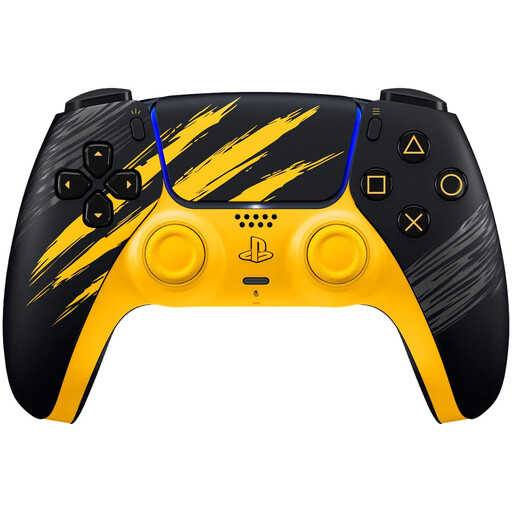 No image available
For PS5 players looking for an extra controller for local basketball matches. The Dutch PlayStation Store lists NBA 2K26 for PS5 as a 1–4 player game; PlayStation says up to four controllers can be used at once.
The product description lists Bluetooth, haptic feedback and adaptive triggers.
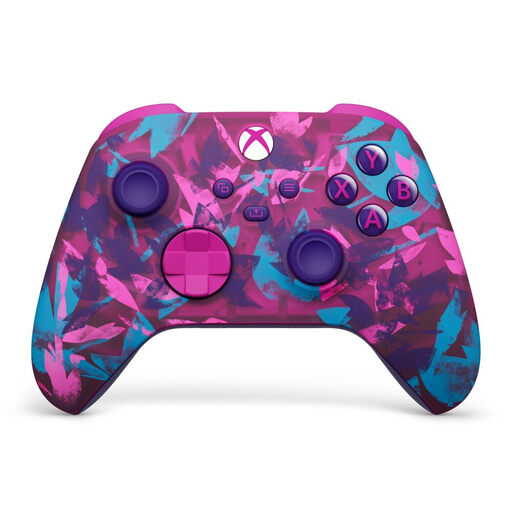 No image available
For use with Xbox Series or PC, as stated for this model. The product description lists Xbox Wireless and Bluetooth.
The description mentions two AA batteries included and up to 40 hours of battery life.
 No image available
For PC or Switch gaming; both platforms are listed in the title and product description.
The description lists connection via a 2.4 GHz dongle, Bluetooth or cable, as well as a charging dock. It also mentions TMR sticks, Hall-effect or microswitch triggers, and programmable rear buttons.
 No image available
For the original Nintendo Switch. Nintendo states that the Switch Pro Controller offers around 40 hours of battery life, depending on use.
The product description lists a wireless connection and a built-in rechargeable battery.
 No image available
For Nintendo Switch 2. Nintendo says this Pro Controller doesn’t work with the original Switch.
The product description lists motion controls, HD Rumble, a rechargeable battery and a USB charging cable.
Not necessarily: the wireless connection depends on the distance to the console or receiver. Assess that distance and any obstacles from your seat; separately, check whether the game is easy to see on screen.
For the initial pairing, PlayStation says to connect the controller to the powered-on PS5 with a USB cable, then press the PS button. Once the battery has charged sufficiently, you can unplug the cable and play wirelessly.
The Dutch PlayStation Store lists NBA 2K26 on PS5 for 1–4 players; PlayStation says up to four DualSense controllers can be used at once. If you want to play a particular type of match, also check the selected game mode.
No, you don’t need an extra package to have statutory rights. The Dutch Government states that there is no fixed statutory warranty period in the Netherlands; if a product doesn’t conform to the contract, the seller is your point of contact. Compare any additional cover with your existing rights.