
Console player
You play on a console and want to make sure your controller works with your system and basketball game. Check compatibility with Xbox, PlayStation or Nintendo before comparing extra features.


First, choose a controller that works with your console or PC and the basketball game you play. Then decide between a wired or wireless connection based on how far you sit from the screen and how much space you have. Bear in mind that wireless controllers need power, and extra features won’t necessarily work in every game.
You play on a console and want to make sure your controller works with your system and basketball game. Check compatibility with Xbox, PlayStation or Nintendo before comparing extra features.
You play on Windows in a small room and are weighing up a fixed cable against the freedom to move without one. Also check that your game supports the controller and any extra features.
You want to play locally with someone else, so check whether the game supports that mode and whether you have a compatible controller for each player. Nintendo says that each player needs a compatible controller for the multiplayer mode in NBA 2K27 on Switch 2.
| What to consider | What should you check? | Who is this important for? |
|---|---|---|
| Compatibility | Check that the controller works with your console or version of Windows and that the game supports it. | If I want to be sure my controller works with my device and game, I check both before buying. Around 33% of consumers prioritise compatibility with their device and game. |
| Total cost of use | Check what power source is needed and what’s included with the version you’ve chosen. | If I want to keep costs down, I also consider batteries, charging and any cables I might need. Around 27% of consumers focus on the cost of the controller and what’s needed to use it. |
| Playing together | Check whether your version of the game supports local multiplayer and how many compatible controllers you’ll need. | If I want a friend or housemate to join in, I want to know whether the game allows this on one system and whether we have enough controllers. Around 20% of consumers make playing together their priority. |
| Cable and freedom to move | For wired play, check the cable route and connection. For wireless play, check the wireless connection and power requirements. | When the distance from my desk or screen affects how I play, I choose a connection that suits the room layout. Around 13% of consumers give cable and freedom to move the most weight. |
| Extra controls and feedback | Check whether you want to use extra buttons and whether your game supports the feedback you’re looking for. | If I want to remap buttons or value special feedback, I first check whether the game supports these features. Around 7% of consumers make extra features the main reason for their choice. |
Manufacturers specify which systems each model supports. A wireless connection alone doesn’t tell you whether the controller will work with your console or basketball game.
Before choosing a controller, check the exact console model or operating system and whether the game supports it.
A wireless controller needs power. The wireless Xbox controller uses batteries, so check what power source is included with the version you’ve chosen.
Check what’s included and consider whether you’re happy to replace batteries or need a separate charging solution.
Haptics and extra buttons don’t automatically give you an advantage in a particular basketball game. PlayStation says that haptics on PC require a USB connection and support from the game. Claims that Hall-effect sticks prevent stick drift are not an independent measure of their lifespan.
Choose these features only if you’ll use them, and check that your game and connection support them.
Xbox controllers are a good fit for Xbox consoles and Windows PCs. The wireless version gives you the option to play without a fixed cable.
DualSense is designed for PS5 and can also connect to supported PCs.
The Switch 2 Pro Controller is designed for Switch 2. Nintendo says the older Switch Pro Controller can also connect wirelessly to Switch 2.
The wired G7 SE is an option for Xbox Series X|S, Xbox One and Windows 10/11.
The Ultimate 2C Wired is a wired option for Windows. The Pro 2 is a separate product line that supports Switch and Windows, among other platforms.
The Enhanced Wired Controller for Xbox Series X|S is a wired option for Xbox and Windows.
These controllers are suited to playing on PS5, Xbox, a Windows PC or Nintendo Switch 2. Choose based on your device, game and preferred connection.
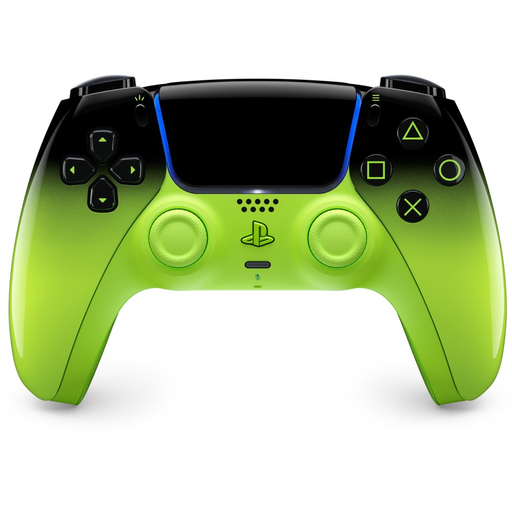 No image available
A wireless DualSense option for PS5 if you’d rather play without a fixed controller cable.
The product name also lists Mac, Android, iOS and PC as platforms.
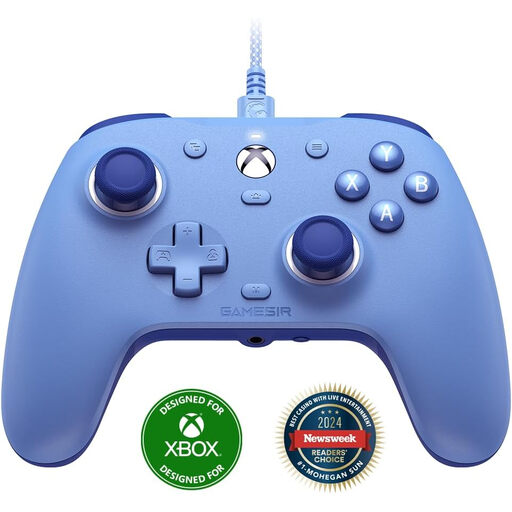 No image available
A wired option if you play on Xbox or a Windows PC and want a fixed connection at your desk.
The product name lists Xbox Series X/S, Xbox One and Windows 10/11. The USB cable limits how far you can play to the length and route of the cable.
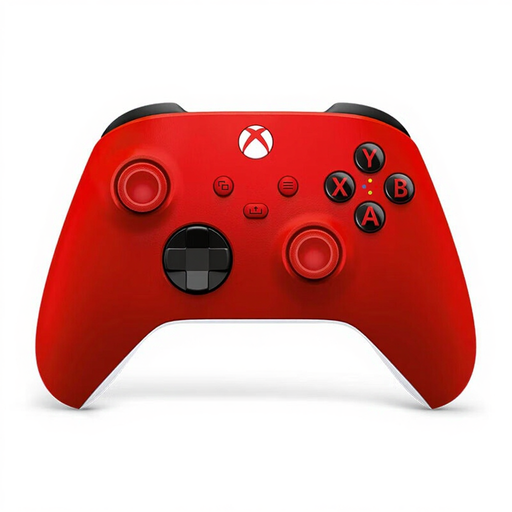 No image available
A wireless option if you play on Xbox or a Windows PC and don’t want a fixed cable running to where you sit.
The product name lists Xbox and PC. Bear in mind that wireless use requires batteries.
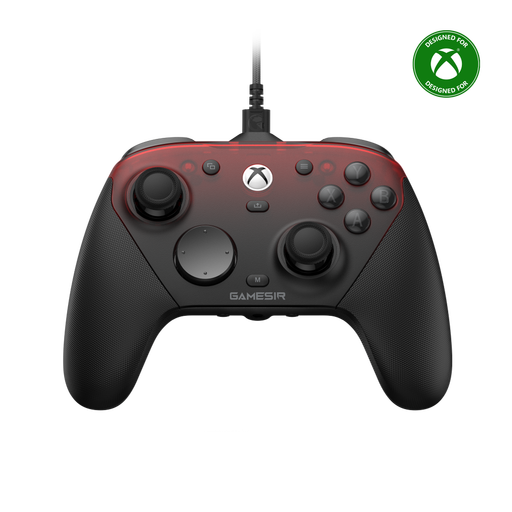 No image available
The product name lists wired use for Xbox and wireless use for PC and mobile. Check which connection suits your gaming set-up.
The name lists Xbox Series X|S, Xbox One, PC, Android and Steam as platforms.
 No image available
A controller for playing on Nintendo Switch 2. Nintendo specifies this model for that system.
Nintendo lists customisable GL and GR buttons and a headset jack as features of this controller.
Check the local play mode for your version of the game. Nintendo says that each player needs a compatible controller for the multiplayer mode in NBA 2K27 on Switch 2, so you may need an extra controller.
No, not without the required support. According to PlayStation, haptic feedback on PC requires both a USB connection and support from the game. Check this for the basketball game you play.
Follow the connection and calibration steps in the GameSir manual. It also explains how to reset the controller settings; don’t force the connection.
Check how the controller connects and what power source it needs. A wireless Xbox controller uses batteries. Also consider the distance between where you sit and your console or PC.