
PC player with limited desk space
You play a basketball game on Windows and want to choose a connection that suits the space and ports available at your desk. Microsoft, Sony and 8BitDo describe different ways to connect to a PC.


For basketball games at a small desk, first choose a controller that works with your console or PC and the game. Then consider whether a cable, Bluetooth or a USB receiver suits your available ports and space. Wireless play can keep cables off your desk, although some PC models require a USB receiver. A wired controller means you won't need to replace or recharge batteries while playing, but you will need space for the cable. Extra buttons are only worth considering if you want to use them and the game supports the functions you need.
You play a basketball game on Windows and want to choose a connection that suits the space and ports available at your desk. Microsoft, Sony and 8BitDo describe different ways to connect to a PC.
You play on PS5, Xbox Series X|S or Nintendo Switch 2 and want to avoid choosing a controller that isn't compatible with your console. 2K lists these platforms for NBA 2K27, but controller support varies by system.
You want to tailor the buttons or control layout to the way you play. Check both that the controller offers the customisation you need and that your game supports it.
Start by checking your device and game, then consider which connection and controls will work best at your desk.
| What to consider | What should you check? | Who should pay particular attention? |
|---|---|---|
| Device and game | Check that the controller supports your console or PC and the version of the game you play. | If I'm looking for a controller for a specific console or game, I don't want a model that won't work with my setup. Around 36% of consumers put compatibility first. |
| Space and connection | Measure the space available and check where cables run, which ports are free and whether the model needs a receiver. | If my desk is small, I don't want a cable getting in the way of my playing space, and any receiver needs to fit into a suitable port. Around 29% of consumers focus mainly on space and connectivity. |
| Grip and buttons | Compare the shape and button layout, and check whether you can assign the buttons you want to use in your game. | If I want to control actions differently, the grip and button layout need to suit my hands and playing style. Around 21% of consumers prioritise the controls. |
| Power and upkeep | Check how the controller is powered and what comes in the box. | If I don't want to keep track of loose batteries, I want to know in advance how the controller is powered and charged. Around 14% of consumers focus mainly on power, upkeep and additional purchase costs. |
Nintendo says that the Switch 2 Pro Controller does not work with the original Nintendo Switch.
Before ordering, check the console's full name and the controller generation.
According to 8BitDo, the Ultimate 2C Wireless uses a 2.4GHz receiver on Windows; Bluetooth is listed for Android.
Check the connection mode for the exact version and make sure your PC has the port it needs.
Sony says that haptic feedback on PC depends on game support and a USB connection. So not every extra controller feature will work automatically in your basketball game.
Check whether your game supports the features before factoring them into your choice.
According to PowerA, the Enhanced Wired Controller has a detachable 3 m cable. On a small desk, it could get in the way.
Think about where the cable will run and where you can tuck away any extra length.
One option for supported Xbox consoles and Windows PCs.
DualSense is designed for PS5 and can also be used with compatible Windows games.
The Switch 2 Pro Controller is an option for basketball games on Nintendo Switch 2.
The Enhanced Wired Controller is a wired option for supported Xbox consoles and Windows.
The Ultimate 2C Wireless is a Windows option with a 2.4GHz receiver.
These Joybuy picks include controllers for Xbox and Windows, PS5, and various PC and Switch systems. Check that each model's connection and game are compatible with your device.
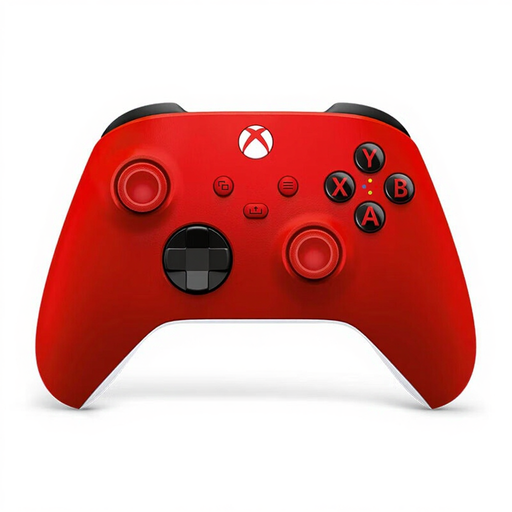 No image available
Suited to anyone who wants to play on a supported Xbox or Windows PC and switch between a wireless connection and USB-C.
The product description lists Xbox and Windows support, Bluetooth, USB-C, button mapping through the Xbox Accessories app and a hybrid D-pad. Xbox Support says the Bluetooth experience on PC can vary depending on the adapter used.
 No image available
An option if you play on PS5 or want to use a DualSense with a compatible PC game.
The product description lists USB-C and Bluetooth. Sony says haptic feedback on PC only works with a game that supports it and when using USB.
 No image available
Designed for Nintendo Switch 2 players. Check your console version, as Nintendo says this controller does not work with the original Switch.
The product description lists wireless use, Bluetooth and an included USB charging cable. Nintendo also lists GL/GR buttons on the Switch 2 Pro Controller.
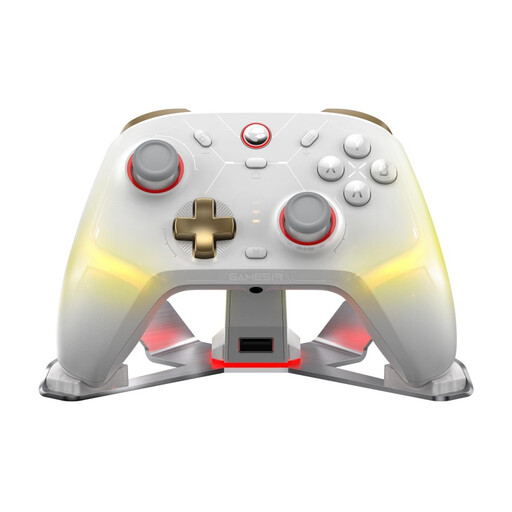 No image available
One to compare if you're looking for a controller for PC or Switch and want to explore different connection options.
The product title lists TMR sticks and Hall effect and microswitch triggers. The product description mentions a 2.4GHz receiver, cable and Bluetooth; check which connection suits your device and game.
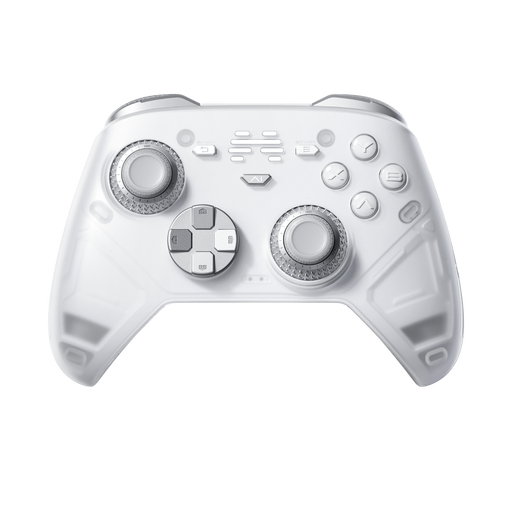 No image available
Worth comparing if you're looking for a controller with programmable buttons and want to customise the controls to suit your preferences.
The product title lists six programmable buttons, and the product description mentions adjustable joysticks. The platforms listed are PC, Nintendo Switch, Switch 2, iOS and Android; connection options include wired, wireless and Bluetooth.
It depends on the model and the Bluetooth support available. Microsoft lists Bluetooth for the Xbox Wireless Controller; 8BitDo describes the Ultimate 2C Wireless as using a 2.4GHz receiver on Windows and Bluetooth on Android.
Sony documents connection via USB-C or Bluetooth on supported Windows versions. Then check whether your game recognises the controller; certain extra features require support from the game.
According to the Dutch government, the seller must provide a solution under the statutory guarantee. The Netherlands does not have a single fixed statutory guarantee period for every product; what you can expect depends, among other things, on the product and the purchase information.
Not always. The Dutch government says that a 14-day cooling-off period applies in many cases to distance purchases, but there are exceptions. Check the terms that apply to your purchase.
The Dutch Digital Infrastructure Inspectorate says that equipment must meet the applicable requirements, including any required CE marking, and that sellers must check the required manufacturer and importer details. This general requirement does not in itself confirm that an individual item for sale complies.