First, choose a controller that works with your system and the basketball game you play. Then compare grip, buttons, connectivity and power to suit where you play. 2K lists PS5, Xbox Series X|S, Nintendo Switch 2 and PC for NBA 2K27. A controller won’t fix screen glare: adjust your screen’s position and brightness, and the ambient lighting, as BenQ recommends.
Who is this buying guide for?
Players who want to be sure of compatibility
You want to check first that your controller, system and basketball game work together, especially if you switch between PC and console. 2K lists PS5, Xbox Series X|S, Nintendo Switch 2 and PC for NBA 2K27; for other games, check compatibility with the specific version.
Players who struggle with daylight on their screen
Perhaps you play in a bright room or by a window and don’t want to mistake reflections for control issues. BenQ recommends balancing ambient light with screen brightness.
Players who game for long sessions or from the sofa
You’re comparing grip and button layout, as well as deciding between a cable and the freedom of a wireless connection. Microsoft, Nintendo and GameSir describe different controller features and connection options; work out which ones suit where you play.
What should you look for when choosing?
First, check that the exact controller model works with your system and game. Then consider whether the grip, controls and connection suit how and where you play.
| Buying concern |
What to look for |
Who should consider this? |
| Compatibility |
Check the full model name and whether the controller works with your system and game version. |
If I switch between PC and console, I want to be sure the controller and game version work together; around 39% of consumers say compatibility is their main buying concern. |
| Visibility |
Assess the screen’s position and brightness separately from your choice of controller. |
When I play in a bright room, I want to tackle reflections and the balance between screen light and ambient light first; around 23% of consumers prioritise visibility. |
| Grip and layout |
Compare familiar button layouts and grip; choose extra buttons only if you plan to use them. |
For longer gaming sessions, I want a grip and button layout that suit the way I play; around 23% of consumers say comfort and controls are their main buying concern. |
| Connection and power |
Measure how far the cable needs to reach, and check how the exact model connects and is powered. |
If I play from the sofa, I weigh cable length against wireless freedom and charging or batteries; around 15% of consumers prioritise connection or power. |
Common pitfalls
-
Buying a controller to fix screen glare
Reflections are caused by the screen and ambient light, not by a controller feature.
First, adjust the screen’s position and balance its brightness with the ambient light.
-
Overlooking the Switch generation when checking the model name
Nintendo distinguishes between the original Switch Pro Controller and the Switch 2 Pro Controller; the latter is only for Switch 2.
Check the full model name and system before choosing a controller.
-
Assuming extra features work in every game
PlayStation says that adaptive triggers require game support. According to PlayStation, haptic feedback on PC also requires a USB connection.
Check whether your game supports these features, and choose them only if you want to use them.
Brands to compare
Sony PlayStation
DualSense for PS5 and supported PC games.
- PlayStation lists adaptive triggers and haptic feedback as DualSense features.
- On PC, whether these features work depends on the game. According to PlayStation, haptic feedback on PC requires USB; don’t assume a basketball game supports these features.
Microsoft Xbox
Xbox Wireless Controller for Xbox and Windows PCs; Elite Series 2 for extra customisation options.
- Microsoft lists a textured grip for the Xbox Wireless Controller. For the Elite Series 2, it also mentions adjustable thumbsticks and interchangeable components.
- The Elite Series 2’s customisation options aren’t automatically available on the standard controller.
Nintendo
Separate Pro Controllers for the original Switch and Switch 2.
- Nintendo lists features of the Switch 2 Pro Controller including a C Button and adjustable GL/GR buttons.
- The Switch 2 Pro Controller is only for Switch 2. According to Nintendo, the original Switch Pro Controller can be paired with Switch 2; check which features you need.
GameSir
G7 SE, a wired controller for Xbox Series X|S, Xbox One and Windows 10/11.
- GameSir specifies Hall effect sticks, two assignable rear buttons and a 3 m cable for the G7 SE.
- It’s a wired controller, so check that the cable reaches your gaming spot. The manufacturer’s claim of drift resistance doesn’t guarantee that a controller will never develop a fault.
8BitDo
Ultimate 2 Bluetooth for the Switch and Windows systems listed by the manufacturer.
- For this model, 8BitDo lists features including a charging dock, customisable buttons and TMR sticks.
- Compatibility doesn’t automatically extend to other Ultimate 2 models. For Switch 2, 8BitDo says a firmware update is required.
Controllers at Joybuy
This Joybuy selection includes controllers for PC, Switch and Xbox. Before choosing one for your basketball game, check compatibility with the exact model and system.
 No image available
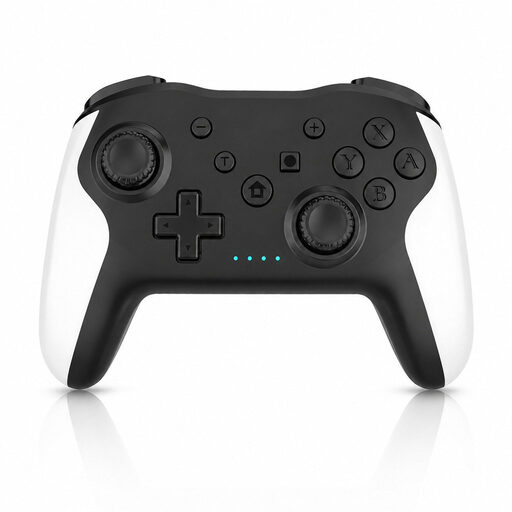
Wireless game controller with dual vibration and gyroscope
The product description lists support for Switch and PC; check whether it works with your specific game.
The title mentions dual vibration and a 6-axis gyroscope. The description lists Bluetooth, a textured grip and Android as a supported system.
Joybuy
 No image available
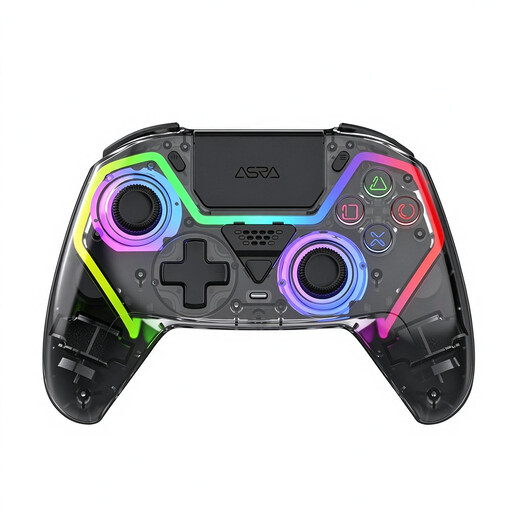
VIELLAN wireless controller with Hall effect joysticks
The description mentions PC gaming; check compatibility with your system and basketball game before choosing.
The title mentions Hall triggers with 255 levels and programmable rear buttons. The ‘PS5 layout’ listing describes the layout and does not, by itself, confirm PS5 compatibility.
Joybuy
 No image available
GameSir Cyclone 2 Black Bundle Edition
The listed platforms include PC and Switch; check that your game and system are supported.
The title mentions TMR sticks and Hall effect and microswitch triggers. The description lists wired, 2.4GHz wireless and Bluetooth connections, as well as a charging dock.
Joybuy
 No image available
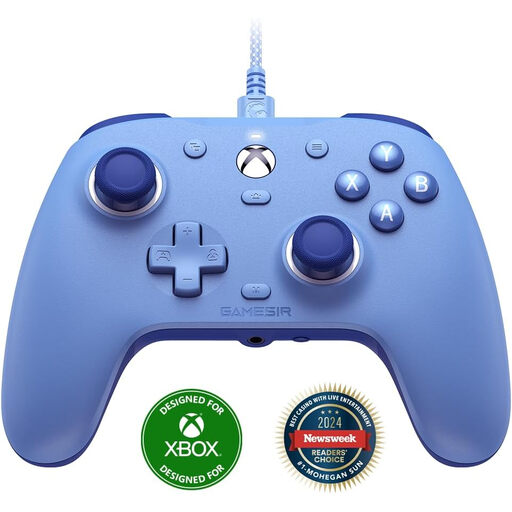
GameSir G7 SE Dynamic Blue
The listed systems are Xbox Series X/S, Xbox One and Windows 10/11. It’s a wired controller, so choose it only if a cable suits your gaming spot.
The description lists Hall effect sticks and triggers, two programmable rear buttons, vibration feedback and a detachable USB cable.
Joybuy
 No image available
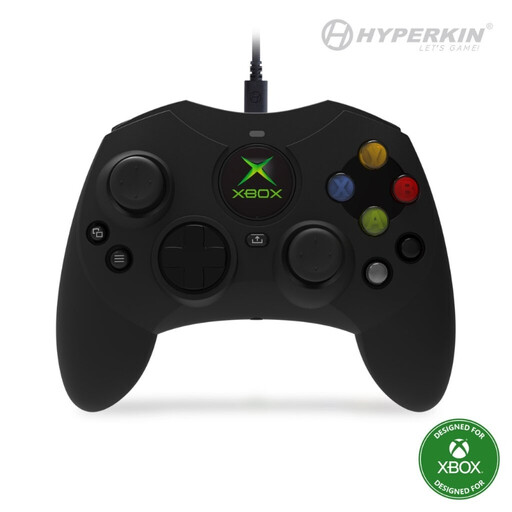
Hyperkin Duchess wired controller
The description lists Xbox Series X|S, Xbox One and Windows 10/11 as supported systems. Bear the cable connection in mind when choosing where to play.
The description lists a detachable 3 m USB-C cable, Hall effect sticks, dynamic impulse triggers and a 3.5 mm headset socket.
Joybuy
Frequently asked questions
Does a Switch 2 Pro Controller also work with the original Switch?
No. Nintendo lists the Switch 2 Pro Controller as being for Switch 2 only. According to Nintendo, the original Switch Pro Controller can be paired with Switch 2.
Can I play NBA 2K27 with a controller for an older console?
2K lists PS5, Xbox Series X|S, Nintendo Switch 2 and PC for NBA 2K27; older console generations aren’t among the listed platforms. For another basketball game, check compatibility with the specific game version and controller.
How do I pair the original Switch Pro Controller with Switch 2?
According to Nintendo, you can connect the controller to the dock via USB or press the SYNC button from the controller menu while the system is switched on.
How can I reduce reflections when playing during the day?
Check the screen’s position and adjust its brightness to suit the ambient light, as BenQ recommends. This means adjusting your screen set-up, not using a game controller feature.
What are my rights if an online controller doesn’t suit me or develops a fault?
For online purchases, the Dutch government (Rijksoverheid) says you usually have a 14-day cooling-off period, with some exceptions. If the controller develops a fault, contact the seller to resolve the issue; you’re entitled to a product that meets the required standards, and any extra warranty doesn’t replace this statutory right.


