
Two-player local gaming on console
You want to play together on one console and are looking for an extra controller that works with both your console and the game mode you’ve chosen.


First, choose a controller that’s compatible with your console or PC, and check that your basketball game supports local play with the number of players you want. Then choose between a wired connection that suits your setup and a wireless connection supported by both your device and controller. If you go wireless, remember to check the power requirements too.
You want to play together on one console and are looking for an extra controller that works with both your console and the game mode you’ve chosen.
You play on Windows and want to know whether a cable, Bluetooth or a USB receiver will suit your available space and ports.
You want to add a second player and check the connection, power requirements and what to do if the controller develops a fault.
First, check that your gaming device and local game mode are supported. Then compare the connections, space for cables and power options with your own setup.
| What to consider | What should you check? | Who is this important for? |
|---|---|---|
| Compatibility | Compare the platforms listed for the exact model with your console or PC. On Windows, also check which connection is required. | If I want to play on my own console or PC, the controller needs to work with that device. Around 40% of consumers prioritise compatibility with their gaming device. |
| Two local players | Check that your version of the game and its game mode support local multiplayer, and that both controllers can be used at the same time. The Steam version of NBA 2K27 lists split-screen PvP and co-op; this doesn’t automatically apply to other versions or games. | I want to play together on one screen, so I need to make sure my game supports the setup I want. Around 30% of consumers prioritise support for two local players. |
| Connection and space | Check whether the model uses Bluetooth, a USB receiver or a cable with your device, and whether the cable can be routed to suit your setup. For the Ultimate 2C on Windows, 8BitDo lists 2.4 GHz or wired connections; Bluetooth is listed for Android. | If my screen and gaming area are close together, I want to know whether a cable will get in the way and whether I have a spare USB port. Around 20% of consumers focus mainly on connections and available space. |
| Power and maintenance | Check how the exact version is powered, which cables are included and who to contact if the controller develops a fault during normal use. | I want to know in advance what’s involved in using a second controller and what my options are if it develops a fault. Around 10% of consumers focus most on power and maintenance. |
Platform support varies between controllers. For example, Nintendo lists the Switch 2 Pro Controller for Switch 2 only.
Start by checking your gaming device and the platform information for the exact version. Then check the connection and any extra features.
An extra controller won’t be enough if the game or game mode you’ve chosen doesn’t support the local player setup you want.
Before buying, check the information for your version of the game. Once connected, make sure you can set up both players in the game.
For the 8BitDo Ultimate 2C, the manufacturer lists 2.4 GHz or a cable for Windows, and Bluetooth for Android.
Check which connection is supported for each model and platform, and whether you’ll need a USB port.
Microsoft lists Xbox consoles and Windows PCs as platforms for the Xbox Wireless Controller.
PlayStation describes DualSense as a controller for PS5 and lists USB-C and Bluetooth connections for use with a Windows PC.
Nintendo lists the Switch 2 Pro Controller for Switch 2; a USB charging cable is included with the controller.
For the Ultimate 2C Wireless, 8BitDo lists a 2.4 GHz receiver or a cable for Windows, and Bluetooth for Android.
PowerA lists the Enhanced Wired Controller for Xbox Series X|S and Windows.
These Joybuy controller options are designed for different console and PC setups. Always check platform support and the connection required for your own game and device.
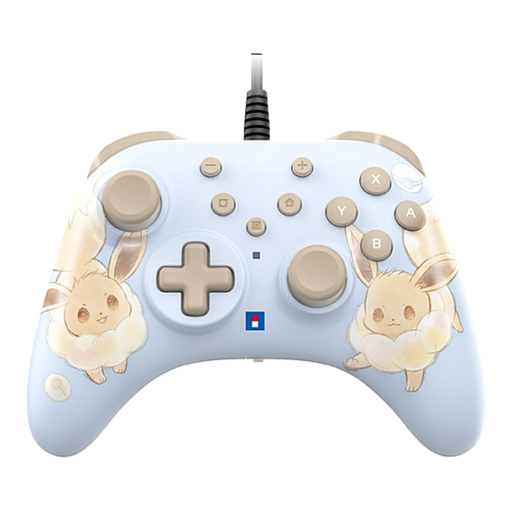 No image available
A wired option for a Switch or Switch 2 setup where a cable works for you.
The USB cable is not included.
 No image available
An option for an Xbox or Windows setup; check which connection your device and game require.
The product description lists Xbox Series X|S, Xbox One and Windows 10 PCs, with Xbox Wireless, Bluetooth and USB-C.
 No image available
The listed platforms are PC, Switch, iOS and Android; check support for your specific game and device.
The product description lists wired, 2.4 GHz and Bluetooth connections, plus an included charging dock.
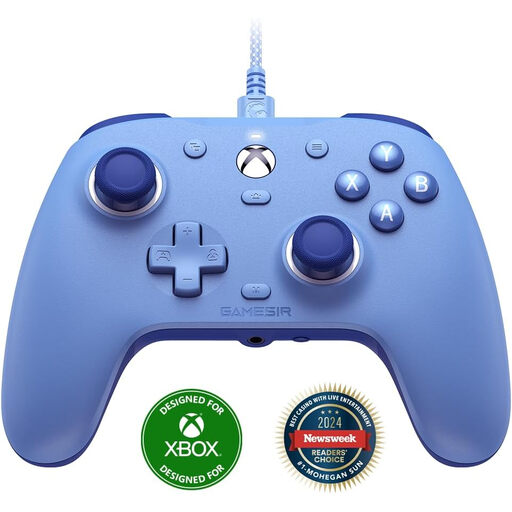 No image available
A wired option for the listed Xbox and Windows platforms, provided the cable can be routed to suit your gaming area.
The product information lists Xbox Series X|S, Xbox One and Windows 10/11, plus a detachable 3-metre USB cable.
 No image available
According to the product description, this controller is designed for Nintendo Switch 2; check that your game supports the local game mode you want.
The description lists Bluetooth, a rechargeable battery and a USB charging cable.
Nintendo explains that you can sync it using the included USB-C cable or the SYNC button in the CONTROLLERS menu. A lit player indicator confirms that it’s synced. Then check in the game that the local game mode you want is available.
Don’t assume you can: 8BitDo lists a 2.4 GHz connection or a cable for Windows, and Bluetooth for Android. Check the connection method for the exact version before making your choice.
No, there isn’t a fixed warranty period for every controller. According to ACM ConsuWijzer, in the Netherlands you have a legal guarantee as well as any commercial warranty: if a product breaks during normal use sooner than you could reasonably expect, the seller must offer an appropriate solution at no cost.
According to ACM ConsuWijzer, online purchases generally come with a statutory cooling-off period that ends 14 days after delivery; check the applicable exceptions and returns policy. This is separate from your rights if the product is faulty.