
Treasurer dealing with piles of statements
Regularly processes loose sheets and wants to spend less time feeding them in by hand. They’re comparing feeder capacity and the ability to scan both sides.


For recurring piles of loose statements, a document scanner with an automatic feeder is a practical choice. Choose a model with confirmed duplex scanning if the backs contain information too. A flatbed scanner is better for delicate originals that you don’t want to feed through a mechanism. When several volunteers use the scanner, agreeing on a storage location and setting access permissions properly is just as important as the scanner’s connectivity.
Regularly processes loose sheets and wants to spend less time feeding them in by hand. They’re comparing feeder capacity and the ability to scan both sides.
Needs to agree with other volunteers on who can open financial documents and where scans are stored. A network feature won’t make those arrangements for you.
Sometimes scans statements that can’t simply be put through an automatic feeder, and is weighing up placing them individually on a flatbed against feeding them as a stack.
First, work out how many loose sheets you typically process and whether the backs contain information. Then consider the condition of the originals. If the scanner will be shared, agree where scans will be stored and who can open them.
| Priority | What to look for | Who is this most relevant to? |
|---|---|---|
| Lots of loose statements | Check the capacity of the automatic document feeder (ADF) and whether the exact model scans both sides if the backs contain information. | If I regularly process piles, I want to refill the feeder less often and avoid missing information on the backs. Around 36% of consumers have this as their main concern. |
| Confidential storage | Decide in advance where scans will be saved, who will have access and whether an external service processes personal data on behalf of the group. | If several volunteers manage financial statements, I want to know where the files go and who can open them. Around 29% of consumers make this their priority. |
| Delicate originals | Check the condition and size of the paper. If you’re considering a feeder scanner, make sure it can handle the type of originals you have. | If a statement is delicate or difficult to feed, I’d rather place it on the scanner individually than send it through a paper path without checking. Around 21% of consumers prioritise how originals are handled. |
| Scanning with volunteers | Compare the connectivity and user settings of the exact model, and agree how scanning and file permissions will be managed. | If several volunteers use the same scanner, I want a consistent process for operating it and accessing the files. Around 14% of consumers cite shared use as their main concern. |
A stated scanning speed doesn’t cover every step involved in processing statements. Sorting, refilling the feeder and checking the results can all take time too.
As well as the stated speed, compare the ADF capacity, duplex scanning support and the condition of the paper.
Sorting, refilling and checking can add time when you’re working through a pile.
A scan destination alone doesn’t tell you who can open the financial documents. The Dutch Data Protection Authority emphasises that access permissions must be set appropriately.
First, agree where scans will be stored and who will have access. Also check whether an external service processes personal data on behalf of the group.
Whether digital statements are sufficient and how long they must be kept depends in part on the group’s accounts and legal structure. The Foundation and Association Desk of the Dutch Tax and Customs Administration states that foundations and associations must keep records for at least seven years.
Check which rules apply to your group and its documents, and make sure scans are complete and legible before deciding what to do with paper originals.
Missing or incomplete accounting information can take extra work to put right.
The WorkForce DS-410 is designed for regularly processing piles of documents. Epson states that this model has a 50-sheet ADF and a rated speed of up to 26 pages per minute.
The imageFORMULA R10 is a compact feeder scanner for smaller piles, while the CanoScan LiDE 400 is an A4 flatbed scanner where you place originals individually.
The ADS-1300 is a compact USB scanner. According to Brother, the ADS-1800W adds wireless connectivity and a touchscreen.
The Dutch product information for the iX1600 lists Wi-Fi, user profiles and a feeder that holds 50 standard A4 sheets at 80 g/m².
This selection of Joybuy products is aimed at scanning loose statements and feeding them in as a stack. It also includes a model with both a flatbed and an automatic feeder, and a model with Wi-Fi. If the scanner is shared, storage and access permissions need to be arranged separately.
 No image available
An A4 sheet-fed scanner for processing loose statements through a feeder.
The product information states a scanning speed of up to 60 pages per minute and double-feed detection. Before buying, check that the model meets your requirements for duplex scanning.
 No image available
The combination of a flatbed and ADF may suit you if you want to scan both stacks and thick or bound originals placed individually.
The product information states that it has a 50-sheet ADF and scans both sides in a single pass.
 No image available
An A4 scanner with an ADF and sheet-fed mechanism for loose documents.
The product information mentions a U-shaped paper path and support for booklets up to 5 mm thick. Check that the feeder is suitable for the condition of your statements.
 No image available
For regularly processing piles when you need a higher feeder capacity and duplex scanning.
The product information states that it has a 100-sheet ADF, automatic duplex scanning and a rated speed of up to 85 pages per minute.
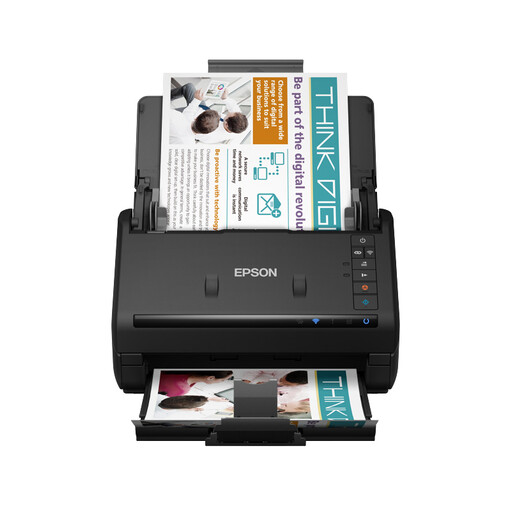 No image available
For those who want Wi-Fi as a connectivity option when feeding in a stack. Wireless use doesn’t manage access permissions for your scans.
The product information states that it has a 100-sheet ADF, automatic duplex scanning, Wi-Fi, USB 3.0 and a rated speed of 35 pages per minute.
There’s no need to capture the same information from paper again if the digital statements are already available and being stored appropriately. The Foundation and Association Desk of the Dutch Tax and Customs Administration advises associations and foundations to download digital bank statements regularly and keep them accessible. Decide what records your group needs to retain.
Test a small stack to check that every statement is legible and in the right order, and look at both sides if the backs contain information. Canon states that the imageFORMULA R10 supports duplex scanning; Brother states that the ADS-1300 and ADS-1800W do too.
For the records of a Dutch foundation or association, the Foundation and Association Desk of the Dutch Tax and Customs Administration states that documents must be retained for at least seven years. First check whether your group falls into one of those categories; don’t apply this period to every informal group without checking. The GDPR also doesn’t set a single specific retention period for personal data.
You’ll need suitable access security and clear agreements about who can open the files. The Dutch Data Protection Authority says that access permissions must be managed properly. If an external service processes personal data on behalf of the data controller, the Authority says a data processing agreement is required.
No. Also consider the ADF capacity, duplex scanning support and the condition of your statements. A stated speed doesn’t tell you how much time sorting, refilling and checking will add to the whole scanning process.