
Studio with large backups
You want to connect your backup server and workstations by cable, and check whether their network ports make 2.5GbE or 10GbE worthwhile. TP-Link Netherlands and QNAP describe switch models with these higher port speeds.


First, match the switch to the network ports on your backup server and workstations: a faster switch won’t make a 1GbE connection any faster. If studio users need separate network access, choose a model with the right VLAN features and check that your router and other network equipment support the setup you want.
You want to connect your backup server and workstations by cable, and check whether their network ports make 2.5GbE or 10GbE worthwhile. TP-Link Netherlands and QNAP describe switch models with these higher port speeds.
You share the space or network infrastructure, but may not want all devices on the same network. Agree the access rules you need with your network administrator and check the VLAN capabilities of your network equipment.
You need enough ports for the server, workstations and connection to the rest of the network. Consider where to place the switch in your workspace, too; NETGEAR, for example, describes the MS305 as fanless.
| What to consider | What should you check? | Who is this important for? |
|---|---|---|
| Suitable speed for backups | Check the port speeds on your server and workstations, the uplink and the cabling. A faster port on the switch won’t automatically increase the speed of a device with a 1GbE connection. | If I regularly back up files between devices, I want to know whether every connection involved can handle the speed I need. Around 36% of consumers rank suitable speed as their top buying priority. |
| Network separation | Decide which devices should be able to communicate with each other, and check VLAN support on the switch, router and any uplinks. | If different studio users shouldn’t automatically have access to each other’s devices, I’ll check the entire setup. Around 28% of consumers rank network separation as their top priority. |
| Ports and port mix | Count the connections needed for the server, workstations and uplink; check the speed of each port, too. | If I want to connect several devices by cable and leave room to expand, both the number of ports and their speed matter. Around 18% of consumers prioritise adding more ports. |
| Noise and placement | Check whether the exact model is fanless, how it can be positioned and how much space it needs. | If the switch is in a quiet workspace, I want to avoid fan noise without sacrificing essential features or connections. Around 18% of consumers make quiet placement their top priority. |
Port speed describes the connection; it doesn’t measure the speed of the entire backup process. Another part of the connection, such as the server or workstation, may still be limited to 1GbE.
Map the complete route between the workstation and server, and check the ports and cabling at both ends.
Higher speeds may also require compatible network ports, adapters or cabling.
An unmanaged switch doesn’t automatically offer configurable VLANs. To keep networks separate, the switch and other network devices involved must support the setup you need.
List which devices should have access to the backup server, and check VLAN and router capabilities before you choose.
Your preferred setup may also require changes to your router configuration.
The connection to the rest of the network also uses a port. What’s more, not all ports on a switch with a mixed port configuration have the same speed.
Make a list of the server, workstations, uplink and any planned extra devices, noting the speed each one needs.
If you don’t have enough suitable connections, you may need to expand or replace your setup later.
The range includes both unmanaged 2.5GbE switches and models with VLAN features.
The MS305 is an unmanaged switch with five 2.5GbE connections.
The QSW-2104-2T is designed to combine 10GbE and 2.5GbE connections.
The XGS1250-12 is a web-managed option with a mix of port types and VLAN features.
The LN2305 is an unmanaged five-port option with 2.5GbE connections.
This selection includes TP-Link Gigabit switches for wired studio devices, with both unmanaged models and models with VLAN features. The stated port speed is Gigabit; if you need 2.5GbE or 10GbE, check that your server, workstations and switch all support that speed.
 No image available
An option for connecting several Gigabit devices by cable if you also need VLAN segmentation.
The product name lists eight Gigabit ports and four PoE ports. No 2.5GbE or 10GbE ports are listed for this model.
 No image available
A good fit for a setup with wired Gigabit devices if you don’t need VLAN segmentation.
The product name describes an unmanaged Gigabit switch with eight ports and PoE. No 2.5GbE or 10GbE ports are listed.
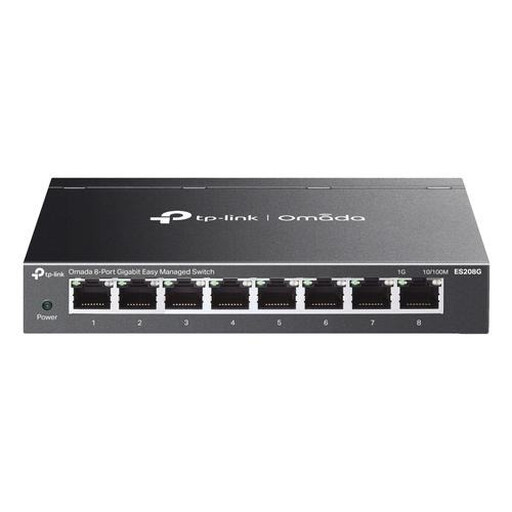 No image available
An option for connecting several Gigabit devices if you also want to set up VLAN segmentation.
The product name describes an eight-port L2 Gigabit switch. No 2.5GbE or 10GbE ports are listed.
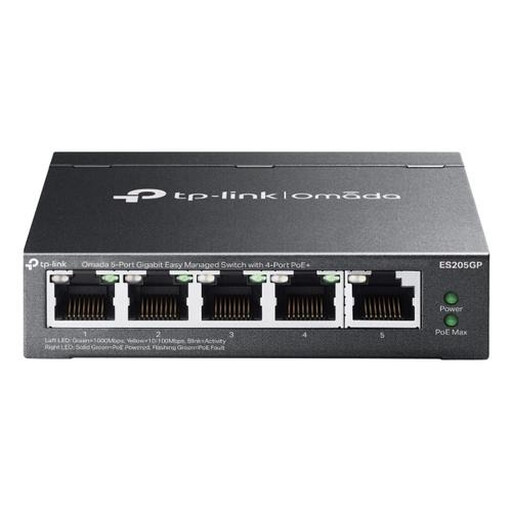 No image available
Worth considering if you want a compact Gigabit setup and have compatible devices that need PoE.
The product name describes a managed Gigabit switch. The product information lists VLAN support and four PoE+ ports; no 2.5GbE or 10GbE ports are mentioned.
No, not for a single transfer. Synology says link aggregation can increase overall network throughput, but not the speed of an individual transfer. The server and switch must support the method you choose.
Not without the required configuration. To separate networks, you need to set up VLANs and the associated routing rules on devices that support them. Decide in advance which devices need access to the backup server.
For the TP-Link TL-SG105-M2, the installation guide recommends Cat5e or higher for 2.5GBase-T up to a maximum of 100 metres. Also check the connections at both ends and the requirements of the switch model you choose.
No. The NCSC recommends keeping multiple copies of important business data, using different storage media and storing one copy at another location. A switch only provides the network connection.
No, the presence of a VLAN feature alone doesn’t show that access has been properly configured throughout the system. The Dutch Data Protection Authority stresses that access to processed personal data must be appropriately restricted. So, define access rights for the server and review the full network configuration.