
Student who needs more network ports
You want to connect a backup server by cable as well as a computer, and need a small switch that requires little setup.


A compact gigabit switch is enough if your server and computer use gigabit at most and you mainly need extra wired ports. Choose 2.5GbE only if both devices support that speed. Managed features such as VLAN require configuration and won’t automatically make a shared network private.
You want to connect a backup server by cable as well as a computer, and need a small switch that requires little setup.
You make large local backups between devices that both have a 2.5GbE port and don’t want a gigabit port to limit the connection.
You want to limit access to your personal backup files and also need to consider the network setup and access rules.
First, include the connection to the router when counting the ports you need. Then choose a speed based on both devices and decide whether you want to configure network management features yourself.
A good fit if: your server and computer use gigabit and you need extra wired ports.
Bear in mind: gigabit limits the port connection speed, and an unmanaged model won’t automatically separate your server from other people sharing the network.
A good fit if: both your server and the computer you use for backups have a compatible 2.5GbE port.
Bear in mind: a faster switch won’t speed up a device with a gigabit port.
A good fit if: you want to configure VLAN settings or other management features yourself.
Bear in mind: configuration is required, and management features won’t automatically make a shared network private.
| What to consider | What to look for when buying | Who should pay particular attention? |
|---|---|---|
| Wired ports | Count the router connection, server, computer and any other devices. With a five-port model, four ports remain for devices after connecting the router. | If I want to connect both my server and computer by cable, I need enough ports left for my other devices. Around 31% of consumers with this need are mainly looking for extra connections. |
| Backup speed | Check the Ethernet ports on both the server and computer, the connection speed and the cabling. A port’s rated speed isn’t the same as the measured backup speed. | For large local backups, I want to know whether both devices support 2.5GbE before choosing that speed. Around 25% of consumers put transfer speed first. |
| Protection on a shared network | Check who can access the server, what access permissions apply and whether you’re allowed and able to configure the network equipment. | On a shared network, I want to prevent others from accidentally accessing my backup files. Around 25% of consumers put protection first. |
| Noise and placement | Check whether each model is fanless and how much space you’ll need for the unit, power adapter and cables. | If I’m placing the switch near where I sleep or study, I don’t want to hear its fan. Around 19% of consumers prioritise quiet operation and compact placement. |
The connection from the switch to the router usually uses a port too, leaving fewer ports for your devices.
Count the router connection, server, computer and any future devices separately before choosing how many ports you need.
If you add more devices later, you may need a model with more ports.
A 2.5GbE switch can also negotiate lower speeds. So a gigabit server or computer won’t automatically get a faster connection.
First check the port specifications of both devices, then see what connection speed they establish.
You may also need compatible end devices or network adapters for 2.5GbE.
A VLAN feature gives you an option to configure, but it won’t automatically provide working network segmentation or the right server permissions.
Decide who should be able to access the server and check the entire network route, not just the switch’s features.
Network segmentation may require extra configuration and suitable equipment elsewhere in the network.
TP-Link Netherlands lists gigabit models, an unmanaged 2.5GbE switch and a managed gigabit switch: separate options for different network needs.
According to NETGEAR, the GS305v3 is a five-port unmanaged gigabit switch for easily adding wired connections.
Linksys Netherlands lists the LN2305 as an unmanaged five-port 2.5GbE option for devices that support this speed.
D-Link describes the DGS-105GL as an unmanaged gigabit switch for a small wired setup.
This selection includes gigabit switches for adding wired connections, including models with management features and PoE. For a 2.5GbE setup, check that both the model you choose and the two end devices support that speed.
 No image available
Suitable for a wired server and computer setup at gigabit speeds, with no switch configuration required.
Five 10/100/1000 Mbps ports; plug and play.
Remember to allow one port for the connection to the router.
 No image available
An option if you want to expand a gigabit setup and connect compatible PoE devices.
Five 1 Gbps ports, four of which support PoE; unmanaged and plug and play.
Check whether your connected devices need and support PoE.
 No image available
Suitable if you want to connect several wired devices as well as your server and computer, and need management features.
Eight gigabit ports; the product title lists four PoE ports and Easy Smart.
Check which management features and PoE connections your network devices require.
 No image available
An option for a wired gigabit setup with several devices and configurable network features.
Eight 10/100/1000 Mbps ports; the product description lists VLAN, QoS and IGMP Snooping.
Check whether you want to configure the management features yourself.
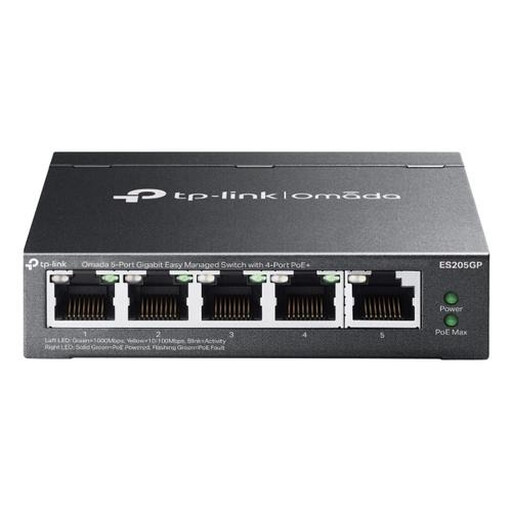 No image available
Suitable if you want to manage a wired gigabit setup and configure network features such as VLAN.
Five gigabit ports; the product description lists VLAN, QoS, link aggregation and four PoE+ ports.
Check that the features you need are compatible with the rest of your network.
In a typical setup, connect the switch to a LAN port on the router, then connect the server and computer to the other ports. If you live in student accommodation, first check which connection is intended for your room; the available connections can vary by location.
No, not automatically. Both the server and computer need to support 2.5GbE to use that port speed. A port’s rated speed also isn’t the same as the measured speed of your backup software or storage.
No, a VLAN switch won’t protect your server automatically. The TP-Link TL-SG105E offers VLAN settings, but you need to configure the network layout and manage access to the server as well. The Dutch Data Protection Authority lists network segmentation and authorisation as separate security measures.
Check with your landlord or network administrator before connecting the switch. Connections and terms vary between accommodation sites; information from providers such as DUWO and SSH applies to the situations they describe and doesn’t determine what’s allowed in every student residence.
Report the problem to the seller. According to the Dutch government, the seller must provide a solution if there’s a problem with a product; the manufacturer’s warranty is separate.