Who is this choice for?

Creating a relaxing lounge

You want the background music to sound pleasant from different seats while people can still talk comfortably. That’s why speaker placement, volume controls and listening at a low level all deserve attention. The Consumentenbond and the Sonos User Guide cover these aspects of choosing a speaker.

Sharing music with multiple users

You want to agree on which device starts the music and how the volume is adjusted, and you may want to add compatible speakers later. The Consumentenbond and Denon describe network and control options that are relevant here.

Using the speaker in different places

You want to be able to move the speaker around and play music directly from a device. If so, look for a battery, consider how it charges and check for Bluetooth. Sony describes the ULT FIELD 1 as a portable speaker.

What should you look for when buying?

Fixed Wi-Fi speaker

Choose this if: the speaker will usually stay in one place, the Wi-Fi is stable, and you want app control or the option to add compatible speakers.

The trade-off: you’ll need a power socket and a reliable network. Wi-Fi alone says nothing about how the speaker will sound in your lounge.

Fixed Bluetooth speaker

Choose this if: you want to start the music directly from a phone or another device in the lounge, and don’t need multi-room audio.

The trade-off: the source device needs to stay within a usable range; a fixed speaker isn’t automatically portable.

Portable battery-powered Bluetooth speaker

Choose this if: you’ll move the speaker regularly or don’t have a power socket wherever you want to use it.

The trade-off: you’ll need to charge it regularly, and portability doesn’t guarantee that the sound will be pleasant from every seat.

What to consider What should you look for? Who is this important for?
Background noise and placement Listen at a low volume from several seats and check that the volume controls are easy to reach. I want conversations in the lounge to carry on comfortably, with music that sounds right from every seat in use. Around 36% of consumers who prioritise background noise pay attention to this.
Control by multiple users Check the network, music source, app and speaker controls, and see how users can take over playback. If several people will start or adjust the music, I want to know in advance which controls will work for them. Around 29% of consumers who prioritise shared control are concerned with this.
Connecting to the music source Check whether the source uses Bluetooth, Wi-Fi streaming or a cable. If you’re using a cable, make sure you have the right adapter too. I want to play music from a device I already own without unnecessary setup. Around 21% of consumers who prioritise a simple source connection focus on this.
Moving and charging Think about how often you’ll move the speaker and where you can charge it. Check whether a battery suits the way you’ll use it. If I want to use the speaker in different places, being able to listen without a power socket matters more than a fixed setup. This is a consideration for around 14% of consumers who prioritise portability.

Buying pitfalls

  • Assuming a USB-C port is a ready-to-use analogue input

    To connect an external audio source to the Sonos Era 100, you’ll need a separate Sonos Line-In Adapter. The right audio cable depends on your source.

    Before you buy, check the output on your source device and every component in the connection chain.

    Allow for a separate adapter and a suitable audio cable for this setup.

  • Choosing a Wi-Fi speaker without a reliable network where you’ll use it

    The Consumentenbond points out that Wi-Fi speakers need a good, stable network. The Sonos Era 100 also requires Wi-Fi for its initial setup, even if you plan to use Bluetooth afterwards.

    Check the network coverage and setup requirements for the specific model, or choose a connection that works with the equipment you have.

  • Assuming personal music access covers business use too

    Ondernemersplein states that playing background music in a business requires permission or a licence from the creators. The fact that a space is described as a shared lounge alone doesn’t tell you whether this applies.

    Establish who uses the lounge and in what capacity the music is played, then check which permission applies to that situation.

  • Treating an older product range as a current new-buy option

    IKEA Netherlands says that its SYMFONISK product range has no longer been available since 1 January 2026. According to IKEA, support for existing products will continue.

    Don’t use older product guides as proof that a product is currently available, and assess any offer on its own merits.

Brands to consider

Sonos

The Era 100 is a fixed-speaker option if Wi-Fi, Bluetooth and the possibility of adding compatible Sonos speakers suit your lounge.

  • The Sonos User Guide describes controls on the speaker itself and how to use two Era 100 speakers as a stereo pair.
  • You’ll need a separate Line-In Adapter for an external audio source. Sonos says you must first set up the Era 100 over Wi-Fi in the Sonos app before using Bluetooth.

Denon

The Home 150 is a fixed-speaker option if HEOS-compatible expansion and preset buttons suit the way you’ll control music in the lounge.

  • Denon lists Wi-Fi, Bluetooth, HEOS, three Quick Select buttons and a mono speaker for this model.
  • Denon’s description of the sound is a manufacturer claim, not an independent listening test.

JBL

According to JBL, the Authentics 200 combines Wi-Fi and Bluetooth with support for voice assistants.

  • These connection options may suit a fixed home setup where you want both ways to play music.
  • Voice features aren’t necessarily useful in a shared space, so consider control and privacy separately. JBL is the source of the sound claims.

Sony

The ULT FIELD 1 is a portable option if you’ll move the speaker around regularly.

  • Sony describes this model as having a carrying strap and a battery.
  • Portability alone doesn’t tell you whether a compact speaker will sound pleasant at a low volume throughout the lounge, so assess this separately.

Joybuy products

This selection mainly features portable, battery-powered Bluetooth speakers, along with one model whose product title mentions Wi-Fi and multi-room audio. Compare the playback options, portability and controls to find what suits your lounge.
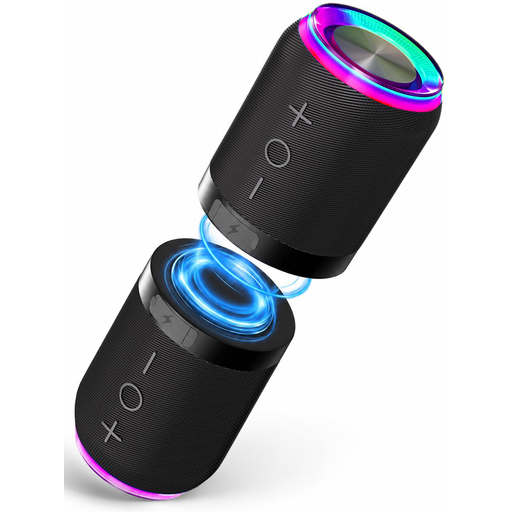
Two-piece Bluetooth speaker set with magnetic attachment

Bluetooth Speaker Set 2-in-1 with Magnetic Attachment, Set of 2

A good fit if you want to play music over Bluetooth and place the two units in different spots.

The product information lists a battery, AUX and TF card inputs, and two units that can be separated. The title lists IPX6.

View at Joybuy
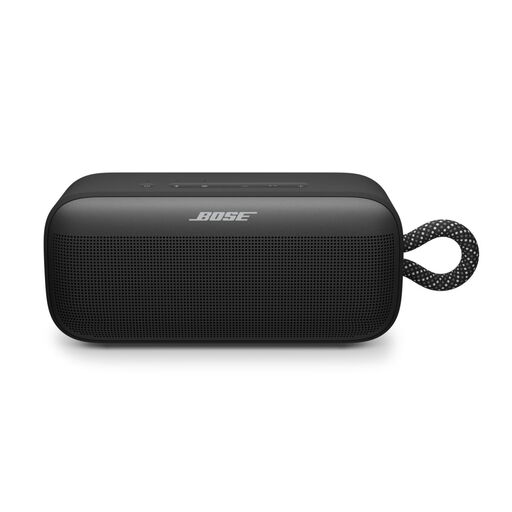
Bose SoundLink Plus Black

Bose SoundLink Plus Black

A good fit if you want a battery-powered Bluetooth speaker that you can move around and control via an app.

The product information lists up to 20 hours of playback, app-based adjustment of bass, mid-range and treble, and an integrated carrying loop. It also says that two SoundLink Plus speakers can be paired wirelessly.

View at Joybuy
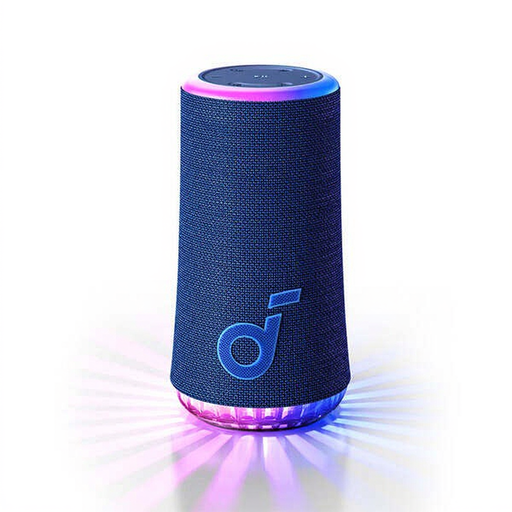
soundcore Glow-Blue Bluetooth speaker

soundcore Glow-Blue

A good fit if you’re looking for a portable, battery-powered Bluetooth speaker.

The product information lists controls on the speaker or via the connected device.

View at Joybuy
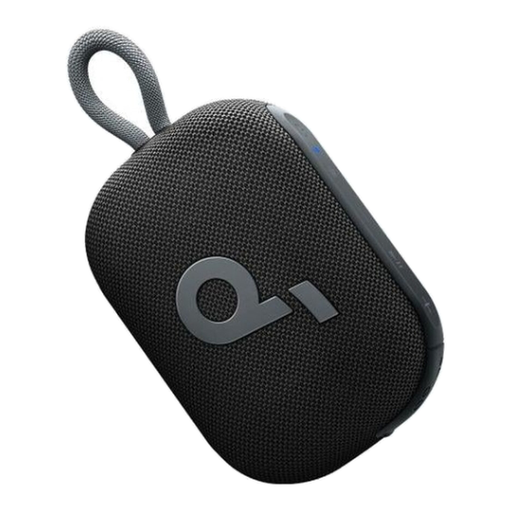
Soundcore Select 4 Go Bluetooth Speaker Black

Soundcore Select 4 Go Bluetooth Speaker Black

A good fit if you want Bluetooth playback and a portable speaker with a battery.

The product information lists up to 20 hours of battery life, pairing with a second speaker and an integrated carrying strap.

View at Joybuy

Edifier ES300 Wi-Fi and Bluetooth speaker

Edifier ES300 Wi-Fi and Bluetooth speaker

A good fit if you want to combine Wi-Fi and multi-room audio with Bluetooth and a battery, according to the product information.

The product title lists 60 W, AirPlay 2, LDAC, USB, AUX and app control; the product information lists up to 12 hours of battery life.

View at Joybuy

Frequently asked questions

Does a Wi-Fi speaker need to be set up before you can use Bluetooth?

It depends on the model. For the Era 100, Sonos says you must first set it up over Wi-Fi using the Sonos app; after that, you can use Bluetooth. Check the setup requirements for other models separately.

How can you keep a Wi-Fi speaker working well in a shared lounge?

Check that the Wi-Fi is stable where you plan to use the speaker and that the music source you’ll use is compatible. The Consumentenbond also highlights the reliance on an app and manufacturer support.

Can you simply play background music in a shared lounge?

For background music in a business, Ondernemersplein says you need permission or a licence from the creators; for hospitality businesses, it names BumaStemra and Sena. First establish whether the lounge counts as business or public use before assuming a personal music subscription covers it.

Do you need an extended warranty for a speaker?

Not necessarily. According to the Dutch government, there is no fixed statutory warranty period for consumer purchases in the Netherlands; the retailer is your point of contact if a product is faulty. If you’re considering a paid extended warranty, compare what it actually adds.

What should you consider for privacy when choosing a speaker with internet features?

The Dutch Data Protection Authority recommends checking the privacy policy and security information for smart devices, among other things. In a shared space, also consider whether your chosen controls require a microphone.
