
Faster local back-ups
You have, or are planning to get, a back-up server and computer with 2.5GbE, and want to match their wired connection to it. Product information from TP-Link Netherlands and QNAP can help you compare port speeds across models.


Choose a switch with enough ports for your server, computer and connection to your existing network. Gigabit is sufficient if the devices involved use gigabit; 2.5GbE is only worthwhile if the relevant devices support it too. Consider VLAN management or a 10G uplink only if your network plan calls for these features.
You have, or are planning to get, a back-up server and computer with 2.5GbE, and want to match their wired connection to it. Product information from TP-Link Netherlands and QNAP can help you compare port speeds across models.
You want to connect your server, computer and existing network without complicated configuration. TP-Link Netherlands and NETGEAR Netherlands describe models for this type of wired setup.
You have a specific plan for VLANs or a future 10G uplink and want to choose the right feature. Product information from TP-Link Netherlands and Zyxel Networks explains the different options.
Choose this if: your server and computer use gigabit and you mainly need wired connections.
Bear in mind: gigabit does not offer 2.5GbE, and an unmanaged model does not let you configure VLAN management.
Choose this if: your server and another relevant device support 2.5GbE. TP-Link and QNAP offer documented five-port 2.5GbE models.
Bear in mind: the stated port speed is not a measured back-up speed; QNAP specifies Cat 5e cables for its 2.5GbE setup.
Choose this if: you need VLANs or other configurable network features; the TP-Link TL-SG105E has five gigabit ports and supports VLANs.
Bear in mind: you’ll need to configure your preferred network layout yourself, and you won’t get 2.5GbE ports.
Choose this if: you have a planned, compatible 10G SFP+ connection as well as 2.5GbE devices. The Zyxel XMG-105 has five 2.5GBASE-T ports and an SFP+ port.
Bear in mind: an SFP+ connection is not the same as an extra 10G RJ45 port; check the connections at both ends.
First, count all the connections, including the uplink to your existing network. Then check the speeds supported by the connected devices.
| What to consider | What should you check? | Who is this important for? |
|---|---|---|
| Connection speed | Check the Ethernet ports on your server and computer, as well as the cable connection; then compare gigabit with 2.5GbE. | If I want faster local back-ups, I check whether both relevant devices support 2.5GbE. Around 36% of consumers prioritise connection speed above all else. |
| Number of ports | Count the server, computer and any uplink to your existing network. | If I want to connect several devices by cable, I also count the connection to my existing network. Around 29% of consumers give having enough connections top priority. |
| Placement and noise | Check the dimensions, whether a fan is mentioned, and the mounting options for the exact model. | With a small desk, I want to know in advance where the switch will go and whether a fan is a consideration. Around 21% of consumers prioritise placement and noise. |
| Network features | Decide whether you want to configure VLANs or use a compatible 10G SFP+ connection. | If my network plan calls for VLANs or an uplink, I check that the exact model supports the feature. Around 14% of consumers put network features first. |
The connection to your existing network also uses a port, so you may have fewer connections left for your server and other devices.
Count all your planned connections, including the uplink, before choosing a five- or eight-port switch.
The relevant end devices must support 2.5GbE. A port specification on the switch alone does not guarantee a particular back-up throughput.
Check the network ports on your server and computer, as well as the cable connection, before choosing multigigabit.
On the Zyxel XMG-105, the RJ45 ports and the SFP+ uplink are different connections.
Check both ends of your planned connection and whether you need the right transceiver or cable.
The SFP+ connection may require suitable additional equipment; check the connection and required components before choosing the switch.
Before buying, check the current product status and compare the exact model and key specifications with the seller.
According to TP-Link Netherlands, the TL-SG105, TL-SG105-M2 and TL-SG105E are examples of compact models with different speeds and features.
QNAP describes the QSW-1105-5T as a five-port 2.5GbE switch for devices and NAS systems with 2.5GbE, among other uses.
NETGEAR Netherlands describes the MS305 as an unmanaged five-port 2.5G switch that can be placed on or under a desk, or mounted on a wall.
According to Zyxel Networks, the XMG-105 combines five 2.5GBASE-T ports with a 1G/10G SFP+ uplink.
Linksys Netherlands describes the LN2308 as an unmanaged switch with eight 2.5G ports.
These product choices are designed for wired connections between a server and work computer, from straightforward gigabit models to options with management features.
 No image available
A compact option for a wired gigabit setup with a server, computer and uplink.
Five gigabit ports; metal casing; plug-and-play; desktop or wall mounting. No 2.5GbE.
 No image available
A gigabit option if you want to connect compatible PoE devices as well as wired devices.
Five gigabit ports, four of which support PoE; unmanaged; designed for desktop or wall mounting. No 2.5GbE.
 No image available
An option for connecting more wired gigabit devices when five ports aren’t enough.
Eight gigabit ports; the product title specifies four PoE ports. No 2.5GbE.
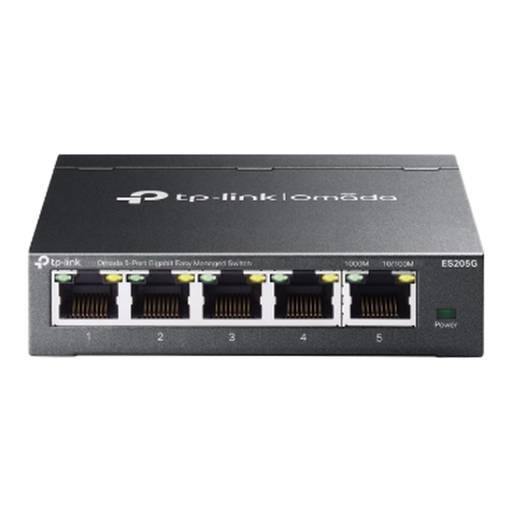 No image available
A managed gigabit option if your network plan calls for features such as VLANs.
Five 10/100/1000 Mbps ports; VLAN, port mirroring and link aggregation are specified; compact design and wall mounting. No 2.5GbE.
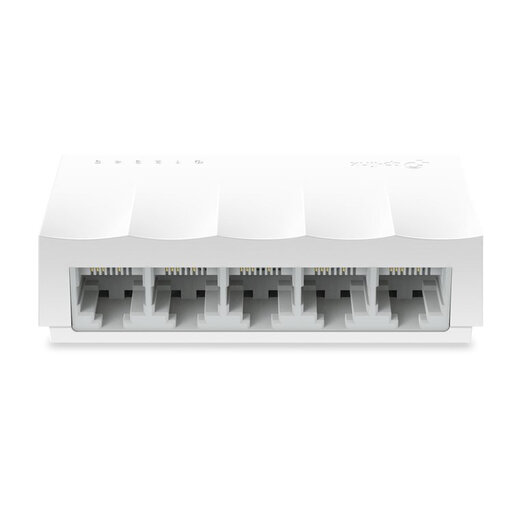 No image available
A simple option for devices that only need 10/100 Mbps, not for a gigabit back-up connection.
Five 10/100 Mbps ports; fanless design; for desktop use. The ports are not gigabit.
Connect the server and computer to ports on the switch, then connect the switch to your existing network if both devices need access to it. Include this last connection in your port plan and check the link speed on the devices once everything is connected.
Not just because you’re connecting a server: PoE is only needed for devices that can receive power over Ethernet. Check how each device is powered; a PoE switch has model-specific PoE ports and a power budget.
Check that you have suitable Ethernet cables and the required power supply. For an SFP+ uplink, also check which cable or transceiver is needed, and which connections are required at both ends.
According to the Dutch government, statutory consumer guarantees apply, and the seller is your point of contact if there’s a problem with the product. Also check the seller’s service terms; don’t automatically assume these consumer rights apply to a business purchase.
According to Business.gov.nl, sellers of electrical and electronic equipment must ensure their products comply with the applicable European rules. The required conformity steps and CE marking depend on the product; check the product information with the seller. A brand page alone does not prove that every item offered complies.