
Vandaag of morgen in huis

Kwaliteit gegarandeerd

Welkomstaanbiedingen ontgrendelen: GRATIS bezorging | Tot 80% korting | Gratis 30 dagen JoyPlus-proefperiode
Download de app
A baby monitor with camera gives you remote access to both video and sound, but not every model suits every family situation. A camera packed with features can be unnecessarily complicated, while a basic model may fall short if you want to monitor several rooms or access the feed while you’re out and about.
Pay particular attention to these common pitfalls:
A baby monitor without Wi-Fi usually connects the camera directly to the parent unit. This is practical if you want to monitor your baby at home without an app, account or cloud service. For example, the VAVA VA-IH006 PRO uses a direct 2.4GHz connection and comes with a parent unit. According to the product information, no app or account is required.
A baby monitor with app uses your home network and can provide remote access. This is useful if you want to check in from work or while you’re out and about. However, check:
A model with both options, such as the Momcozy Smart WiFi Baby Monitor BM04, can be practical: you get a 5-inch screen for use at home and, according to the product description, app access via Wi-Fi too.
For everyday use, 1080p is a useful picture resolution. Also consider the viewing angle, zoom function and how the camera is positioned. A fixed camera may be perfectly adequate for a cot, while pan-tilt-zoom is useful when monitoring a playroom or following an active toddler.
A baby monitor with night vision generally uses infrared lighting. Check whether night vision switches on automatically and whether the image is black and white or in colour. A high resolution alone does not tell you how clear the picture will actually be in a dark room.
A parent unit with a rechargeable battery means you do not have to remain next to a plug socket. Check the operating time with the screen switched on as well as in audio mode. The VAVA VA-IH006 PRO states up to 10 hours with the screen on and up to 24 hours in audio mode. This difference is important when comparing models.
Features such as two-way audio, a temperature sensor, lullabies and VOX voice activation can make everyday use easier. However, treat a temperature sensor as an indication of the room temperature, not as a replacement for carefully checking that your baby is comfortable and safe.
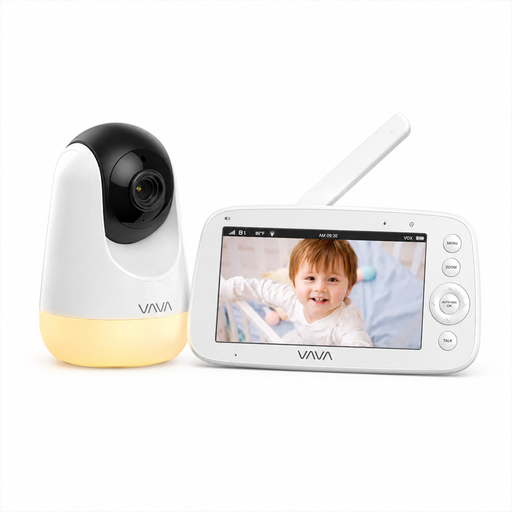
Why it suits this profile: A direct connection without Wi-Fi, an app or an account keeps installation straightforward for parents who mainly want to monitor their baby at home.
The stated battery life distinguishes between screen use and audio mode. The range of 300 metres is also specified as an open-space figure, so you do not have to interpret it automatically as the indoor range.
5-inch 720p screen, infrared night vision, two-way audio, temperature alerts, parent unit and a 4500mAh battery.
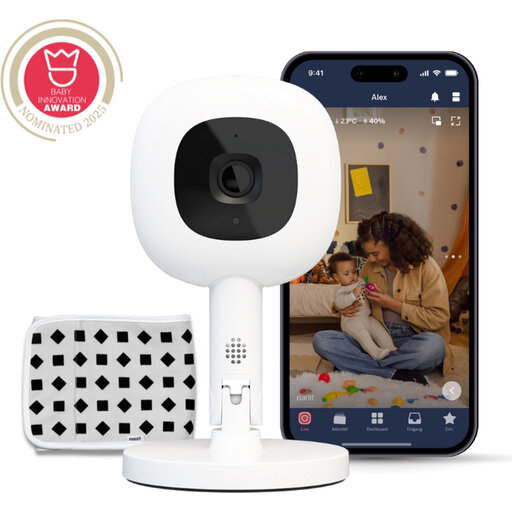
Why it suits this profile: Ideal for parents who want to view live footage through an app and value flexible camera positioning.
The product information states that it uses 256-bit AES encryption and makes it clear that a Nanit Insights subscription is required for certain smart alerts. Check the current subscription terms before buying.
1080p picture, night vision, two-way audio, Flex Stand, temperature and humidity measurements. According to Nanit, the included breathing band also supports sensor-free breathing monitoring; this does not replace supervision.
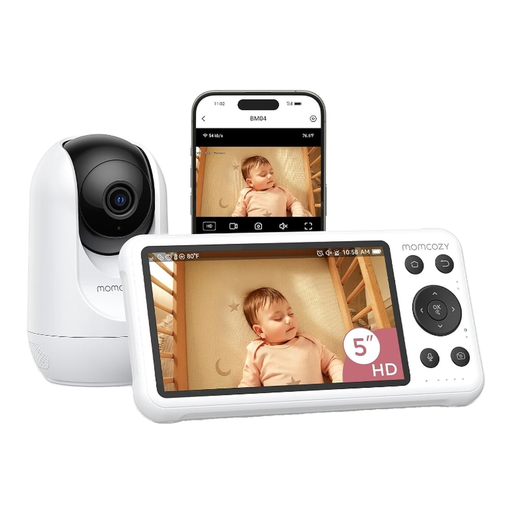
Why it suits this profile: Convenient for families who want to use both a parent unit at home and alerts and live footage on their smartphone.
The product description clearly states that the camera and screen require mains power. You therefore know in advance that this is not a completely wireless system and need to plan how the cables will be positioned.
5-inch 1080p screen, Wi-Fi app, motion and crying alerts, night vision, local recording and two-way audio.
We’ve put together a complete, up-to-date list of products that fully meet these strict selection criteria and the applicable European safety regulations.
A direct connection limits the number of online services and usually does not require an account. This can be better for privacy. A Wi-Fi model can also be secure, but check its encryption, password management, updates and any cloud storage. No type of connection replaces safe installation and supervision.
This varies depending on how it is used. The screen consumes more power than audio mode. So check both figures in the product specifications. Also bear in mind that the camera itself often runs on mains power, while only the parent unit has a battery.
That depends on your routine. Motion detection can send alerts when activity is detected, while a temperature sensor displays the measured room temperature. Both features are additions, not medical or safety assessments. Choose them only if you genuinely intend to use the alerts and readings.
