
Vandaag of morgen in huis

Kwaliteit gegarandeerd

Welkomstaanbiedingen ontgrendelen: GRATIS bezorging | Tot 80% korting | Gratis 30 dagen JoyPlus-proefperiode
Download de app
A baby monitor with camera can offer peace of mind, but not every model suits every home or family situation. Some devices only work well with a stable Wi-Fi connection, while others are designed primarily for direct monitoring via a parent unit. Terms like “smart detection”, “360° view” and “night vision” only mean something when you know what is actually delivered.
The most common buying mistakes are:
A Wi-Fi model, such as a baby monitor with app, allows remote operation and viewing. That is handy if you are at work, travelling, or want multiple family members to have access. Check beforehand:
A model without Wi-Fi typically uses a direct connection between the camera and parent unit. This can be simpler for use around the house and limits the number of online connections. The VAVA VA-IH006 PRO, according to the product description, works without an app, account or cloud service via a direct 2.4 GHz connection.
A higher resolution can show more detail, but the practical picture quality also depends on the lighting and the lens. Look out for:
In a small room, a fixed camera may be sufficient. In a playroom, living room or space with pets, a rotating lens is more practical. A camera for baby and pets with automatic tracking can follow movement, but check whether you can disable tracking and set privacy zones.
Motion detection and sound or cry alerts can send notifications to your phone. According to the product descriptions of various brands, models can also recognise people, pets or baby cries. Treat this as a feature of the device, not as guaranteed error-free recognition.
Also check:
An indoor security camera with local storage can work out more cost-effective for long-term use. Cloud storage is more accessible remotely, but may involve recurring costs. Use a strong Wi-Fi password, change a default password, and keep the app and firmware updated.
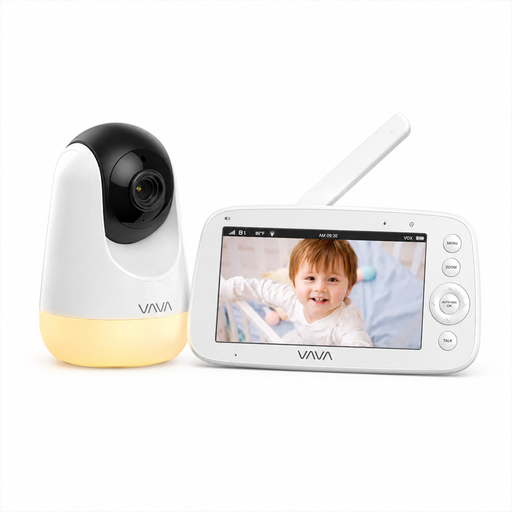
Why this fits the profile: The direct connection works without Wi-Fi, app or cloud account. The parent unit has a 5-inch screen, making it suitable for parents who mainly want to check in around the house.
You are not dependent on a router or paid cloud account. The stated outdoor range is measured in open space; indoors the range may be lower.
720p screen, infrared night vision, two-way audio, temperature display and a parent unit with battery.
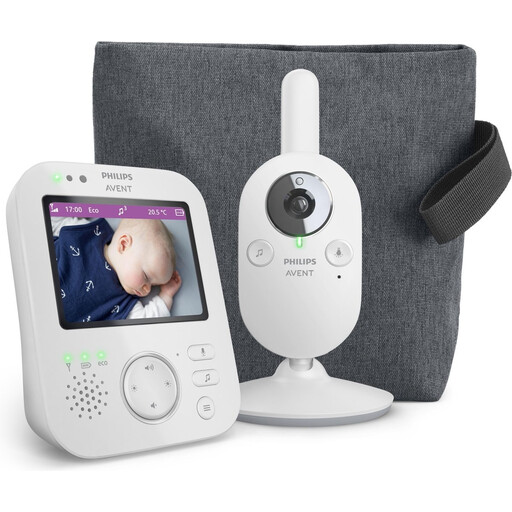
Why this fits the profile: This model uses its own wireless connection with the parent unit and is designed for private indoor use, without needing a Wi-Fi app.
The stated connection is not dependent on an internet subscription. Do check the distance between the parent unit and camera in your home.
VOX mode, two-way talk, digital zoom, infrared night vision, lullabies and a stated range of up to 50 metres indoors.
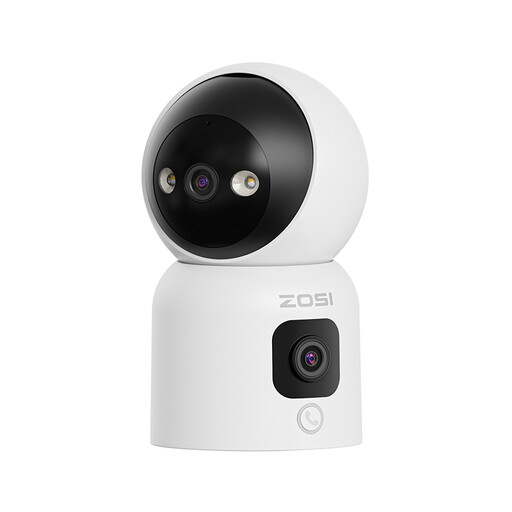
Why this fits the profile: The dual lens, rotating camera and multiple storage options suit monitoring a larger living room, children, elderly relatives or pets.
You get local storage up to 256 GB in addition to cloud storage. According to the product description, privacy zones and three night vision modes are available.
Two 2MP lenses, 360° rotation range, person detection according to the product description, two-way audio and 2.4/5 GHz Wi-Fi.
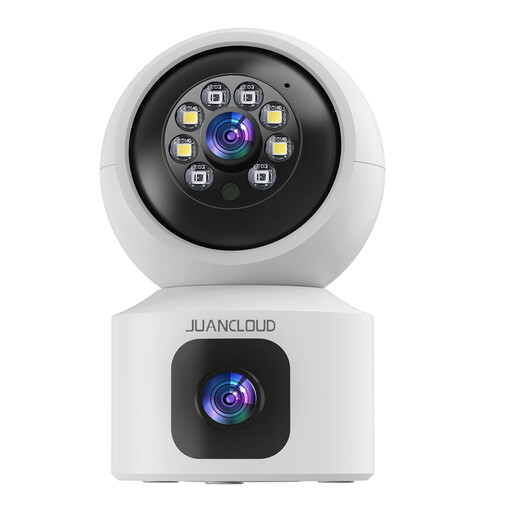
Why this fits the profile: The combination of two lenses, 2K picture and an app is useful for families who want to check on a baby, pet or family member even when away from home.
The product description states support for 2.4 and 5 GHz and both microSD and cloud storage. Check beforehand which cloud features come with costs.
3MP/2K video, two-way audio, night vision, digital zoom and a dual lens with fixed and rotating views.
We have put together a full, up-to-date list of products that fully meet these strict selection criteria and comply with current European safety regulations.
Place the camera out of the child's reach and make sure cables cannot reach the cot or play area. Mount a wall camera securely and check after installation that the fitting does not come loose. Do not point an indoor security camera at bathrooms, other people's bedrooms or areas where people are recorded without consent. Inform housemates and visitors when recording is taking place.
Yes. Models with their own parent unit, such as certain Philips Avent and VAVA models, use a direct wireless connection. They are mainly suitable for indoor monitoring. For remote viewing, a Wi-Fi baby monitor with app is usually needed.
The lifespan depends on power supply, usage time, heat, software support and the quality of the battery in the parent unit. A camera plugged into the mains can keep working for a long time, but check cables, adapter and mounting regularly. With a model that has a rechargeable battery, the usage time usually decreases as the battery gets older.
In addition to the purchase price, costs may arise for a microSD card, cloud storage or a subscription for extra features. Therefore, check whether local storage is available and which features work without a subscription. That prevents surprises after a trial period.
