
Vandaag of morgen in huis

Kwaliteit gegarandeerd

Welkomstaanbiedingen ontgrendelen: GRATIS bezorging | Tot 80% korting | Gratis 30 dagen JoyPlus-proefperiode
Download de app
A baby monitor with camera can help you keep an eye on your baby, pet or another room. Yet many models in online shops look very similar. A high resolution, “smart” detection or a long range doesn’t automatically mean the device will suit your home.
The most important question, therefore, isn’t which features are listed on the box, but how the baby monitor works in your daily use. Do you need wifi, do you want to use a parent unit without a phone, and how clear is the picture at night?
Manufacturers sometimes quote the range in an open space. Walls, ceilings, metal structures and other wireless devices can limit the connection in a typical British home. A baby monitor with a range of hundreds of metres can therefore cover significantly less distance indoors.
When comparing, pay attention to the connection:
A baby monitor with night vision typically uses infrared light. Check the stated distance, for example 5, 6 or 10 metres, and see whether the image appears in black and white or colour in the dark. A wide viewing angle can be handy, but a fixed camera with a limited angle may still miss part of the cot.
Place the camera out of your child’s reach and make sure cables cannot reach the cot or playpen. Night vision is a tool to help you see; it does not replace supervision by an adult.
A camera with motion detection can send an alert when movement occurs. Some product descriptions also mention person, baby or pet recognition. According to the manufacturer’s own information, such a feature can filter certain movements, but the result depends on the room, lighting and settings.
Cry detection can also be useful, but check:
For most bedrooms, 1080p is a good starting point. A 2K or 3MP camera can show more detail, but may require more storage and bandwidth. Also look at the frame rate: a model with 15 fps can be sufficient for monitoring, while a higher rate shows movement more smoothly.
A pan and tilt function is practical when the camera needs to follow a larger room. However, for a baby monitor, a stable, fixed position is often more important than automatic tracking.
A parent unit with its own screen is handy when you want to check quickly without unlocking your phone. A baby monitor with two-way communication lets you talk remotely, for example to soothe your baby with your voice. Check whether the camera and parent unit run on mains power and how long the monitor’s battery lasts.
With a baby monitor that uses an app, privacy and account management are especially important. Use a strong, unique password, install firmware updates and check which users have access. Do not point an indoor security camera at areas where privacy is expected.
Many wifi cameras support a microSD card, sometimes up to 256 GB. Cloud storage may incur extra costs after a trial period ends. A model without wifi typically does not use the cloud, but also does not offer remote control.
Check before purchase whether the memory card is included. With some models, it is not supplied.
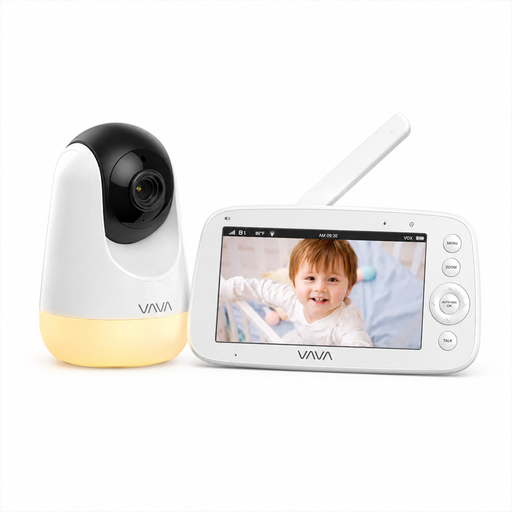
Why This Fits Their Persona: This baby monitor without wifi is suitable for parents who want a simple connection at home and a separate 5-inch parent unit.
The direct 2.4GHz connection requires no app, account or cloud service according to the product description. The stated range of 300 metres applies in open space.
720p screen, infrared night vision, two-way communication, temperature display and up to 24 hours of audio mode according to the product specifications.
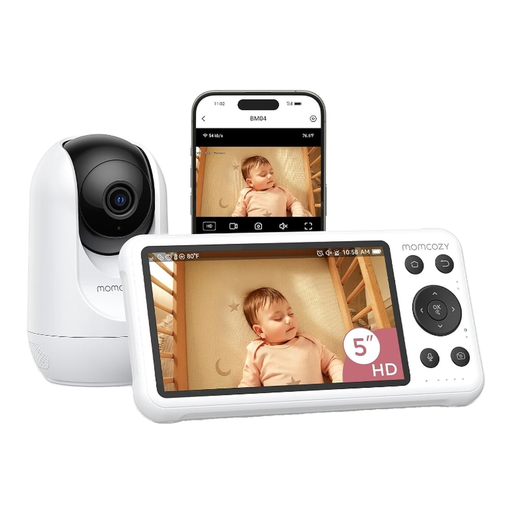
Why This Fits Their Persona: Handy for parents who want to check in remotely via a mobile app as well as using a 5-inch screen.
The product specifications mention both a parent unit and wifi access. Check the network security beforehand and whether local recording is sufficient for your use.
1080p camera, motion and cry detection, night vision, two-way audio and local recording according to the product information.
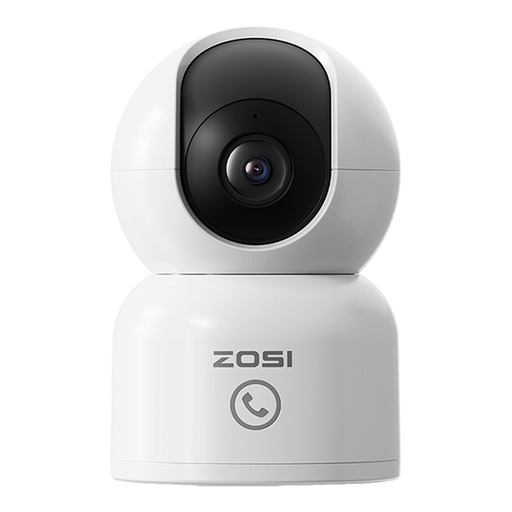
Why This Fits Their Persona: This camera suits households that want one device for baby monitoring, pets or another indoor space.
The product description mentions adjustable motion zones and person detection. Check these features in the app and do not rely on notifications as your only form of supervision.
2MP image, 360° pan function, 2.4 and 5GHz wifi, night vision, two-way audio and local or cloud storage according to the supplier.
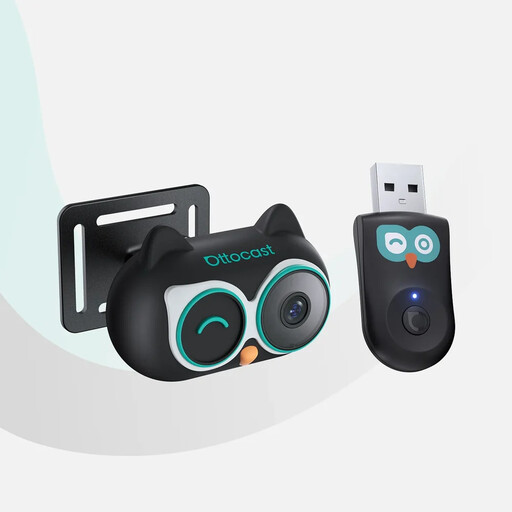
Why This Fits Their Persona: Designed for monitoring the back seat during car journeys, provided your car meets the stated technical requirements.
According to the product information, the camera only works with a car that has original wired CarPlay and a touchscreen; Android Auto is not supported.
1080p image, 150° viewing angle, infrared night mode and various display modes on the car screen according to the product description.
Mount or place a camera securely, out of your child’s reach and away from water. Secure cables along a safe route and follow the manufacturer’s instructions. With a wifi baby monitor, it is wise to change the default password and only give access to necessary users.
Also consider the privacy of household members, babysitters and visitors. Inform people when a camera is recording and do not point an indoor camera at private areas without permission.
Browse a current selection of cameras and monitors and compare connection, night vision, storage and operation per model.
A direct connection does not use the internet or a cloud account for viewing live images. This can limit the amount of online data. However, check the security of the wireless connection and bear in mind the limited range indoors.
The lifespan depends on power supply, battery capacity, software support and physical wear. A parent unit with a rechargeable battery may last less time after a while. With a wifi model, it is important whether the app and firmware are still supported.
The camera itself typically uses little power, but cloud storage or extra app features may have subscription costs. With a microSD card, you can store locally on compatible models. Therefore, check before purchase which storage is included as standard and which services are paid for.
