
Vandaag of morgen in huis

Kwaliteit gegarandeerd

Welkomstaanbiedingen ontgrendelen: GRATIS bezorging | Tot 80% korting | Gratis 30 dagen JoyPlus-proefperiode
Download de app
A baby monitor with a camera only gives you true peace of mind when the system works reliably in your home. A nice resolution on the box tells you very little about range, connection and running costs. Parents tend to come up against three common pitfalls:
What’s more, a camera is no substitute for supervision. Place the camera out of the child’s reach, keep cables away from the cot and always follow the instruction manual.
A video baby monitor without Wi-Fi connects directly to a parent unit. This is practical when you don’t want to use an app, account or cloud service. According to the product description, the VAVA VA-IH006 PRO works with a direct 2.4GHz connection and a 5-inch screen. This means you don’t need to set up a home network to use it indoors.
A baby monitor with an app, on the other hand, gives you remote access via a smartphone. This can be handy when you want to check in from outside the home or give access to multiple family members. The downside is that you’re reliant on Wi-Fi, the app and the security of your account. Change the default password after installation and install firmware and app updates as soon as they become available.
A system with both a screen and an app can be flexible, but check whether both functions work at the same time and whether the camera always needs to be plugged into the mains.
For a nursery, night vision, viewing angle and sound quality are at least as important as 1080p or 2K. Pay attention to:
A baby monitor with motion detection or cry detection can send alerts. According to the product descriptions of the relevant brands, the system can recognise movement, people or sound. In practice, curtains, pets or changing light can also trigger alerts.
For continuous recording, a microSD card is often cheaper than cloud storage. Check the maximum capacity and whether the card is included. With some models, cloud storage is paid for according to the product information. Calculations such as “days of recording” depend on resolution, compression and motion activity.
Also pay attention to placement. Do not point an indoor security camera at bathrooms, other people’s bedrooms or windows through which neighbours’ private spaces are visible. Inform housemates and visitors when you are recording. A camera that you also use as a camera for baby and pets must be positioned so that the animal or child cannot reach it.
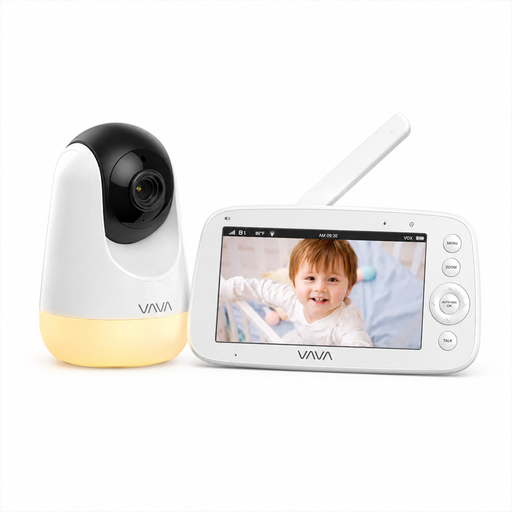
Why this fits the profile: This model is aimed at parents who want a simple connection without Wi-Fi, app or cloud account. The 5-inch parent unit displays the picture directly in the home.
The product description states a direct 2.4GHz connection without app, account or cloud service. The stated range of 300 metres applies to open space; indoors this may be lower.
720p IPS screen, infrared night vision, two-way audio, temperature display and up to 24 hours of audio-only use according to the product specifications.
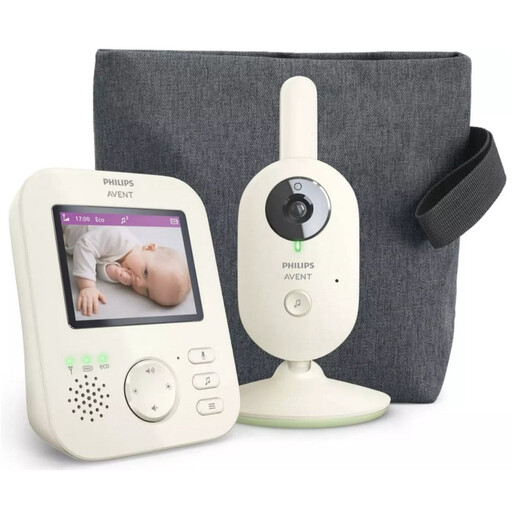
Why this fits the profile: The parent unit is ideal for those who value a separate screen and a private connection, without a smartphone app as the central component.
According to the product information, the connection between camera and parent unit is private and wireless. This means cloud storage plays no role in the basic display.
2.8-inch colour screen, infrared night vision, zoom, VOX mode, two-way audio and a stated indoor range of up to 50 metres.
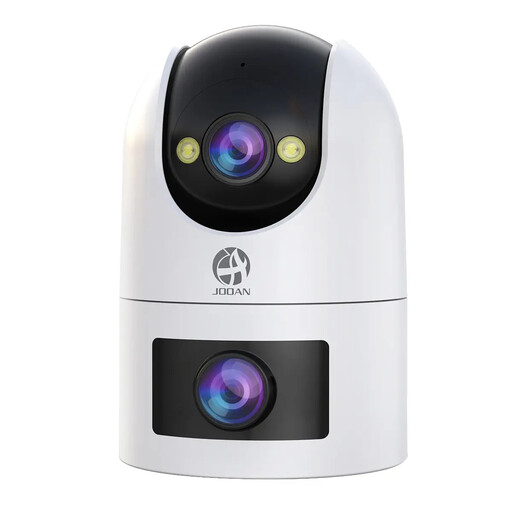
Why this fits the profile: This is an option for households that want one camera for baby, pet and indoor monitoring, with control via an app.
The product information states support for 2.4GHz and 5GHz Wi-Fi, local recording up to 256GB and paid cloud storage. This lets you weigh up the ongoing costs in advance.
Dual-lens display, PTZ control, two-way audio, motion and sound detection, colour and infrared night vision, and sharing with up to five camera users.
We’ve put together a full, up-to-date list of products that fully meet these strict selection criteria and comply with current European safety regulations.
That depends on the radio signal used, the distance and the material of the walls. A stated range in open space is no guarantee of range in a UK home with multiple floors. Place the camera and parent unit in the desired positions first and check the connection before you permanently mount the system.
The lifespan depends on daily use, power supply, battery capacity and software support. With models that have a parent unit, the battery is a particular point to watch. A camera that runs on mains power can be used for a long time, but check cables, adapter and housing regularly for damage. Replace a damaged part according to the manufacturer’s instructions.
The basic functions of an app may be included, while cloud storage or advanced alerts cost extra. Check before purchase which features work without a subscription. Local recording on a suitable microSD card avoids monthly cloud costs on some models, but does require a card and periodic checks of the storage.
