
Vandaag of morgen in huis

Kwaliteit gegarandeerd

Welkomstaanbiedingen ontgrendelen: GRATIS bezorging | Tot 80% korting | Gratis 30 dagen JoyPlus-proefperiode
Download de app
A baby monitor with camera can help you keep an eye—and ear—on the nursery during the day or at night. A suitable indoor camera can also be useful for pets, elderly family members or general home monitoring. However, not every video baby monitor is suitable for every home.
Marketing materials often highlight high resolution, smart alerts or an extensive range. In practice, the connection, placement, storage and ongoing costs are just as important. This buying guide compares the key features and shows which models suit different usage scenarios.
A range of, for example, 300 metres may sound generous, but this is usually measured under ideal conditions. In a typical home, concrete floors, metal doors and multiple walls can significantly reduce the range. Check whether the model is suitable for the layout of your home.
A baby monitor without Wi-Fi with a direct connection between the camera and parent unit can be practical if you mainly want to monitor your baby indoors. A Wi-Fi baby monitor is more flexible when you also want to view footage while away from home.
Baby cameras with motion detection can send alerts when they detect movement, sound or a person. However, pets, shadows or changing light conditions can also trigger alerts. Check whether you can define detection zones and adjust individual alert settings.
Claims about recognition or detection accuracy come from the brand’s product information. Treat these functions as useful aids, not as a substitute for supervision by an adult.
Many models support a microSD card as well as cloud storage. The cloud function is not always free. The JOOAN and ZOSI cameras support local storage of up to 256 GB, while the product information states that cloud storage may require a paid subscription. Also check whether a memory card is included.
A baby monitor with camera can connect in several ways:
When choosing a baby camera with app, check the required app, account registration, software support and options for sharing access with family members. Use a strong password, change any default password and install updates when available.
Higher resolution provides more detail, but it is not the only factor to consider. Also pay attention to:
A baby monitor with night vision is particularly useful when the room is completely dark. Colour night vision can reveal additional detail, but it often uses illumination. Check whether you can switch between colour, smart and infrared modes.
A baby monitor with two-way communication has a microphone and speaker, allowing you to talk to someone from another room. Some models also advertise cry detection. According to JOOAN’s product description, the camera can send alerts for movement, people or a baby crying. Nanit mentions crying alerts and motion zones; the provider states that certain smart alerts require a Nanit Insights subscription.
Treat an alert as a prompt to check for yourself. Always place the camera securely and out of the child’s reach, keeping cables away from the cot and play area.
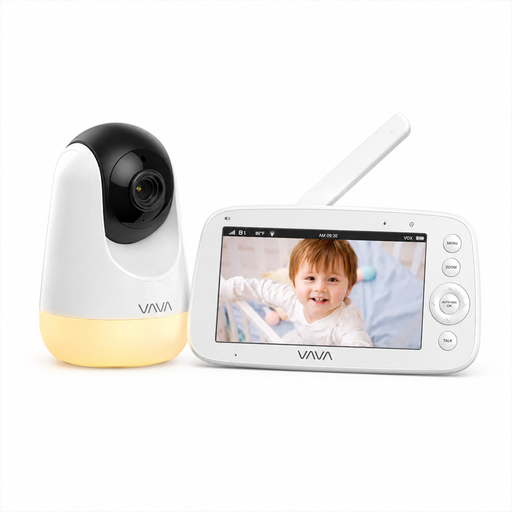
Why it fits: For parents who want to monitor their baby indoors without an app, account or cloud service, using a dedicated 5-inch parent unit.
The direct 2.4GHz connection works without home Wi-Fi and without mandatory cloud storage.
720p screen, infrared night vision, two-way communication, temperature monitoring and up to 24 hours of audio-only use.
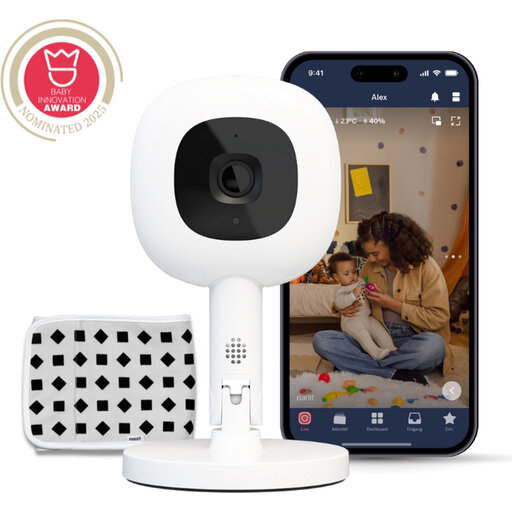
Why it fits: For households that want to use live video, alerts and additional features through iOS, Android or compatible smart-home platforms.
The product information states that 256-bit AES encryption is used. However, check in advance which features require a paid Insights subscription.
1080p video, night vision, Flex Stand, two-way communication, and temperature and humidity monitoring.
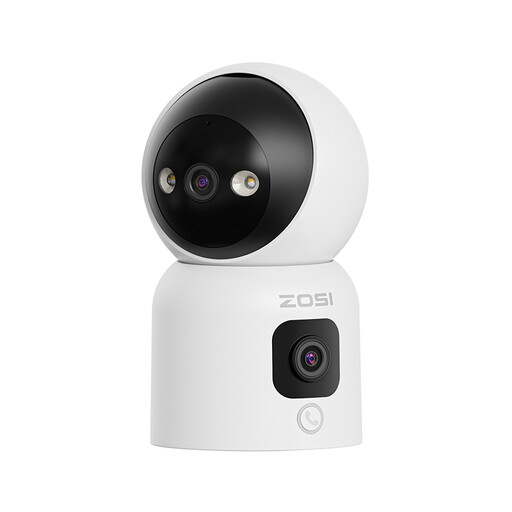
Why it fits: For anyone looking for a camera for both baby and pet monitoring, with broad coverage, app access and automatic tracking.
You can choose between infrared, colour and smart night-vision modes and adjust alert settings.
Dual 2MP lenses, 360-degree security-camera functionality, two-way audio and storage of up to 256GB.
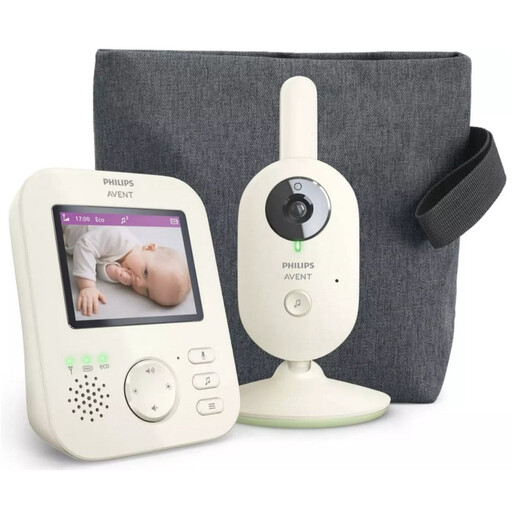
Why it fits: For parents who do not need a smartphone app and prefer to use a paired parent unit at home.
The system uses a dedicated parent unit and specifies a range of up to 50 metres indoors and up to 300 metres outdoors.
Colour screen, infrared night vision, zoom, VOX mode, lullabies and two-way communication.
Browse a current selection of baby monitors with automatic camera tracking and compare connectivity, night vision, motion detection and storage.
Place the camera on a stable surface or mount it securely to a wall. Keep cords out of the child’s reach and do not position the camera directly beside the cot or among bedding. A baby monitor is a helpful tool, but it does not replace supervision by an adult.
Do not use an indoor camera in bathrooms or other private areas. Inform household members and visitors when recording is taking place, and review the app’s privacy settings. If you use cloud storage, check where footage is stored, how long it remains available and which users can access it.
A model without Wi-Fi does not connect to the internet and may therefore be less dependent on an online account or cloud service. That does not automatically mean that every such model is technically safer. Always check the pairing process, range, firmware capabilities and placement of the parent unit.
In addition to the purchase price, cloud storage or smart alerts may involve ongoing costs. Local storage on a microSD card can help reduce subscription fees. With some models, such as Nanit, specific alert or sleep features are linked to a subscription according to the product information. Check the current terms before purchasing.
Service life depends on daily use, power supply, software support, cables and the parent unit’s battery. A camera powered from the mains can be used for many years, but a battery will gradually lose capacity. Keep the manual and proof of purchase, and replace damaged adapters or cables immediately.
