
Vandaag of morgen in huis

Kwaliteit gegarandeerd

Welkomstaanbiedingen ontgrendelen: GRATIS bezorging | Tot 80% korting | Gratis 30 dagen JoyPlus-proefperiode
Download de app
A baby monitor with a camera lets you see and hear your baby from another room. It’s useful during nap time, in the evening or while you’re busy downstairs. However, video baby monitors, baby cameras and digital baby monitors can vary considerably in how they connect, their range and their running costs.
A low price doesn’t always tell the whole story. A camera might have lots of features, for example, but be inconvenient if the parent unit runs out of charge quickly or the Wi-Fi connection drops. Use the checks below to help you choose the right one.
Manufacturers usually quote the range under ideal conditions. Walls, ceilings, metal structures and other wireless devices can all reduce the range indoors. So a stated range of 300 metres doesn’t automatically mean the connection will remain stable across several floors of a UK home.
It’s worth checking the difference between:
Motion detection, sound detection and crying alerts can be useful. However, curtains, pets or changes in lighting may trigger notifications. According to the product information, some models use person or motion recognition to reduce irrelevant alerts. Treat this as a helpful feature, not a guarantee that every alert will be interpreted correctly.
Also check whether alerts come through an app and whether cloud storage incurs a charge. Several Wi-Fi cameras support local storage on a microSD card, while cloud storage may be paid for, according to the product information.
A video baby monitor is a tool for keeping an eye on your baby remotely. Place the camera out of your child’s reach and keep cables away from the cot and sleeping area. Check on your baby yourself regularly. A camera should not be placed directly above the cot or covered.
A baby monitor with Wi-Fi usually works via a smartphone app. This lets you check in remotely, for example when you’re not at home. However, you’ll depend on your home network, app support and account security. Choose a strong password, install firmware updates and check what data is stored.
A baby monitor without Wi-Fi often uses a direct wireless connection between the camera and parent unit. You won’t need an app, account or internet connection. This can make it simpler to use at home and reduces the number of digital connections involved. Do check the actual indoor range and battery life.
A higher resolution can show details more clearly, but practical picture quality also depends on the lens, lighting and camera placement. These features are worth considering in a video baby monitor:
Bear in mind that night vision doesn’t automatically mean every detail will be equally clear in every room. A camera with colour night vision may use extra light, according to the product description; infrared night vision generally displays the picture differently.
A baby monitor with a talk-back function can be useful for speaking briefly from another room. It doesn’t replace direct supervision, but it can come in handy when you want to respond quickly.
A parent unit with VOX mode switches on the screen when it detects sound. This can save power. Always check the stated battery life: battery life in audio-only mode isn’t the same as battery life with the video on continuously.
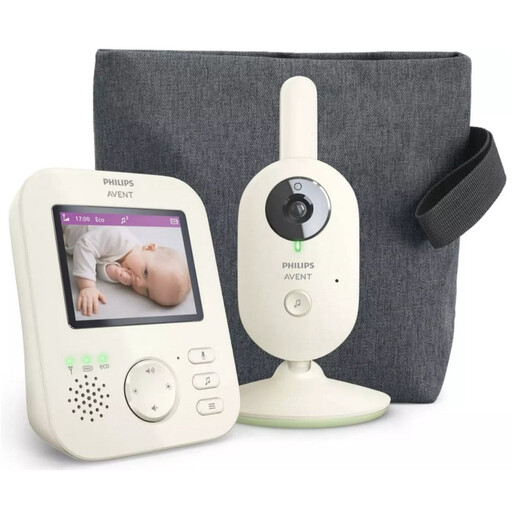
Why it suits this profile: This digital baby monitor has a separate parent unit and a direct wireless connection. According to the product information, you don’t need a Wi-Fi app for everyday monitoring.
The product description states a range of up to 50 metres indoors and up to 300 metres outdoors. This makes it clear that open-space range is different from the range you can expect at home.
2.8-inch colour screen, infrared night vision, VOX mode, zoom, talk-back function and ECO mode.
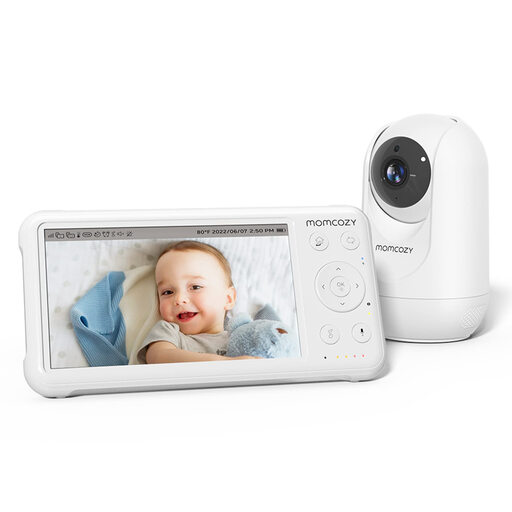
Why it suits this profile: The combination of a 5-inch screen, a battery-powered parent unit and support for up to four cameras makes this a good fit for families who want to monitor several rooms.
According to the product information, the stated range of up to 960 ft applies in open spaces. So you can take walls and other obstacles into account before choosing this model.
1080p screen, pan-tilt-zoom, infrared night vision, temperature monitoring, talk-back function and built-in lullabies.
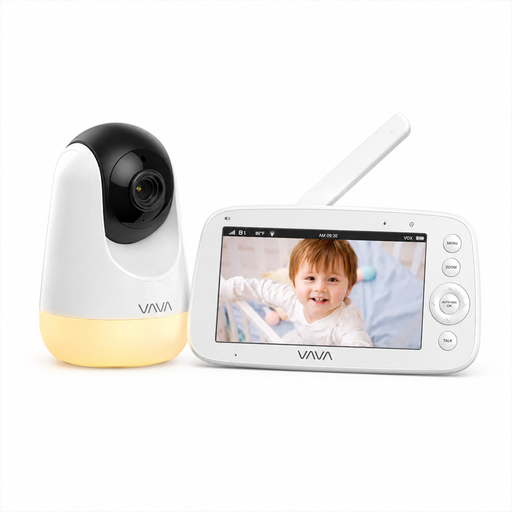
Why it suits this profile: This baby monitor without Wi-Fi is designed for use at home and when travelling, within range of its direct connection. The parent unit works without an app, account or cloud service.
The product information distinguishes between up to 10 hours with the screen on and up to 24 hours in audio-only mode. This gives you a more realistic idea of battery life.
5-inch 720p screen, infrared night vision, 2x and 4x zoom, pan and tilt, temperature alerts, night light and five lullabies.
We’ve put together a complete, up-to-date list of products that meet these strict selection criteria and comply with the applicable European safety regulations.
A baby monitor with motion detection and an app may suit you if you want to check in while you’re out. According to their product information, models such as the ZOSI and JUANCLOUD cameras offer features including 360° viewing, night vision, two-way audio, person detection and local storage. With this type of camera, always check:
You’ll need a separate system for use in the car. According to the product information, the OTTOCAST Cabin Care works with a vehicle that has wired CarPlay and a compatible touchscreen. Check the iPhone and vehicle requirements before you buy; Android Auto isn’t supported.
Place or mount the camera securely, out of your child’s reach. Keep cables and adaptors away from the cot and bedding. Point the camera towards the sleeping area, but don’t put it somewhere it could fall. Always follow the instructions for your chosen model.
Battery life depends on battery capacity, screen use, charging habits and how you use the camera. A parent unit that only transmits sound will generally last longer than one showing video continuously. Check the specifications for screen use and audio-only use separately.
With a model that has a parent unit, your main costs are usually the device and electricity. A Wi-Fi camera may involve extra costs for cloud storage or additional app features. Local storage using a compatible memory card may be an alternative, but check its capacity and compatibility before ordering.
