
Vandaag of morgen in huis

Kwaliteit gegarandeerd

Welkomstaanbiedingen ontgrendelen: GRATIS bezorging | Tot 80% korting | Gratis 30 dagen JoyPlus-proefperiode
Download de app
A baby monitor with a camera lets you watch and listen from a distance. However, not every model is right for every home, trip or family situation. A large screen, long range or smart app may sound appealing, but that doesn’t automatically mean the monitor is easy to use, private or reliable.
Here are three common pitfalls to look out for:
A baby monitor without Wi-Fi usually connects the camera directly to the parent unit. This can be handy if you want to check in at home without an account, cloud storage or an internet connection. According to the product description, the VAVA VA-IH006 PRO uses a direct 2.4GHz connection, doesn’t need an app and comes with a parent unit with a 5-inch screen.
A Wi-Fi baby monitor is a better option if you also want to watch from outside the home or receive alerts on your smartphone. If so, check:
A camera with an app isn’t automatically a complete baby monitor. Some indoor security cameras are designed mainly for motion alerts and surveillance. So look for features that suit the way you plan to use it.
A baby monitor with a screen should be easy to position in your child’s room. Check the screen size, resolution, zoom and adjustability. A baby monitor with night vision usually uses infrared to show a picture in a dark room. The quality depends, among other things, on the distance from the cot and the lighting conditions.
A camera that pans and tilts can be useful if you want to view different parts of the room. For models with automatic tracking, it’s worth checking whether you can switch this feature off. A fixed, steady viewing angle may be more suitable if you only want to keep an eye on the cot.
Check the difference between screen use and audio-only use. For example, a stated battery life of 24 hours may only apply when the screen is off. Range is also often measured in an open space.
Useful features include:
Position the camera securely and out of your child’s reach. Keep cables away from the cot and check the manual for the recommended distance. A baby monitor can support supervision, but it doesn’t replace responsible supervision by an adult.
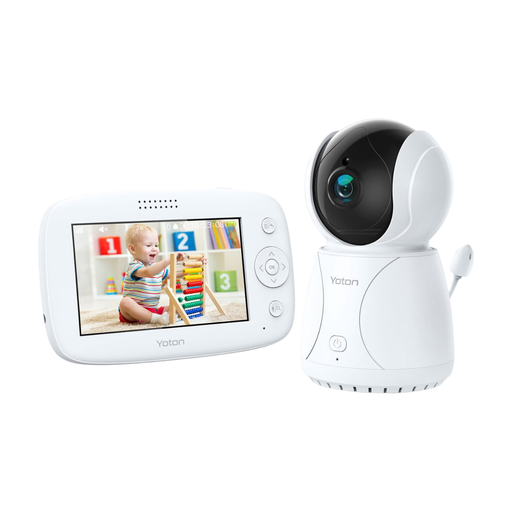
Why it suits this type of buyer: The YB03 combines a 4.3-inch LCD screen with night vision, two-way communication and a rotation function. It’s a straightforward choice for parents who don’t need a full-featured app.
The product information describes the temperature feature as an indication, so don’t use it as a medical measurement. The rotation function lets you adjust the viewing angle without immediately needing to buy a second camera.
4.3-inch LCD screen, temperature sensor, night vision, rotation and two-way audio.
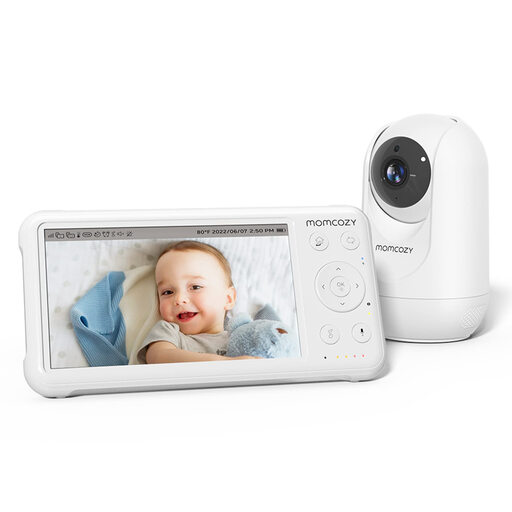
Why it suits this type of buyer: This system has a 5-inch 1080p screen, a parent unit and features for use during the day and at night. It’s a good fit for families who value picture quality, support for multiple cameras and a long stated range in open spaces.
The specifications distinguish between a range of up to 960 ft in an open space and the range indoors. This helps you avoid mistaking an open-space claim for a guarantee that applies to every home.
1080p screen, infrared night vision, temperature sensor, lullabies and support for up to four cameras.
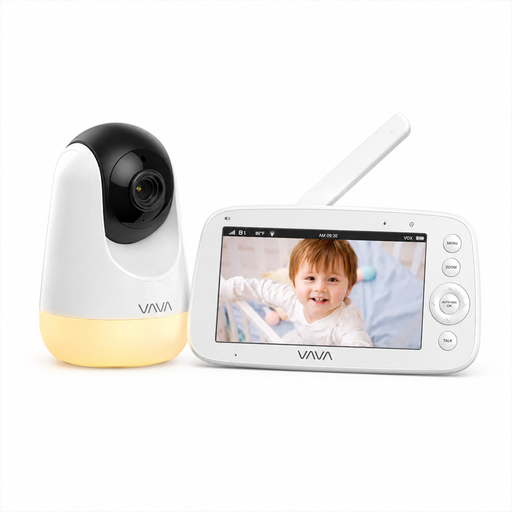
Why it suits this type of buyer: This is a baby monitor without Wi-Fi, designed for families who prefer a direct connection and a separate parent unit. Night vision, zoom, tilt and pan make it practical for everyday use at home.
According to the product description, no app, account or cloud service is needed. The stated range of 300 metres applies in an open area; walls can reduce the range indoors.
5-inch 720p screen, direct 2.4GHz connection, up to 24 hours of audio-only use and temperature information.
We’ve put together a full, up-to-date list of products that meet these strict selection criteria and the applicable European safety regulations.
A direct connection without an app or cloud service limits the number of online services you use. This can make things simpler for home use. Still, check the connection between the camera and parent unit, the positioning instructions and the range in your home. No electronic device can replace safe supervision.
Place or mount the camera securely and out of your child’s reach. Keep the mains cable well away from the cot, crib and play area. Position the camera so you have a clear view without risking the device falling. Always follow the manual and regularly check that the mount, cables and adaptor are undamaged.
Models with a parent unit usually don’t have mandatory monthly app or cloud fees. With a Wi-Fi baby monitor, storage features or additional services may depend on the subscription you choose. Also consider power consumption, battery capacity and whether you need to buy a microSD card separately. That way, you can compare not just the purchase price but also the cost of everyday use.
