
Vandaag of morgen in huis

Kwaliteit gegarandeerd

Welkomstaanbiedingen ontgrendelen: GRATIS bezorging | Tot 80% korting | Gratis 30 dagen JoyPlus-proefperiode
Download de app
A baby monitor with camera can be useful in the nursery, but also as a video monitor for pets, older people or keeping an eye on things at home. However, not every model is suited to every situation. A Wi-Fi baby monitor with an app works differently from one without Wi-Fi that comes with its own parent unit. Features such as night vision, motion detection and automatic tracking may sound appealing, but they’re only useful in practice if they suit your home and how you plan to use the monitor.
Manufacturers often state a range of hundreds of metres. This is usually measured without walls, floors or other wireless signals getting in the way. In a typical home, concrete ceilings, meter cupboards and neighbouring Wi-Fi networks can all limit the range.
So check the conditions under which the range was measured. A baby monitor with its own parent unit may be more reliable around the home than one that relies entirely on Wi-Fi, but the practical range will vary from one home to another.
A camera with 2K or 4MP resolution can show plenty of detail during the day. But in a dark nursery, the usefulness of the picture depends mainly on the infrared lighting, viewing angle and image processing. So don’t just check the resolution: look at the stated night vision range too.
A baby monitor with night vision is no substitute for safe lighting or supervision. Position the camera so that a bright light isn’t shining directly into the lens.
Cloud storage may be optional or chargeable with a camera that uses an app. Some models also support a microSD card for local storage. Check the following in advance:
Use a strong, unique password, keep the app up to date and don’t point an indoor security camera at areas where people expect privacy. Let household members and visitors know if they’re being recorded.
A baby monitor without Wi-Fi connects directly to the parent unit. This is a practical option if you don’t want to use an account, app or cloud storage. A Wi-Fi baby monitor gives you remote access instead, for example when you’re at work, but it requires a reliable network and extra attention to account security.
For use around the home only, a direct connection may be all you need. If you also want to check on your baby or pets while you’re out, a camera with an app makes more sense.
Consider the resolution, viewing angle and positioning together. A fixed baby monitor camera may be enough if the cot always stays in the same place. A PTZ camera can pan horizontally and tilt vertically, and may also offer digital zoom. This is useful in a larger room or when you want to keep an eye on a pet that moves around.
Automatic tracking can follow a person or animal as they move. According to the product descriptions for various models, this works through motion or person detection. However, the feature may also trigger unwanted alerts, for example because of shadows or movement outside the area you want to monitor. Set motion zones and alert sensitivity carefully.
A baby monitor with two-way audio lets you speak through the camera remotely. This can help to reassure a child or pet briefly, but it doesn’t replace checking on them in person. A temperature sensor shows the temperature near the camera as a guide. Don’t use it as a medical measuring device.
Also check whether the camera:
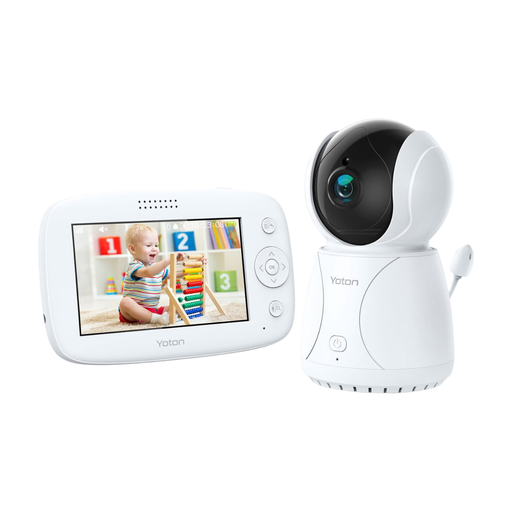
Why it suits this profile: This model combines a 4.3-inch screen with temperature display, rotation, two-way audio and night vision. It’s a good choice for parents who want the essential features together in one easy-to-use monitor.
The specifications clearly state the screen size and features, so you don’t have to rely solely on a general claim about range or picture quality.
4.3-inch LCD screen, temperature sensor, rotation function, two-way audio and night vision.
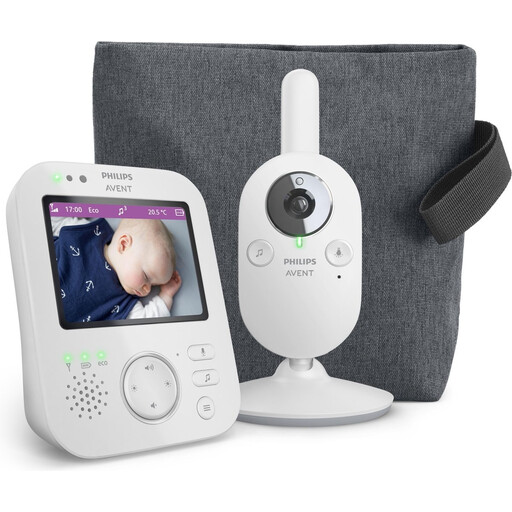
Why it suits this profile: This video baby monitor uses a paired parent unit and is designed for a private connection at home. Features include VOX, zoom, night vision, soothing sounds and ECO mode.
You don’t need cloud storage or a smartphone app to view the live feed at home. The stated range is up to 50 metres indoors and up to 300 metres outdoors.
Private connection, 3.5-inch screen, VOX mode, 2x digital zoom and ECO mode.
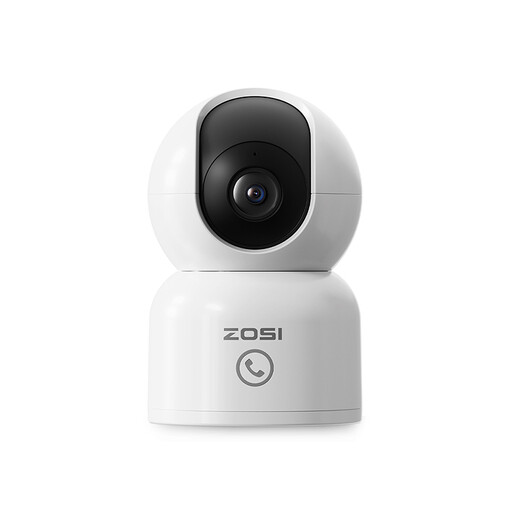
Why it suits this profile: This indoor security camera is aimed at families, pet owners and carers who want to check in remotely using the Zosi Smart app.
The product description mentions local storage up to 256GB, privacy zones and a cloud storage trial. Check the current terms before using cloud storage.
2.5K 4MP picture, 360° motion detection, automatic tracking, around 10 metres of night vision and two-way audio.
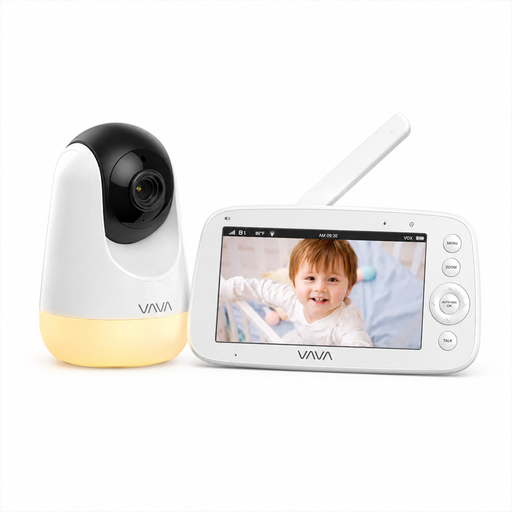
Why it suits this profile: This model uses a direct 2.4GHz connection between the camera and parent unit. According to the product description, it doesn’t require an app, account or cloud service.
You don’t need to factor in Wi-Fi range, a cloud subscription or app compatibility. The stated range of 300 metres applies in open spaces; it may be shorter indoors.
5-inch 720p screen, infrared night vision, PTZ control, two-way audio and temperature alerts.
We’ve put together a complete, up-to-date list of products that meet these strict selection criteria and the current European safety requirements.
Yes. A model with its own parent unit and a direct wireless connection can work without home Wi-Fi. You usually won’t be able to check in remotely using a smartphone. Check the stated range and bear walls and floors in mind.
Its lifespan depends on the power supply, battery use, cables, software support and how the device is positioned. A camera powered by mains electricity may be suitable for long-term use, but check the adapter and cable regularly. For a parent unit with a battery, the usage time per charge will generally decrease as the battery gets older.
The purchase price isn’t always the full cost. Local storage on a microSD card may require a one-off additional purchase. Cloud storage may become chargeable after a trial period, depending on the product terms. Before buying, check the storage options, subscription price and terms for the app that goes with the monitor.
