
Vandaag of morgen in huis

Kwaliteit gegarandeerd

Welkomstaanbiedingen ontgrendelen: GRATIS bezorging | Tot 80% korting | Gratis 30 dagen JoyPlus-proefperiode
Download de app
A baby monitor with a camera can be useful if you want to watch and listen from a distance during the day or at night. However, a long list of features doesn’t always tell you whether a model is right for your home and family. For example, a large screen matters less if you mainly use an app. And a camera with lots of motion-tracking features isn’t necessarily the best choice for a fixed cot position.
As a Joybuy Product Recommendation Officer, I’ve narrowed down the key product specifications and common buying pitfalls for you. This makes it easier to compare a video baby monitor, baby camera or baby monitor with video based on practical features.
Manufacturers often quote the range in an open space. In a Dutch home, concrete floors, thick walls and other wireless devices can reduce the actual range. So check whether the indoor range is listed separately. For example, Philips states that the Philips Avent SCD882/26 has a range of up to 50 metres indoors and up to 300 metres outdoors.
Baby monitors with night vision usually use infrared light, which often produces a black-and-white image. Some Wi-Fi baby cameras also offer colour night vision, but the product information may say that this requires additional light or a specific mode. Don’t just look for the term ‘night vision’; check the stated range, resolution and available modes too.
A baby monitor with an app can let you receive alerts and view footage remotely, but it relies on your network and an app. Check whether cloud storage is paid, which memory cards are supported and whether you need an account. If you mainly want to keep an eye on things at home, a baby monitor without Wi-Fi and with its own parent unit may be more practical. That way, you won’t depend on an internet connection or cloud service.
A model without Wi-Fi usually connects the camera directly to the parent unit. According to the product description, the VAVA VA-IH006 PRO uses a direct 2.4GHz connection, with no app, account or cloud service. It’s a good fit for parents looking for a simple system to use at home.
A Wi-Fi baby camera is a better option if you want to check in while you’re out or give several people access. If so, check for support for 2.4GHz and 5GHz, your router’s security and the storage terms. Change the default password after installation, and keep the app and firmware up to date when the manufacturer recommends it.
A resolution of 1080p or higher can show details more clearly, but the final picture quality also depends on the lighting, lens and connection. A baby monitor with a rotating camera can show more of the room. Check whether you can pan and tilt the camera remotely or whether you need to adjust it by hand.
A fixed camera may be enough for a small nursery. For a living room, pet or older person moving around the room, features such as pan and tilt, automatic tracking and motion detection can be more practical. According to the product information, the ZOSI C688 has a 1080p picture, 33 feet of night vision and an adjustable viewing angle.
A baby monitor with a temperature sensor gives you an indication of the room temperature. Use this as a guide, not as a medical measuring device. According to the product information, the YOTON YB03 has a built-in temperature sensor, night vision, a rotation function and two-way talk.
Check the placement too. Keep the camera, adapter and cables out of your child’s reach. Don’t place a camera in or directly next to the cot, and make sure the cables don’t pose a strangulation risk. A baby monitor is a useful aid, but it doesn’t replace adult supervision.
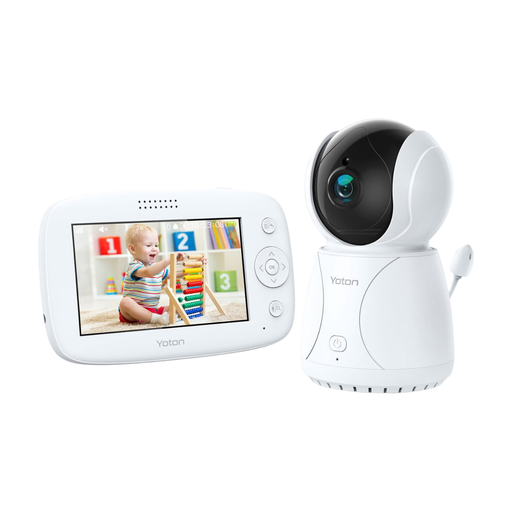
Why it suits this profile: The parent unit has a 4.3-inch LCD screen, and according to the product information, the camera offers a temperature display, rotation, night vision and two-way communication.
The features are clearly displayed on the parent unit, so you don’t need an app or cloud storage to keep an eye on things at home.
4.3-inch screen, temperature sensor, rotation function, night vision and two-way audio, according to the product description.
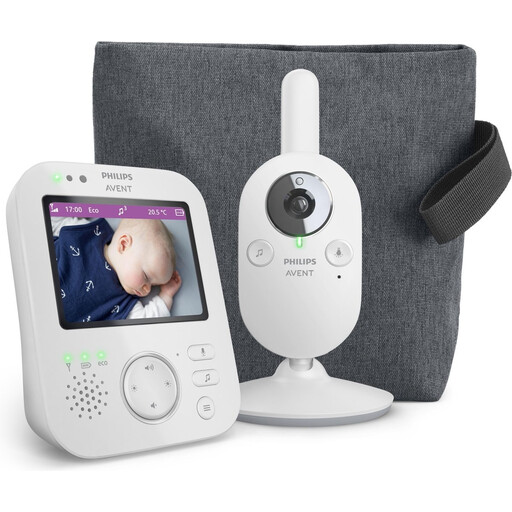
Why it suits this profile: Philips says this model offers a dedicated, secure connection, a 3.5-inch screen, zoom, VOX mode, night vision and a parent unit for use at home.
The stated indoor and outdoor ranges are listed separately, making it easier to assess how well the claims match your home.
3.5-inch screen, 2x digital zoom, VOX, ECO mode, two-way communication and a stated range of up to 50 metres indoors.
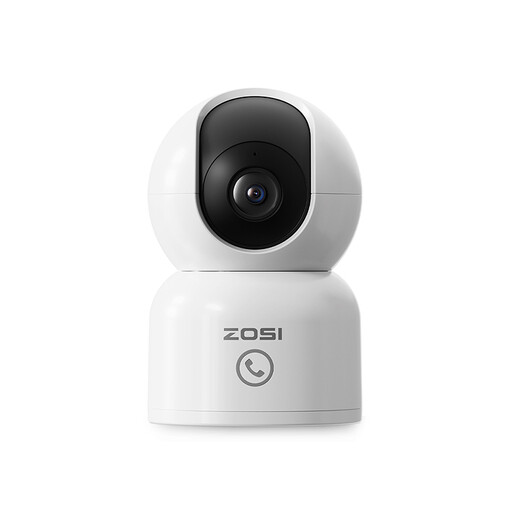
Why it suits this profile: According to the product information, this model is designed for babies, pets and older people. It works with the Zosi Smart App and offers motion alerts and automatic tracking.
The product information specifies 10 metres of infrared night vision, helping you estimate the viewing distance in a dark room.
2.5K/4MP picture, according to the product information, 360° tracking, two-way audio, app access and local storage up to 256GB.
We’ve put together a full, up-to-date list of products that meet these strict selection criteria and the applicable European safety regulations.
No. A direct connection to a parent unit is often enough for keeping an eye on things at home. Choose Wi-Fi if you want to check in remotely on your smartphone, receive alerts or add multiple users. Check the app, storage options and network requirements in advance.
Place the camera securely and out of your child’s reach. Keep cables away from the cot and don’t position the camera among bedding or toys. Follow the distance guidance in the manual. Also check regularly that the mount, cable and adapter are still undamaged.
You may pay for the camera once, but extra costs can come from cloud storage or additional app features. Local storage with a compatible memory card can sometimes avoid a subscription, but always check the maximum capacity and whether the card needs to be bought separately.
