
Vandaag of morgen in huis

Kwaliteit gegarandeerd

Welkomstaanbiedingen ontgrendelen: GRATIS bezorging | Tot 80% korting | Gratis 30 dagen JoyPlus-proefperiode
Download de app
A baby monitor with a camera seems simple: position the camera, open the parent unit or app, and you’re ready to go. In practice, models vary considerably in picture quality, connectivity, power supply and alerts. A low purchase price may be less appealing if the Wi-Fi connection regularly drops, the battery runs out quickly or cloud storage comes at an extra cost.
The main pitfalls:
Start by considering the picture quality in practice. A video baby monitor with 1080p will generally show more detail than a lower-resolution camera, but positioning still matters. Place the camera securely and out of your child’s reach. Also check whether the camera is fixed or can be turned remotely.
A baby monitor with night vision usually uses infrared light. Some security cameras also offer colour night vision with a white light. This can show more colour detail, but the light may also be distracting in a dark bedroom. Check the stated night vision range and whether the light can be switched off.
A baby monitor with a parent unit connects the camera directly to the monitor. It’s handy when you want to check in at home without using your smartphone. Models with their own connection also don’t rely on an internet connection for live viewing within the set’s range.
A baby monitor with an app uses your home network and may also let you check in when you’re out. Check the following:
A Wi-Fi baby monitor is especially useful for parents who want to check in while they’re out. A dual-mode system, with both a parent unit and an app, offers greater flexibility but often has more settings.
A baby monitor with motion detection or baby monitor with a crying sensor can send an alert when movement or sound is detected. Check whether the sensitivity can be adjusted. If it’s set too high, passing traffic, a fan or household noises may trigger lots of alerts.
A baby monitor with a two-way talk function has a microphone and speaker at both ends. This can be useful for responding briefly from another room. It’s no substitute for an adult checking on your child.
Finally, check whether the camera and parent unit run on mains power, how long the battery lasts and whether cables can be kept safely out of reach. Only use the supplied adapter or one approved by the manufacturer.
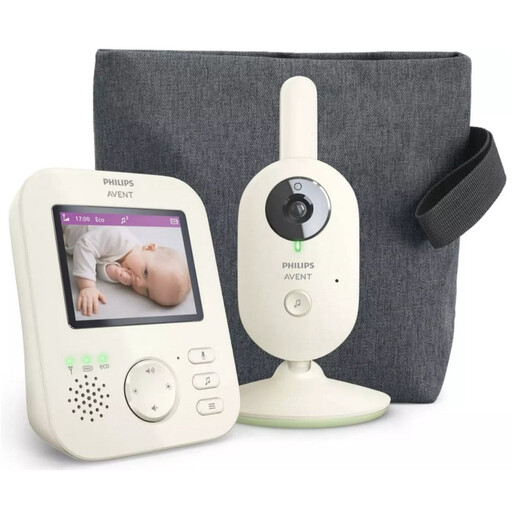
Why it suits this type of buyer: A straightforward system with a parent unit, VOX mode and a range stated in the product information as up to 50 metres indoors and up to 300 metres outdoors.
You’re not relying solely on a smartphone app or your home Wi-Fi. The set uses its own parent unit and has adjustable sound and sensitivity settings.
2.8-inch colour screen, infrared night vision, zoom, VOX mode and two-way audio. ECO mode is designed to limit energy use when things are quiet.
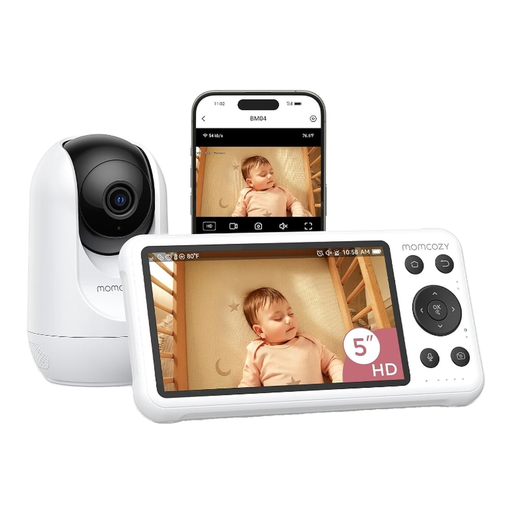
Why it suits this type of buyer: Ideal if you want a screen to use at home, as well as the option to check in remotely using a smartphone app.
The dual-mode setup means you don’t have to rely on the app alone. Make sure your Wi-Fi network is secure and remember that the camera and screen need mains power.
5-inch 1080p screen, motion and crying detection, night vision, two-way audio and local recording, according to the product description.
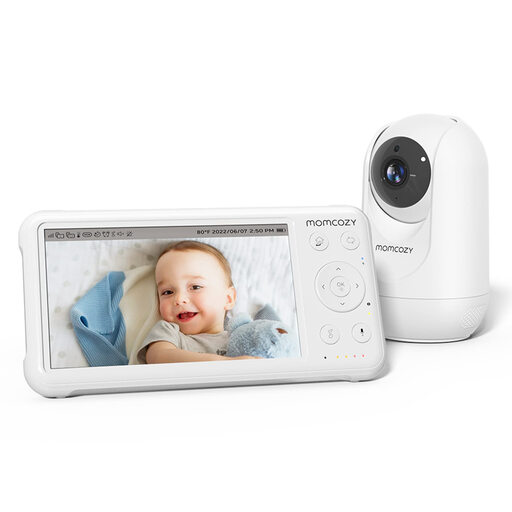
Why it suits this type of buyer: A handy choice for households with several rooms, or if you’re looking for a parent unit with a larger battery and the option to expand the system.
The 5000mAh battery in the parent unit means you’re less reliant on a socket while using it. Make sure the camera is positioned correctly and keep cables out of reach.
5-inch 1080p screen, pan-tilt-zoom, temperature sensor, lullabies, VOX mode and support for up to four cameras, according to the product information.
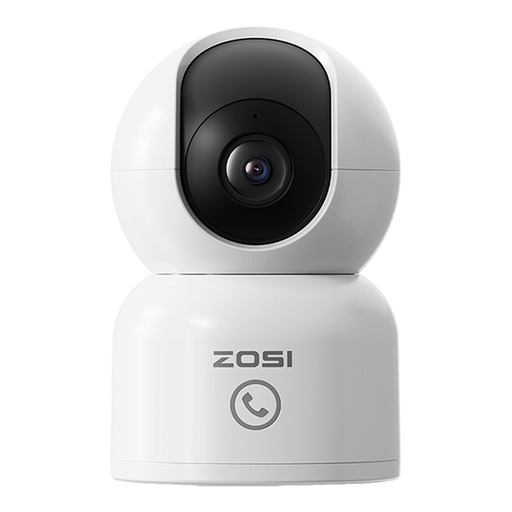
Why it suits this type of buyer: A good option if you mainly want to check in via your smartphone and would also like to use the camera for pets or other rooms.
You can choose between local storage on a memory card and cloud storage. Check the terms of the cloud trial period and any paid storage options in advance.
2MP picture quality, 360° movement, person detection, 10-metre infrared night vision, app control and two-way audio, according to the product description.
We’ve put together a full, up-to-date list of products that meet these strict selection criteria and the applicable European safety requirements.
Use this quick checklist before using your baby monitor:
Yes. Some models with a parent unit use a direct wireless connection and don’t need the internet for live viewing. A Wi-Fi baby monitor with an app usually needs a network connection for remote access. Always check the connection method in the product specifications.
It varies by model and how you use it. Screen brightness, continuous video, alerts and the distance from the camera all affect battery life. A system with ECO or VOX mode doesn’t keep the screen on all the time. With some sets, only the parent unit runs on a battery, while the camera stays plugged into the mains.
They can provide useful alerts, but sensitivity and conditions affect how well they work. Noise, pets, shadows and changing light can trigger alerts. Use these features as an extra aid, not as a substitute for adult supervision.
