
Vandaag of morgen in huis

Kwaliteit gegarandeerd

Welkomstaanbiedingen ontgrendelen: GRATIS bezorging | Tot 80% korting | Gratis 30 dagen JoyPlus-proefperiode
Download de app
A baby monitor with camera can help you keep an eye on your little one during the day or at night from another room. However, not every video baby monitor is suitable for every home. A large screen doesn't tell you much about the range, a Wi-Fi connection isn't automatically stable, and extra features can come with recurring costs.
Pay particular attention to these three common pitfalls:
A resolution of 1080p is sufficient for most nurseries to see your child's face and position. A model with 2K or 3MP can show more detail, but only when the lens, lighting and network connection can deliver it properly.
With a baby monitor that has night vision, you should look out for:
A 360-degree baby camera is handy when your child moves around the room. Check whether it's genuine mechanical pan and tilt movement, or just a wide fixed viewing angle.
A baby monitor without Wi-Fi usually uses a separate parent unit. This can be practical if you don't need to view the picture over the internet. The Philips Avent SCD882/26, for example, mentions a parent unit, ECO mode, VOX function and a stated range of up to 50 metres indoors and 300 metres outdoors. According to the product information, the connection is linked to the handset.
A Wi-Fi baby monitor, on the other hand, offers control via a smartphone. This is useful when you want to check in from outside the home, but it requires a stable network and good account security. Choose a strong password, enable two-step verification where possible and install firmware updates.
Also pay attention to storage. Local storage on a TF or microSD card gives you more control over video footage. Cloud storage is often easier for remote access, but according to the product information for some models, it can incur extra costs.
Features such as motion detection, cry detection and two-way communication can be useful, but notifications aren't always error-free. A curtain, a pet or changing light conditions can trigger an alert. So check whether you can set detection zones and sensitivity.
Also check:
A baby monitor is a tool and does not replace supervision by an adult. Place the camera securely, out of your child's reach and with cables away from the cot.
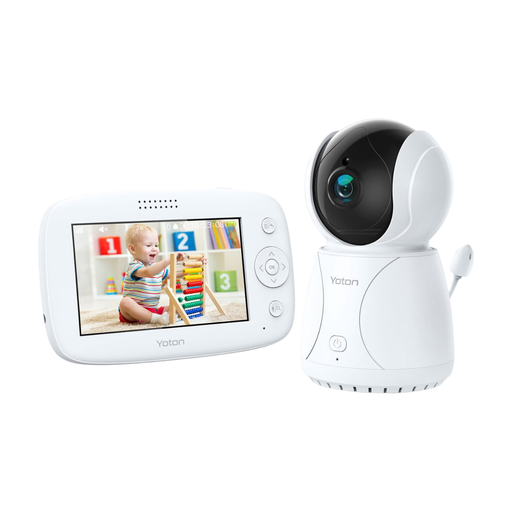
Why this fits the profile: A straightforward model for parents looking for a simple video baby monitor without lots of app features.
The product information mentions a 4.3-inch LCD screen, rotation function and night vision. There is no reliance on cloud storage in the basic features described.
4.3-inch screen, temperature reading as an indication, two-way communication and adjustable viewing angle.
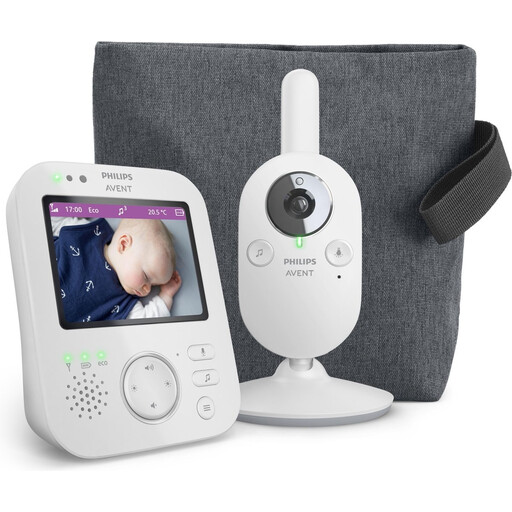
Why this fits the profile: Ideal for families who value a separate parent unit, private connection and features for daily use.
The described connection is not dependent on a smartphone app. This means an internet outage doesn't affect the basic display via the parent unit.
According to the product information: 1080p video, infrared night vision, 2x digital zoom, VOX mode, two-way communication and ECO mode.
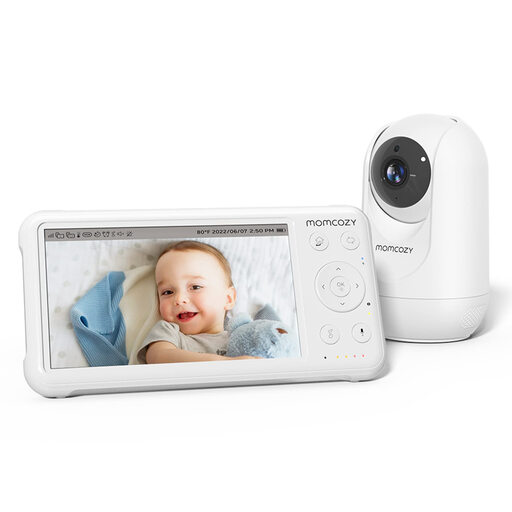
Why this fits the profile: Handy for larger homes, multiple children's rooms or parents who want to add extra cameras later.
The set includes its own parent monitor and the product information states support for up to four cameras. This limits reliance on just a phone.
5-inch 1080p screen, pan-tilt-zoom, night vision, temperature reading, two-way communication and a stated open-space range of up to 960 ft.
We've put together a full, up-to-date list of products that fully meet these strict selection criteria and comply with current European safety regulations.
That varies by model. Some cameras continue to work within your home network when the internet connection goes down; other functions, such as checking in from outside the home and push notifications, require the internet. Check this in the manual and see whether a parent unit is available.
Place the camera on a stable surface or fix it securely to the wall. Keep the device and cable out of your child's reach and don't lay any cable along or above the cot. Point the camera at the sleeping area without capturing other people's private spaces in the picture.
In addition to the purchase price, costs can arise for cloud storage, extra users or advanced notifications. A model with local storage on a microSD card can help limit these recurring costs. Also check whether the card is included and what maximum capacity is supported.
